Practice websites with a system: why upkeep no longer has to hurt

Ask a medical practice who looks after the website and you usually get one of two answers: "nobody, really" or "the agency, but it takes a while". Neither is the practice's fault. It is the logical result of most practice websites running on a system built for entirely different jobs. This article shows where the upkeep of large content management systems such as WordPress fails in everyday practice life, what it really costs, and what a practice website looks like that adapts to that everyday life instead of the other way round.
The problem starts after launch
On launch day every website is beautiful. Then everyday life arrives: two weeks of summer holiday, a colleague on parental leave, a new colleague, changed Wednesday hours, a broken lift, a flu vaccination campaign, an open position.
Each change is trivial, and each one only reaches the website when someone has the time, the access and the courage. In practice that means the holiday notice goes online three days late because the agency needs an email first. Or it never goes online, and the phone rings at the locum practice instead. The website does not age with a bang, but in small steps, until patients stop trusting it.
Why large CMS are too large for a practice
1. Updates nobody wants to run
A WordPress setup consists of the core, a theme and typically twenty to forty extensions by as many different authors, each with its own update cycle. Run the updates and something may break; skip them and known security holes stay open. Neither is an option for a practice, which is exactly why nobody does it in the end.
2. An editor the team is afraid of
The page builder shows the practice team the same hundred buttons it shows the designer. Someone who only wants to change opening hours faces columns, spacing and colour fields, plus the justified fear of wrecking the homepage with one click. So they leave it alone.
3. Security as a permanent building site
Practice websites are a popular target not because they are interesting but because they are reachable: known software, known holes, rarely maintained. A hijacked contact form sending spam to patients is more than embarrassing for a practice; it is a reportable data breach.
4. The cookie banner nobody asked for
Google fonts, embedded maps, statistics plugins, a video: each loads data from third-party servers and each drags a consent banner along, right in front of the opening hours the patient was looking for.
5. Load time on the phone
Most patients open a practice website on a phone, often on mobile data. A page that loads fifty files before the first letter loses exactly there.
The hidden bill: follow-up costs for every small thing
- Every text change done by the agency is billed by the hour or with a minimum fee, even for two sentences.
- A maintenance contract usually covers updates and backups only. Content changes are extra.
- When an update breaks something, the practice pays for the repair although it did nothing wrong.
- A security incident adds clean-up, reinstallation and, in the worst case, a report to the supervisory authority.
- And the most expensive item never appears on an invoice: the changes that are skipped for convenience, and the phone calls an up-to-date website would have prevented.
On top comes a dependency that is rarely spoken about: if the only person who understands the system sits at the agency, the agency decides the pace and price of every change.
What a practice really needs to change, and what it never does
Look at what actually changes on a practice website over a year and you nearly always find the same five things: notices (holiday, closed at short notice, locum, disruptions), opening hours and exceptions, news, downloadable forms and open positions. All short, all current, none of them a layout decision.
What almost never changes: the design, the service descriptions, the team page, the legal notice. A large CMS treats both the same, everything editable, everything equally complicated, everything equally risky. A practice website with a system separates the two worlds.
Practice websites with a system: how we solve it
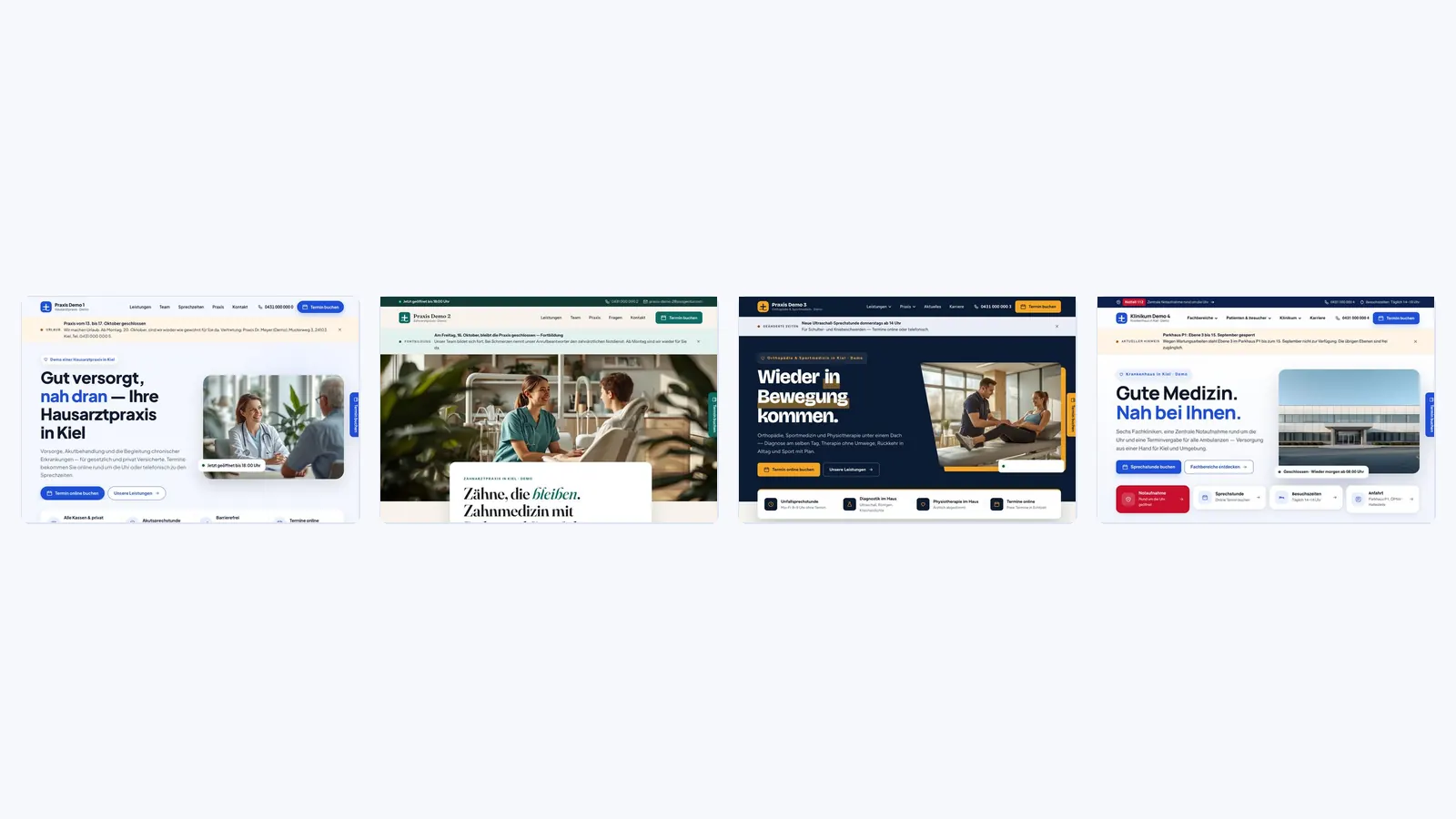
We do not build practice websites as one-offs but on a system developed for medical practices, MVZ and clinics. Every practice gets its own individually designed website, with its own colour scheme from the logo, its own typeface pairing, its own imagery. What all websites share is only the technical core, and that core is small, tested and free of third-party extensions.
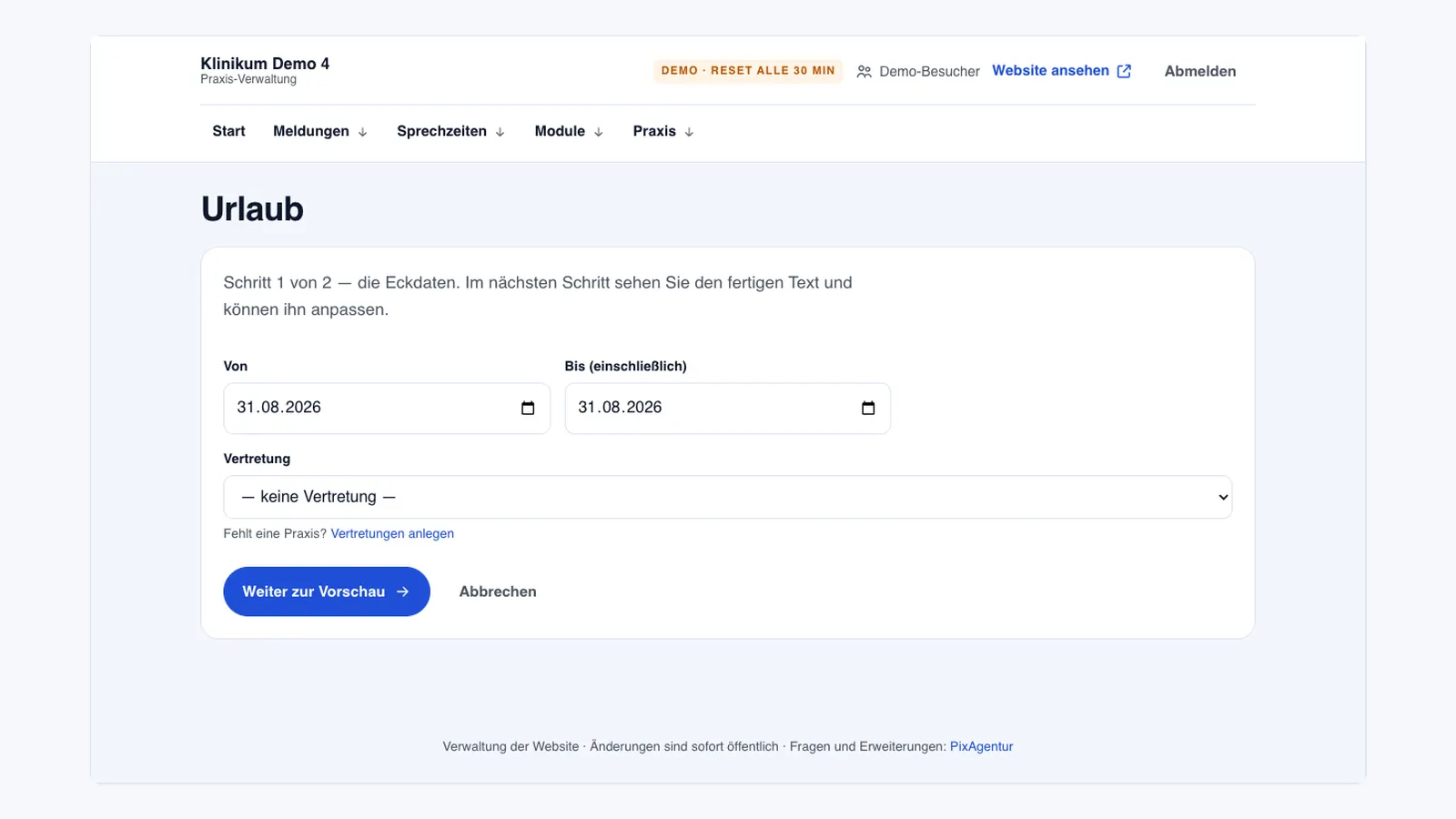
At its heart is the practice admin: a protected area behind the website in which the team maintains exactly the things that change in everyday life, and nothing else.
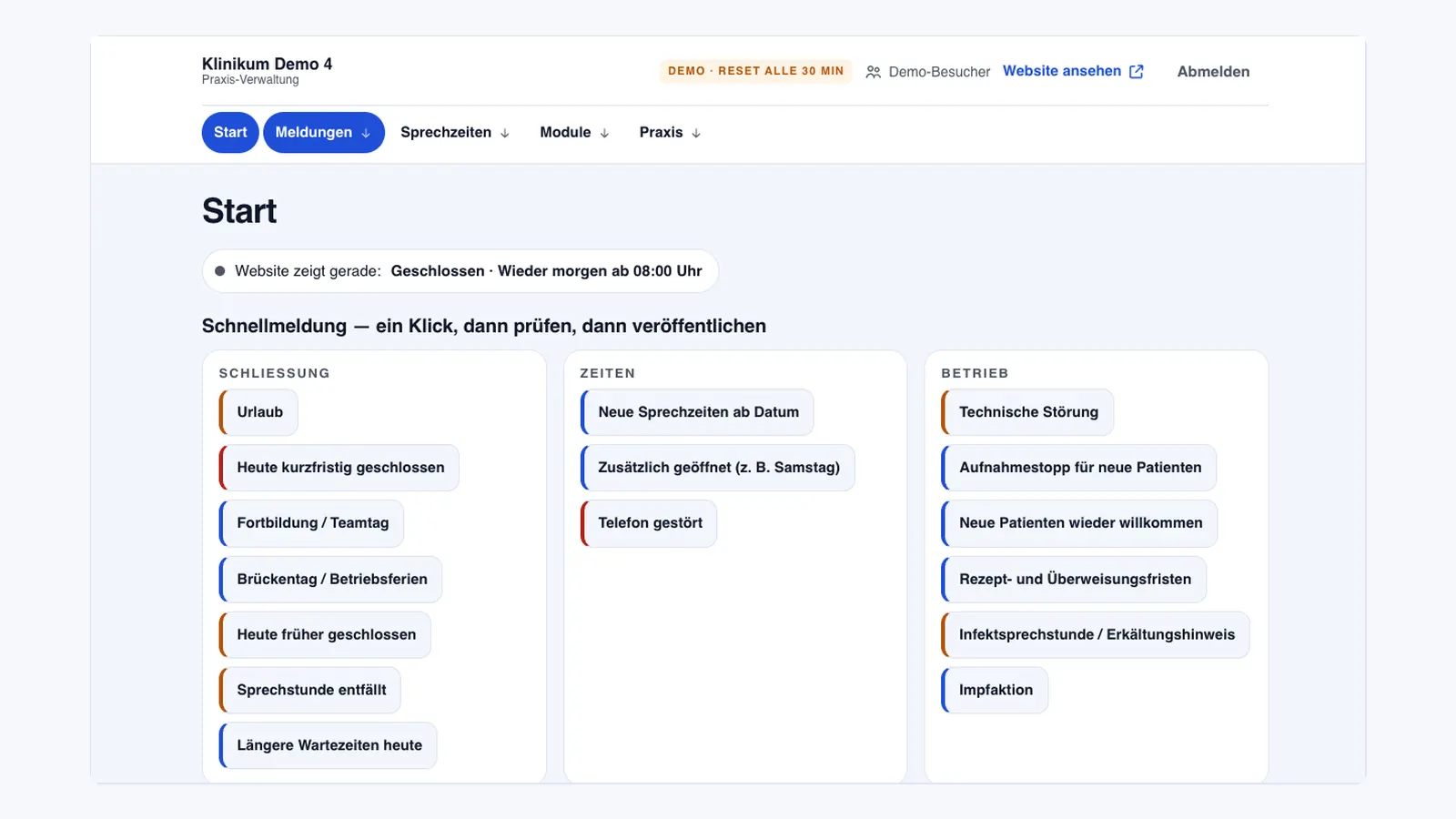
- Notices in two steps. More than twenty prepared situations, holiday, closed at short notice, training, vaccination campaign, disruption, selected, dated and previewed before going live. As a banner or a notice window, with an automatic expiry date.
- Opening hours with exceptions. Weekly plan, deviating days, public holidays automatically. The website always shows the real state, including "open today until 6 pm".
- Locums, team, log. Locum practices are stored, every change is logged and can be restored.
- Modules as needed. News with an editor and image, a download centre for medical history forms, a careers module with job ads on Google for Jobs and an application form, switched on when the practice needs them.
Everything else, service texts, team page, design, we maintain for you. Not by the hour but at a fixed price per change, usually the same day. That is deliberate: the website stays clean, professionally and legally, and the practice knows the cost before asking.
No cookie banner, no plugins, no fear of updates
The technical side is just as consistent. By default a practice website from us loads not a single file from a third-party server: fonts sit on our own server, maps are static images, reviews are embedded server-side. So the consent banner disappears, not because we hide it, but because there is nothing to consent to.
We embed the appointment booking of your practice software, Doctolib, arzt-direkt, tomedo, so that no data flows before the patient clicks. Updates to the technical core are applied by us, individually and tested. Before every launch the same check runs: technology, content, display on phone, tablet and desktop, load time. The practice receives the report.
And because every practice website runs on its own technology, independent of all other customers, a fault in one place can never hit a second practice.
Four stages, one logic
Not every practice needs the same. That is why the system comes in four stages: from the one-pager for a single practice, via websites with subpages and dedicated service pages, up to the clinic presence with departments, emergency room, patient information and application form. The admin is the same at every stage, so a practice can start small and extend later without rebuilding anything.
What may go on a practice website, and what may not
One point large CMS do not know and that is decisive for practices: German health advertising law (HWG). Promises of success, invented figures, patient thank-you letters used as advertising: what is harmless on a tradesman's website can lead to a warning letter on a practice website. That is why our practice websites only contain what the practice has supplied and approved, and reviews only appear when they are real Google reviews.
Moving away from WordPress without losing Google
The most common worry: "then we disappear from Google". You do not, if the move is done properly. Every old address gets a permanent redirect to its new equivalent, titles and descriptions are carried over and improved, and the Google Business Profile points to the new site. As a rule the practice ends up better placed than before, because the new site loads faster, works on the phone and brings structured data for opening hours, services and questions that Google understands directly.
What you can do now
Open your own practice website on your phone and ask three questions: are the opening hours right, when was something last changed, and who would have to enter the next holiday, and how long would that take? If you hesitate at any of them, have a look at the four live demos under practice websites. You can try the admin there too, without a password, and the demo resets itself every half hour.
Frequently asked questions
Can our team really maintain the website without training?
Yes, because the admin only contains the things that change in everyday practice life: notices, opening hours, locums, news, forms, positions. Every action has a preview and every action can be undone. Try it in one of the demos; the demo access needs no password.
What happens when we want to change a service text?
You send us the change and we implement it at a fixed price, usually the same day. That is deliberate: service texts touch health advertising law, and a cleanly set text is done faster than a layout that needs repairing after editing.
Do we really not need a cookie banner?
Not by default, because the website sends no data to third-party servers: no Google fonts, no embedded maps, no statistics scripts. Your practice software's appointment booking is embedded so that only the patient's click opens a connection. If you later embed a YouTube video that changes, and we discuss the embedding first.
We already have a WordPress site with good Google rankings. Will we lose them when moving?
Not with a proper move. Every old address is permanently redirected to its new equivalent, titles and descriptions are carried over, the Google Business Profile updated. Rankings usually improve because the new site loads faster and brings structured data.
Does this also work for a clinic or an MVZ with many departments?
Yes, that is the largest stage: departments with their own pages and contacts, emergency room, patient and visitor information, careers with an application form. The admin is the same as in a small practice, just with more modules.
See the software in action
Try every trade edition live (no signup) or get it in the shop.