Cockpit feature · Files & Sharing
Files & Sharing: Your Own Dropbox, Built Into the CRM
Site photos, plans, quotes and hand-over reports no longer end up scattered across WeTransfer links and email attachments. Instead, they live in your own file explorer with a folder tree, team folders and version history. Share links with a password, expiry date, download limit and QR code hand out single files, whole folders or bundles safely, and customers can even upload files themselves with no login at all.
Add-on · €9.99/mo — included in Premium
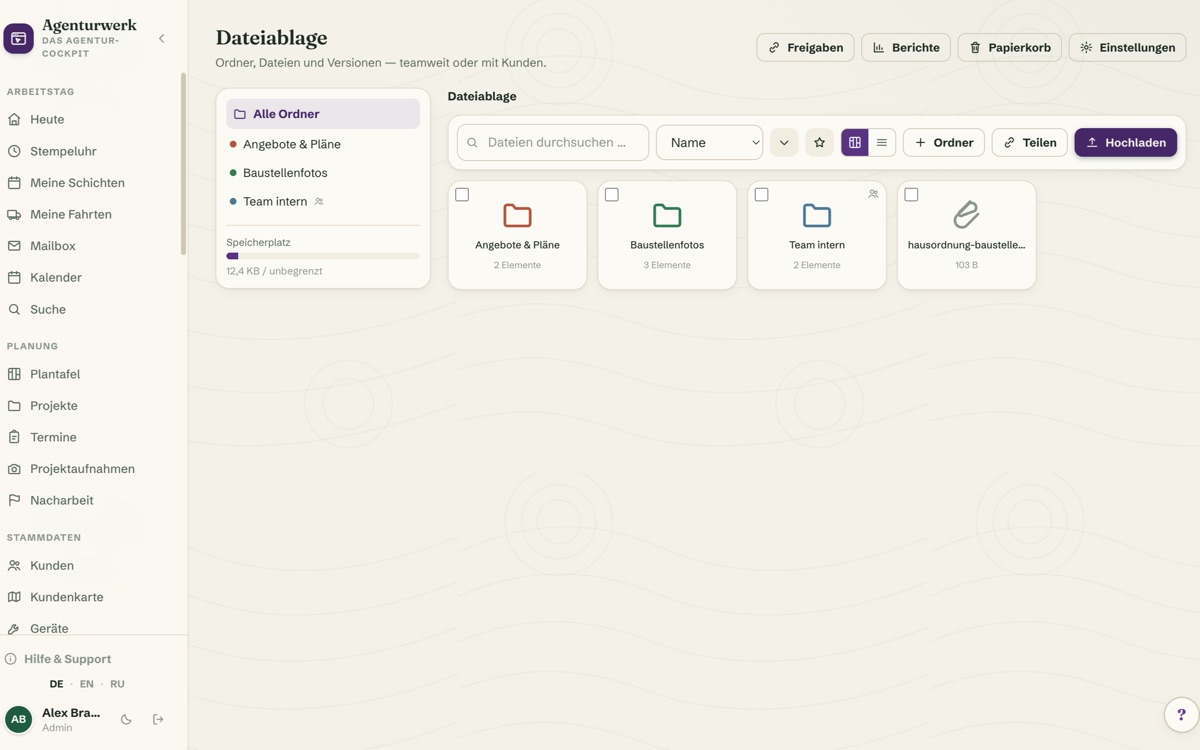
Send site photos, building plans, quotes and hand-over reports around via WeTransfer or email attachments for long enough, and sooner or later nobody knows which version is current or who actually has access. Files & Sharing brings its own file explorer straight into the Cockpit instead: a folder tree, grid or list view, drag-and-drop multi-upload for several files at once, favourites for the folders you need every day, and freely chosen folder colours for quick orientation. Team folders can be shown or hidden per employee, and every overwritten file stays recoverable as an earlier version. Deleted files land in the recycle bin with a retention period instead of vanishing instantly, and a SHA-256 checksum per file makes tampering detectable.
Sharing needs no extra tool: a share link can carry a password, an expiry date, a download limit and a QR code, for a single file just as much as for a whole folder or a bundle put together from several files. Whoever opens the link lands on a branded public download page with your own logo and colour, not some anonymous cloud interface. It works the other way round too: through a file request, customers or partners can upload files with no login of their own, with an upload limit and spam protection, so it never turns into an open door.
In the customer portal, every customer gets their own "Shared with you" area and can upload files there themselves, capped by their own storage quota. Comments per file settle questions right on the document, and with sharing approvals the customer releases a file or declines it, even as a guest via the link, with no account required. An access log records who downloaded what and when, reports show downloads per day, the most-downloaded files and storage usage per customer, a dashboard widget keeps everything in view, and email notifications fire automatically on every download or upload. An optional watermark on preview images plus global and per-customer storage quotas round the whole thing off.
Folder Tree, Team Folders and Versions Instead of File Chaos
The file explorer sits right inside the Cockpit, with a folder tree plus grid or list view. Several files can be uploaded at once via drag and drop, and favourites and freely chosen folder colours round it out for the folders you need every day.
Team folders can be shown or hidden per employee. If someone overwrites a file, the previous state stays recoverable as a version. Deleted files land in the recycle bin with a retention period, and a SHA-256 checksum per file makes any change detectable.
More about Projects & Job Sites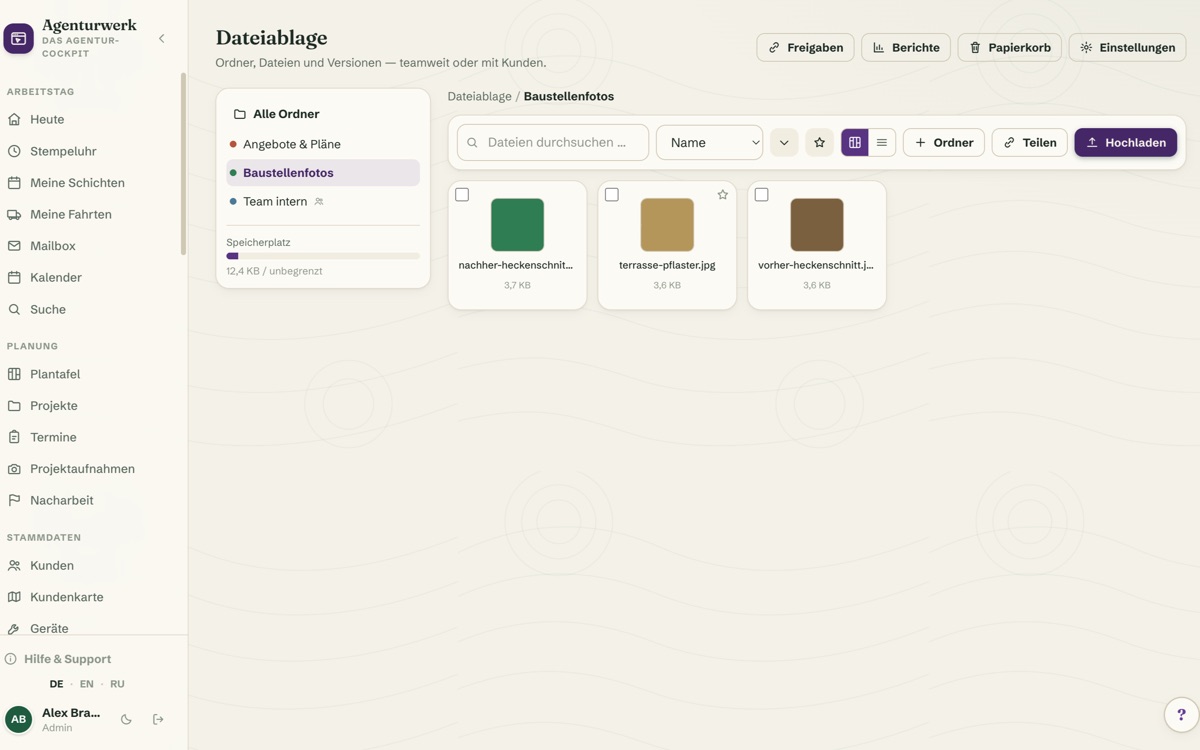
Share Links With Password, Expiry Date and QR Code
Instead of sending a file as an email attachment, a share link is created, optionally with a password, an expiry date and a download limit, for a single file just as much as for a whole folder or a bundle put together from several files. A QR code makes the link usable in seconds on site, too.
Whoever opens the link lands on a branded public download page with your own logo and colour, not on some unfamiliar cloud provider's anonymous interface.
See it live in the demo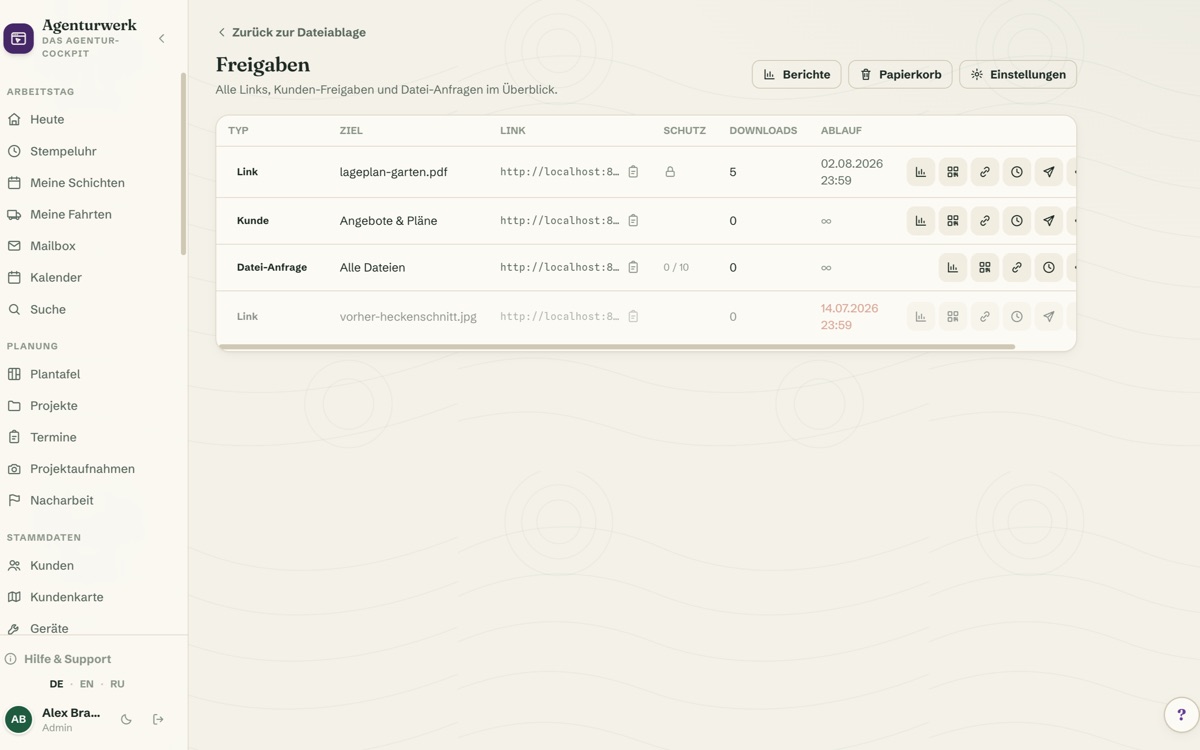
File Requests With No Login, Uploads in the Customer Portal
Through a file request, customers or partners upload files without logging in anywhere. An upload limit and spam protection make sure it never turns into an open door, handy for photos, plans or documents that would otherwise be emailed back and forth.
In the customer portal, every customer also gets their own "Shared with you" area and can upload files there themselves, capped by their own storage quota. Comments per file and sharing approvals (even as a guest via the link) settle questions right on the document.
More about Customer Portal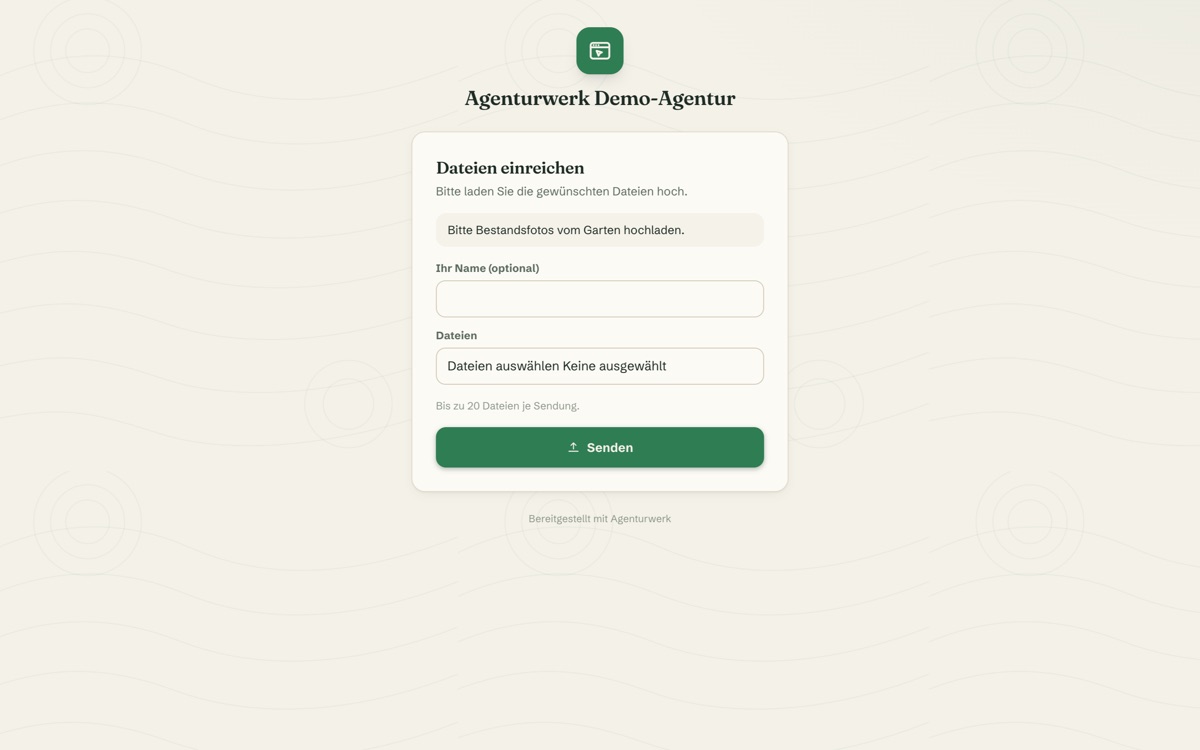
Access Log, Reports and Storage Quotas at a Glance
An access log records who downloaded which file and when. Reports show downloads per day, the most-downloaded files and storage usage per customer. A dedicated dashboard widget keeps everything in view with no detour.
Email notifications fire automatically on every download or upload. An optional watermark protects preview images. Storage quotas (both global and per customer) stop storage from silently filling up.
More about Business Statistics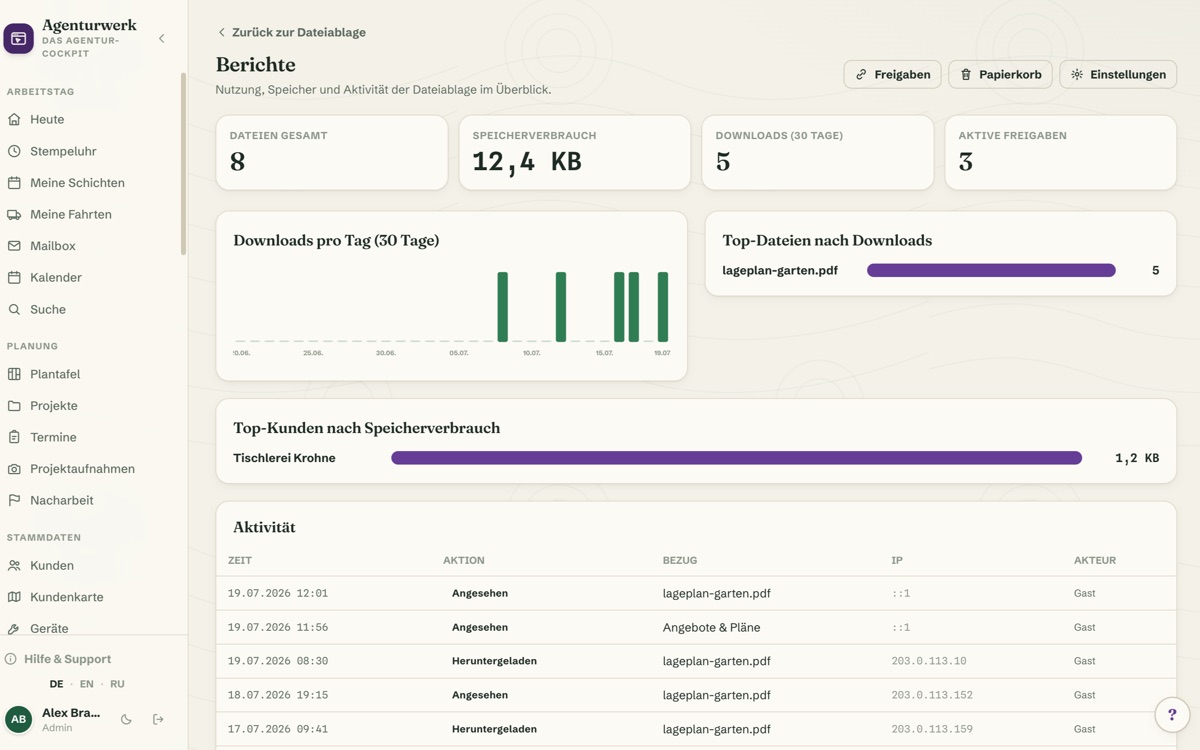
What it does
- File explorer with folder tree, grid/list view and drag-and-drop multi-upload
- Favourites, freely chosen folder colours and team folders with per-employee visibility
- Version history — restore earlier file states at any time
- Recycle bin with a retention period instead of instant deletion, SHA-256 checksum per file
- Share links with password, expiry date, download limit and QR code — for whole folders or bundles too
- Branded public download page with your own logo and colour
- File requests: customers/partners upload with no login, with an upload limit and spam protection
- "Shared with you" area in the customer portal plus customer uploads with their own storage quota
- Comments per file and sharing approvals — even as a guest via the link
- Access log, reports (downloads/day, top files, storage per customer), dashboard widget, email notifications, optional watermark, global & per-customer storage quotas
Discover more features
Included in these trade solutions
Ready-to-run trade systems built on this feature.
Try it yourself — no registration
Every trade has its own live demo with sample data. Or pick your package right away: the whole team is included.