Cockpit feature · Maintenance Contracts
Maintenance Contracts — Predictable Revenue Instead of Random Jobs
Link contracts to your customers' assets, set an interval per asset: the Cockpit automatically suggests the next service date, never silently in the background. One click turns it into an appointment, and subscription billing creates invoice drafts on schedule.
Add-on · €9.99/mo — included in Premium
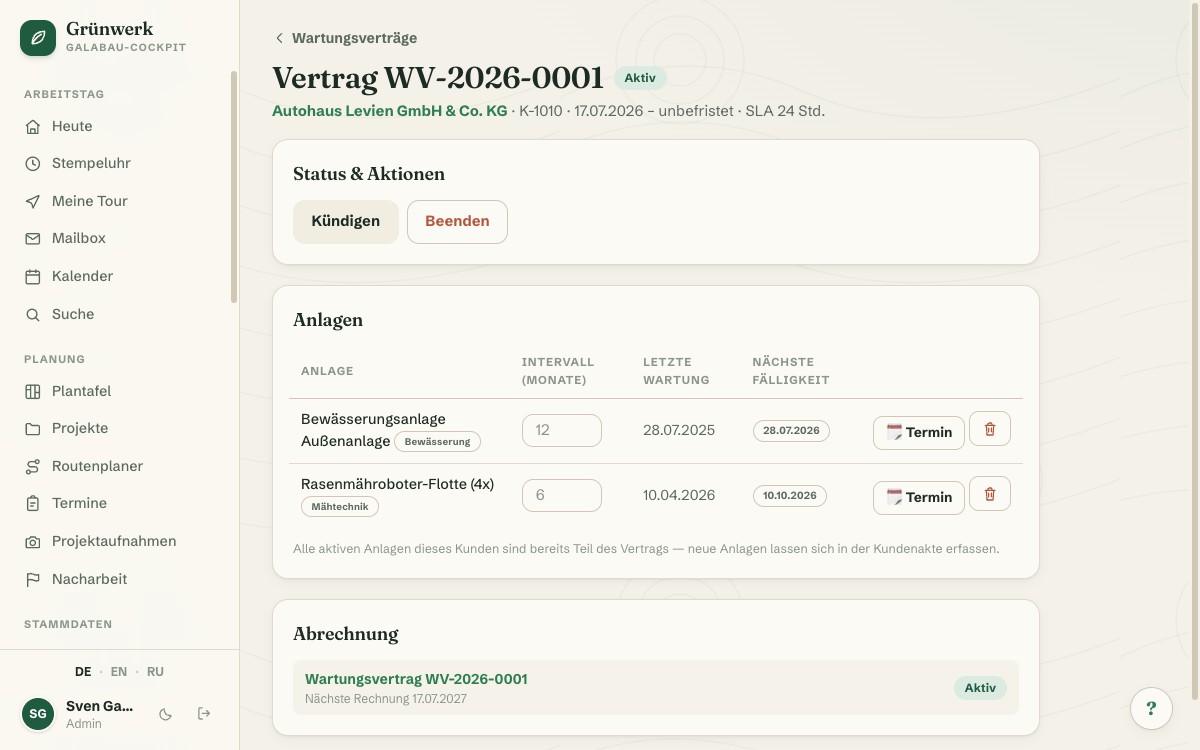
A maintenance contract that just sits in a folder brings in no revenue. Without a reminder, the next service date quietly disappears into the daily grind until the customer calls you first. In the maintenance contract, you link the customer's assets directly to the contract: a heating system, an irrigation system, a lift, or whatever your business services. Each asset gets its own interval.
When an asset's deadline approaches, the Cockpit automatically suggests a service appointment, visible in the suggestion list and as one combined notification for the office, never as an appointment booked automatically into the calendar. Only a click on "Appointment" turns the suggestion into a real appointment with customer, asset and contract data already filled in. If an appointment for that exact asset is already planned, no suggestion appears, so nobody double-books.
Subscription billing handles the rest: at the agreed interval, an invoice draft for the contract price is created automatically, though sending it stays deliberately manual. If the customer cancels, billing automatically pauses too. No invoice goes out for an already-cancelled contract. If a contract is about to end, or its notice period is approaching, the Cockpit warns you 60 days ahead, so you can renew in time or plan the wind-down deliberately.
Contract File & Due Dates at a Glance
Every maintenance contract gets its own file with master data, status and the linked assets: interval, last service date, next due date. All of it directly editable, with no need to jump back and forth between customer and contract.
In the customer file itself, you also see at a glance which maintenance contracts belong to this customer and what status each is in: draft, active, cancelled or ended.
More about Customer Assets (Inspection Intervals)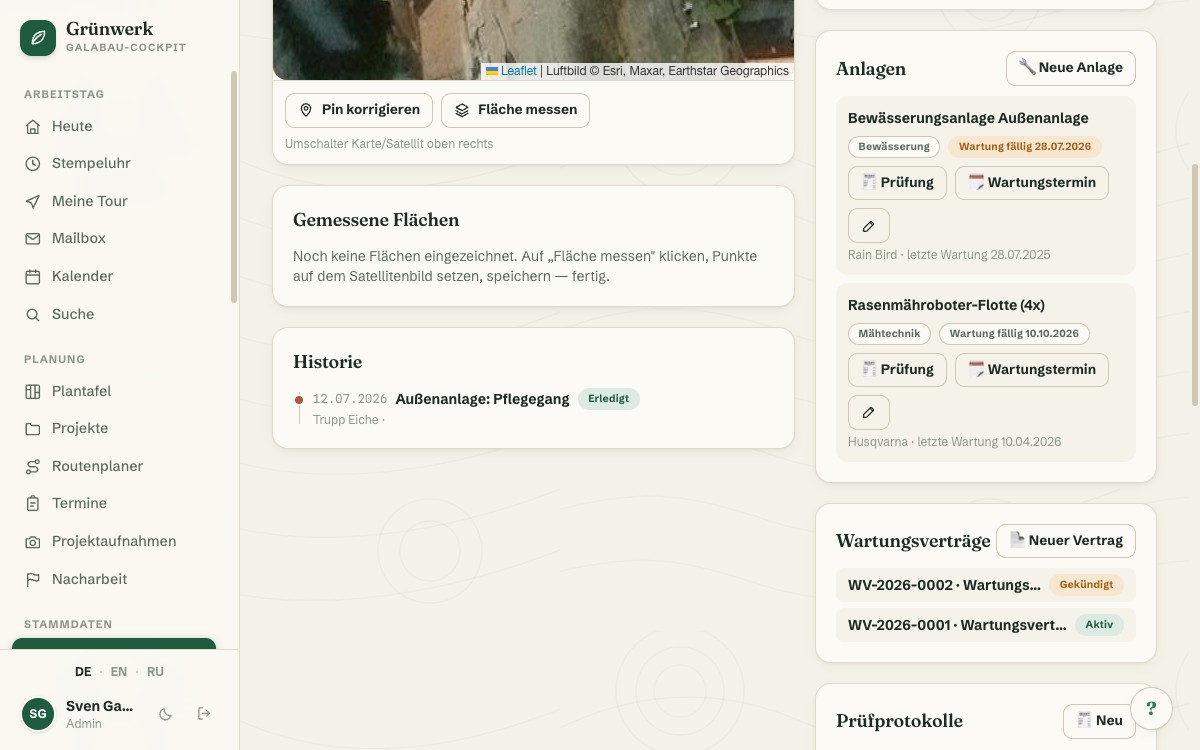
Appointment Suggestions You Just Need to Confirm
In the contract overview, the Cockpit collects every due contract asset in its own suggestion list, sorted by date, with customer and asset visible at a glance.
One click on "Appointment" is enough: customer, asset and contract are already filled in; you just confirm the date and crew. If an appointment for that asset is already planned, it won't show up twice in the list.
See it live in the demo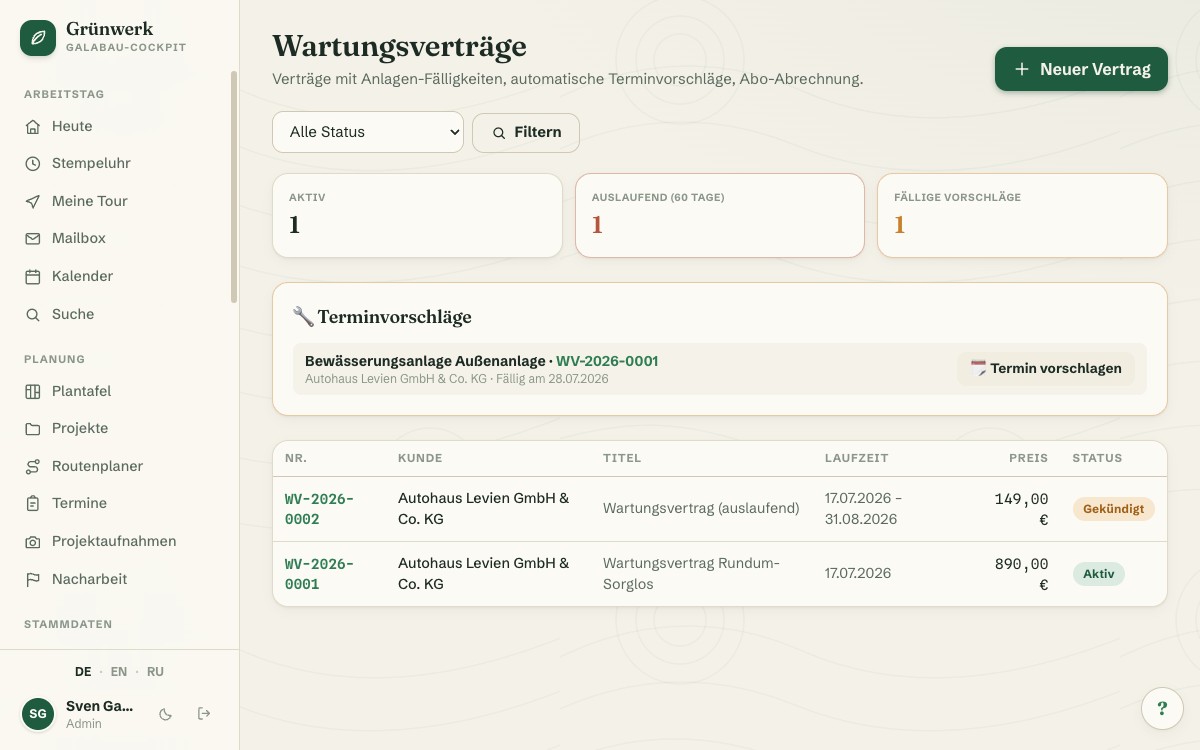
Subscription Billing Nobody Forgets
One click links the contract to a recurring invoice for the agreed price (yearly, quarterly or monthly). An invoice draft is created automatically on schedule, while sending it stays deliberately manual.
If the customer cancels, billing automatically pauses along with the contract status, so no invoice goes out for a contract that was cancelled long ago. Just as an accepted quote automatically becomes an invoice, an active contract here automatically becomes an invoice draft.
More about Quotes & Calculation — From Site Visit to Signed Job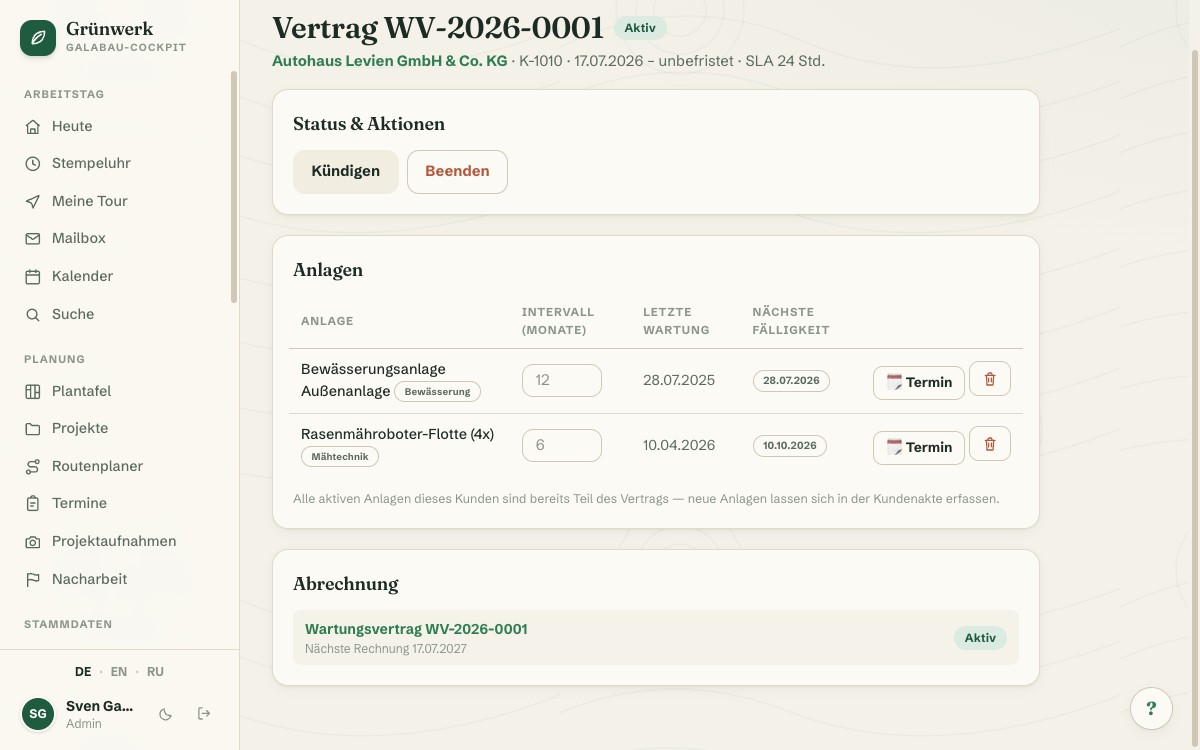
Overview and Warnings on the Dashboard
Due contract maintenance and expiring contracts land as their own cards right on the dashboard. Nobody has to actively check the contract list to notice an approaching notice period.
The expiry warning kicks in 60 days before the contract ends or the notice period begins. If you also run Inspection Reports, it shows just as reliably which inspections are due in the next 30 days.
More about Inspection Reports & Handovers — From DGUV V3 to Handover, Digital and Signed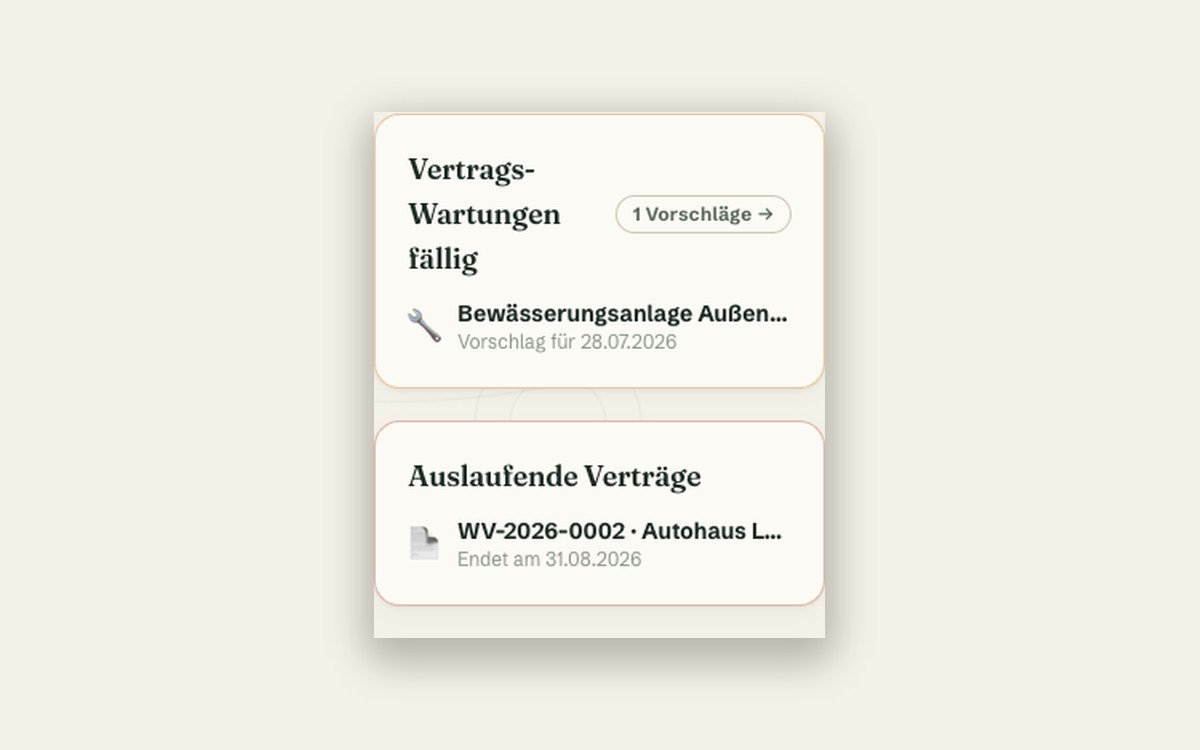
What it does
- Link the customer's assets to the contract, each with its own service interval
- Automatic appointment suggestion when a deadline approaches — never booked automatically
- One combined notification for the office as soon as new suggestions are ready
- One click turns a suggestion into a pre-filled appointment
- Already-planned appointments automatically block duplicate suggestions
- Subscription billing creates invoice drafts automatically on schedule
- Cancelling the contract automatically pauses billing too
- Expiry warning 60 days before the contract ends or the notice period begins
- Contract file with draft/active/cancelled/ended status and appointment history
- Per-asset interval override at the contract level
Discover more features
Included in these trade solutions
Ready-to-run trade systems built on this feature.
Try it yourself — no registration
Every trade has its own live demo with sample data. Or pick your package right away: the whole team is included.