Cockpit feature · Core
Quotes & Calculation — From Site Visit to Signed Job
Calculate with material, labour and margin visible live, then send the quote as a link the customer can sign without a login. If they go quiet, the Cockpit automatically reminds you to follow up.
Included from: Basis package
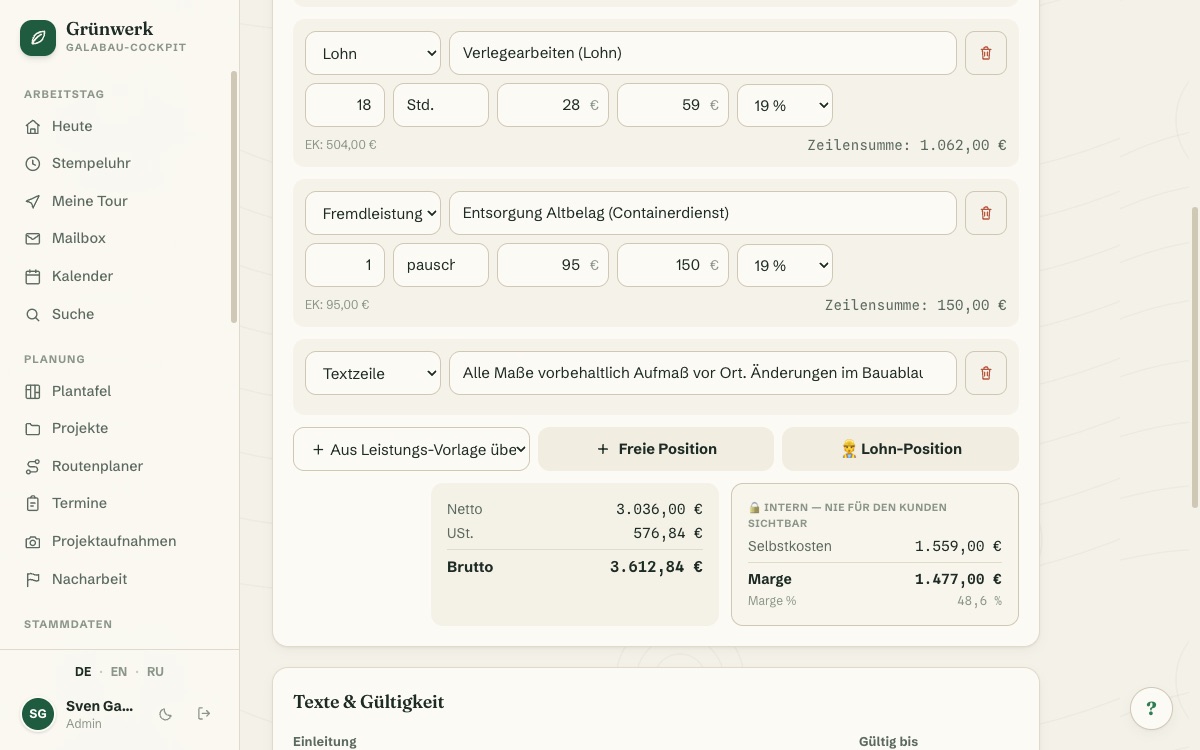
Quote a job by gut feeling, and you often only realise later that there's barely any margin left once material and labour are accounted for. In the quote editor you add every line with a cost price and a sales price, whether it's service, material, labour or subcontracted work, and see cost total, margin and margin percentage update live as you calculate. Visible only to you and your team, never in the customer PDF or on the public acceptance page.
Instead of an attachment the customer has to print, sign and scan back in, you send a link that needs no login. They see the line items laid out clearly, then accept or decline. A name is captured along with it and, if they like, a signature right on their phone. If they go quiet for two or three weeks, the Cockpit automatically reminds you to follow up, instead of the quote gathering dust in a drawer.
Once the customer accepts, one click turns the quote into an appointment, a project or an invoice. The line items and prices are already there, so nothing needs retyping. Afterwards, the post-calculation shows whether the numbers held up: planned cost against what the time and material actually ended up costing.
Every line item with margin, calculated as you type
Service, material, labour or subcontracted work: every line gets a cost price and a sales price; the quantity multiplies automatically into the line total.
The internal box shows cost total, margin and margin percentage live (visible only to you and your team, never to the customer).
More about On-Site Project Capture
Sign-off via link, straight from the phone
The customer opens the link without logging in, sees line items and the total laid out clearly, and accepts or declines.
Accepting only needs a name and a checkbox; a signature right on the screen is an optional extra.
See it live in the demo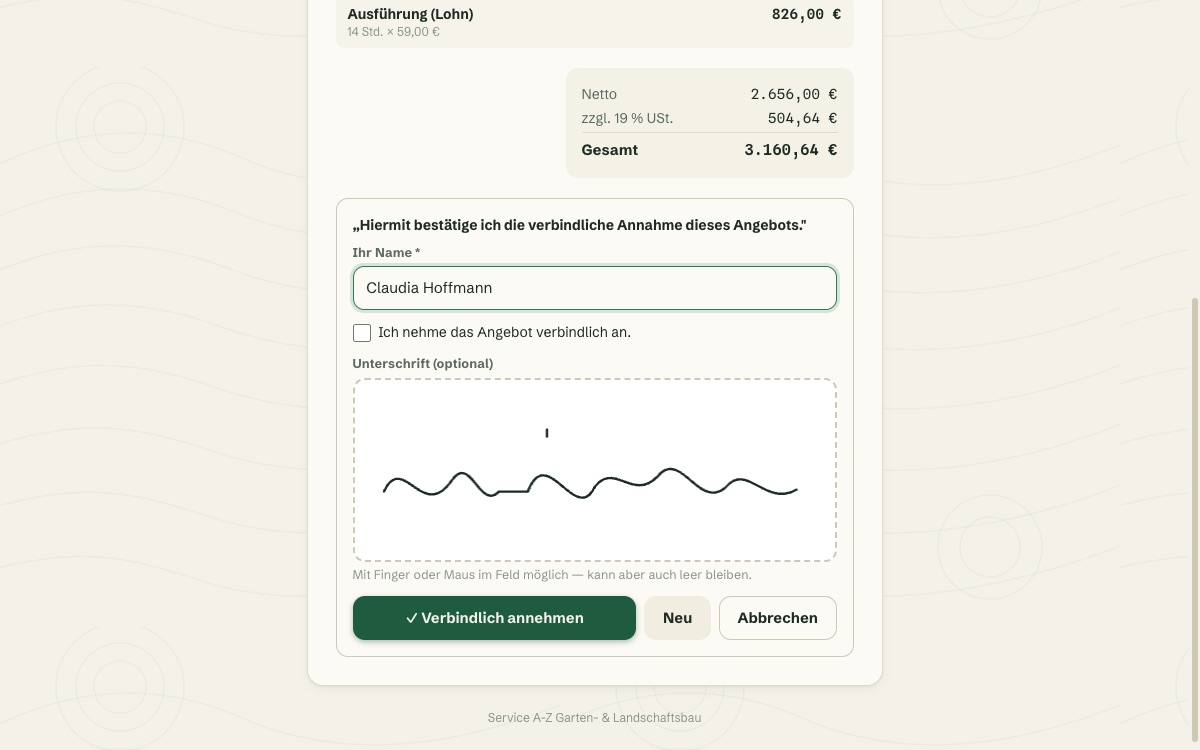
PDF with your own letterhead, one click to send
The DIN-5008-style quote PDF automatically carries your company logo, sender details and accent colour.
"Save & send to customer" emails it straight from the quote, including the quote number and the public link.
See it live in the demo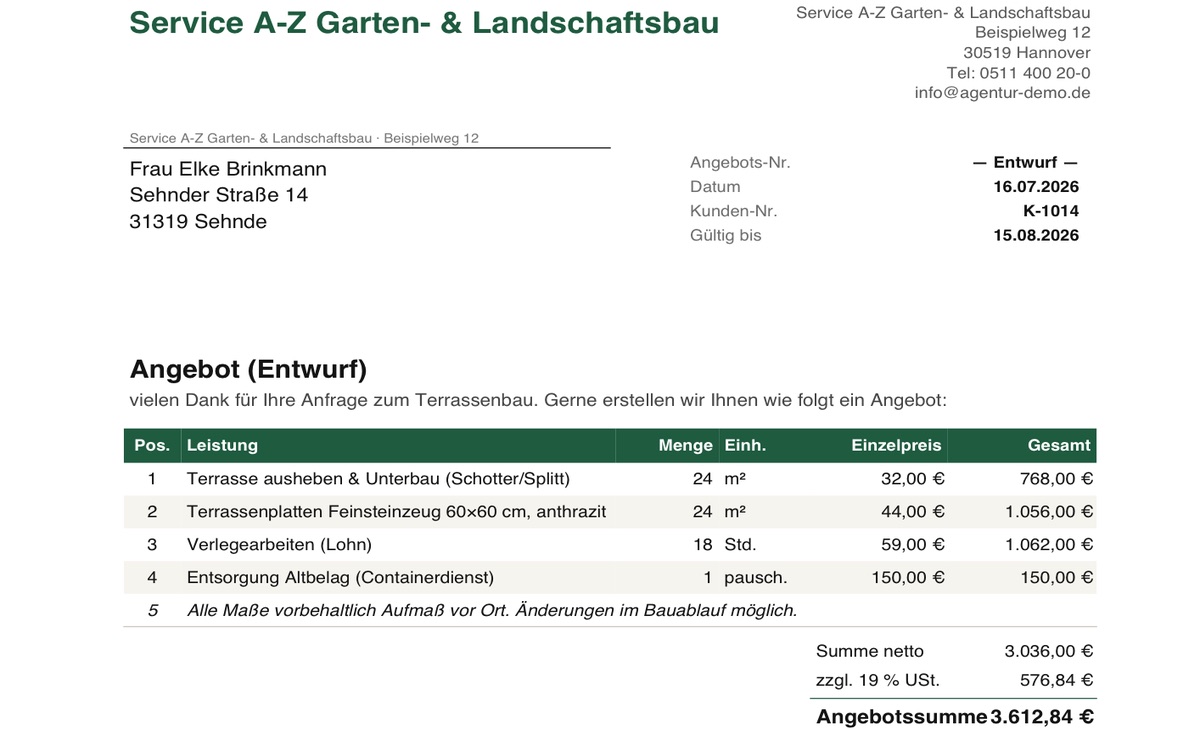
Accepted? One click becomes an appointment, project or invoice
The conversion dialog creates a project and/or an appointment as needed: crew, date and time are the only details still missing.
An accepted quote can also turn straight into an invoice, with the same line items and sales prices, no retyping required.
More about Invoices & XRechnung (e-invoicing)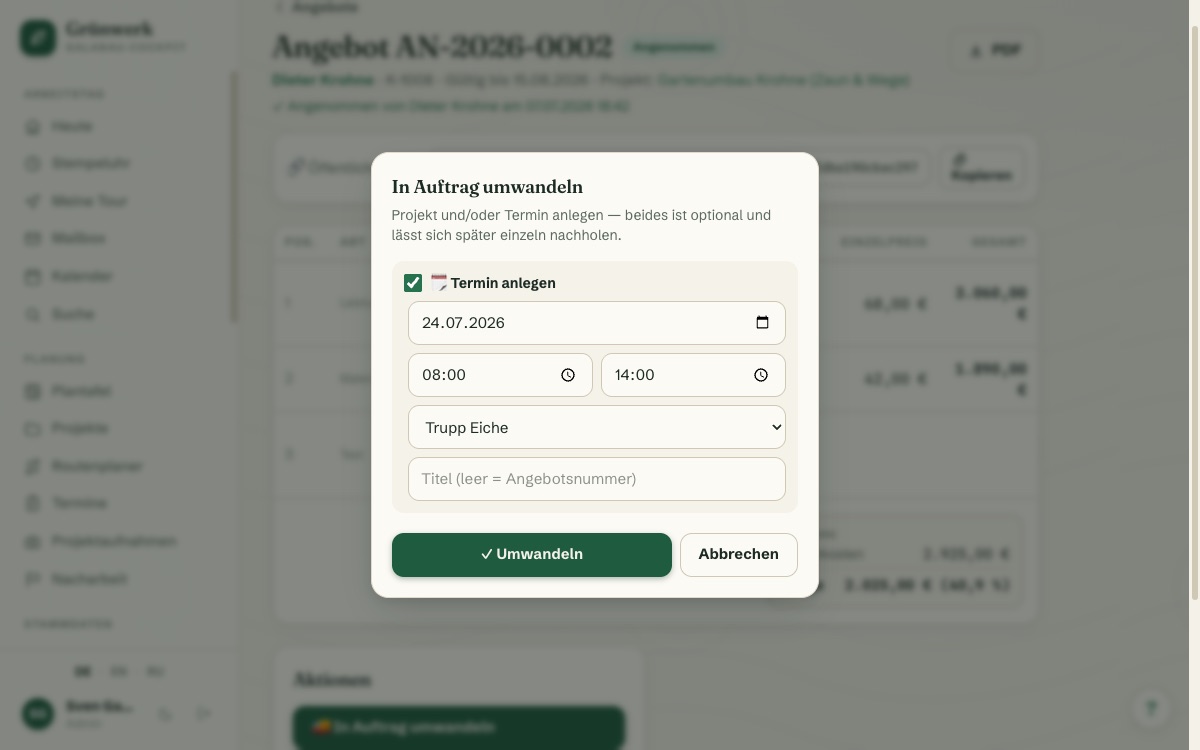
Acceptance rate at a glance, follow-ups never forgotten
The quotes list shows open, expired and accepted quotes with acceptance rate and open volume at a glance.
If a customer stays quiet for days, the Cockpit flags the quote for follow-up: a reminder for your team, not an automatic email to the customer.
See it live in the demo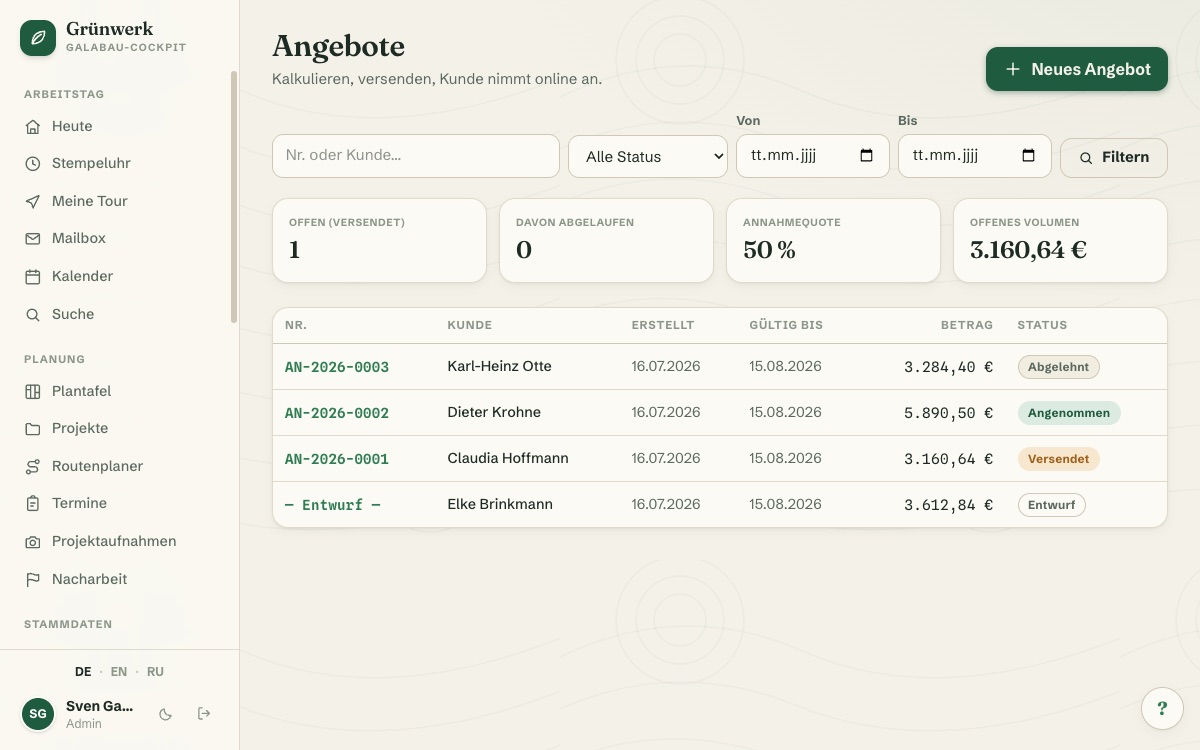
What it does
- Line item types: service, material, labour, subcontracted work or free text
- Cost price and sales price per line — margin visible live while you calculate
- PDF in DIN-5008 style with your own letterhead and accent colour
- Send straight from the quote by email
- Public acceptance link — no customer login required
- Signature right on the customer's phone or tablet
- Acceptance rate as a dashboard metric
- Freely configurable number range (e.g. AN-{YEAR}-{NO})
- Pull line items from your service templates in seconds
- Follow-up reminder when the customer goes quiet
- One click turns an accepted quote into an appointment, project or invoice
- Post-calculation: planned cost automatically compared against actual tracked time
Discover more features
Included in these trade solutions
Ready-to-run trade systems built on this feature.
Try it yourself — no registration
Every trade has its own live demo with sample data. Or pick your package right away: the whole team is included.