Cockpit feature · Core
On-Site Project Capture
Capture the job right at the customer's site in 5 guided steps: customer, project, photos, GPS and equipment, saved as a draft. Planning happens calmly back at the office.
Included from: Basis package
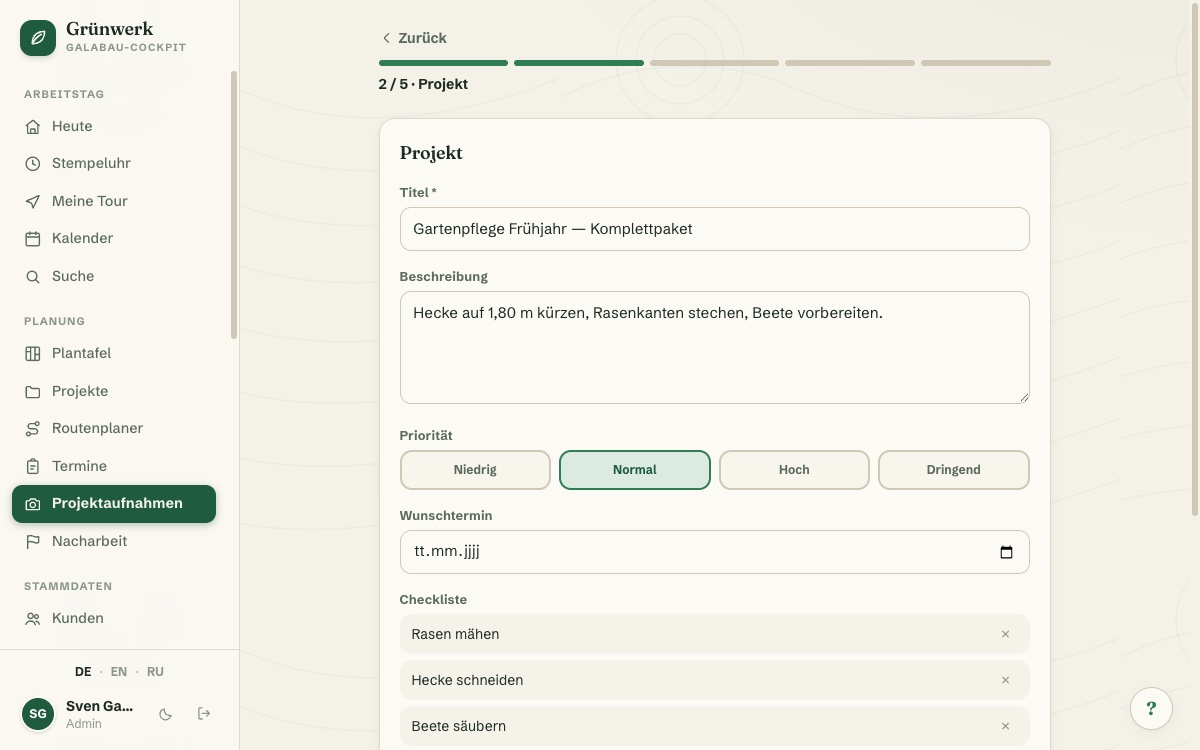
There's rarely time to finish planning everything on the spot during a customer visit. Yet nothing should get forgotten either. The project capture wizard walks through five steps for customer, project, documentation and equipment: large touch targets for the phone, search for an existing customer or add a new one right on site, without turning an abandoned capture into a dead entry in the customer list.
Employees take photos straight with the phone camera. They're resized and compressed automatically, saving mobile data on site. Add free-text notes and the GPS position at the tap of a button, which later flows automatically into the customer file.
It ends with a summary, saved as a draft. No time pressure: the actual appointment planning happens later, calmly, back at the office. From the drafts list, one click turns a draft into a finished job: the conversion dialog asks for day, time and crew and checks live for conflicts, such as crew already booked, equipment double-booked or due for maintenance, employee on holiday. Warnings inform but never block.
Captured in 5 steps
Customer, project, documentation, equipment, summary: the wizard walks through the capture step by step, with large touch targets built for the phone on site.
A new customer is only created once the job is actually made, not already during capture. Abandon it, and no dead entry is left behind in the customer list.
See it live in the demo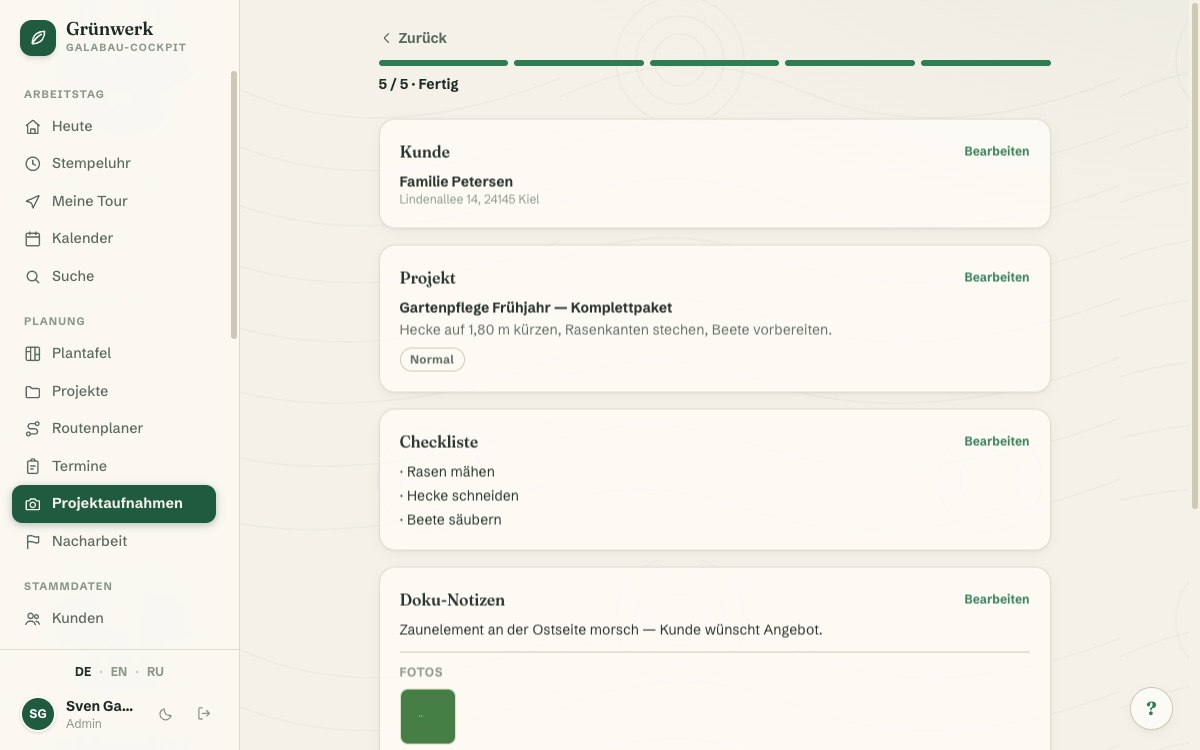
Photos, GPS & notes straight from the job site
Photos are taken straight with the phone camera and resized and compressed automatically, saving mobile data when the signal on site is weak.
Add free-text notes on the situation on site plus the GPS position at the tap of a button, which is later carried over into the customer file automatically.
More about Photo Documentation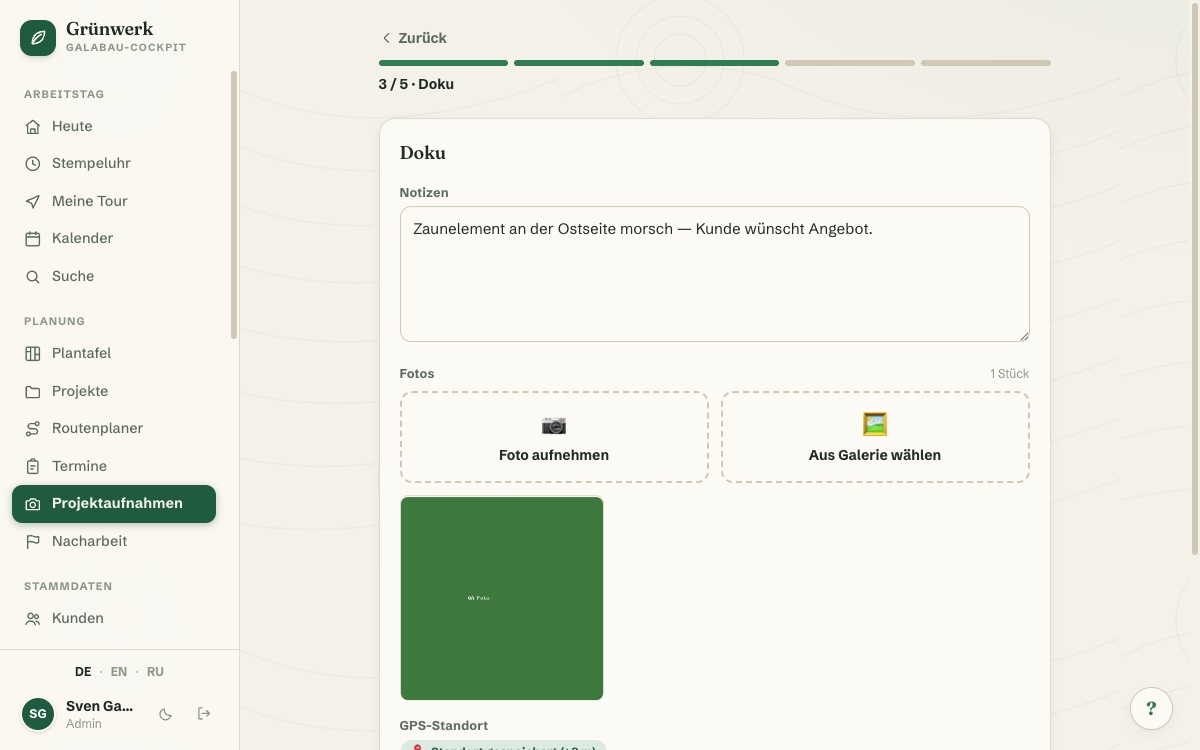
From draft to finished job
From the drafts list, one click turns a draft into a job. The conversion dialog only asks for day, time and crew; the vehicle is shown automatically.
It checks live for conflicts: is the crew already booked, is equipment double-booked or due for maintenance, is an employee on holiday? Warnings inform but never block.
More about Projects & Job Sites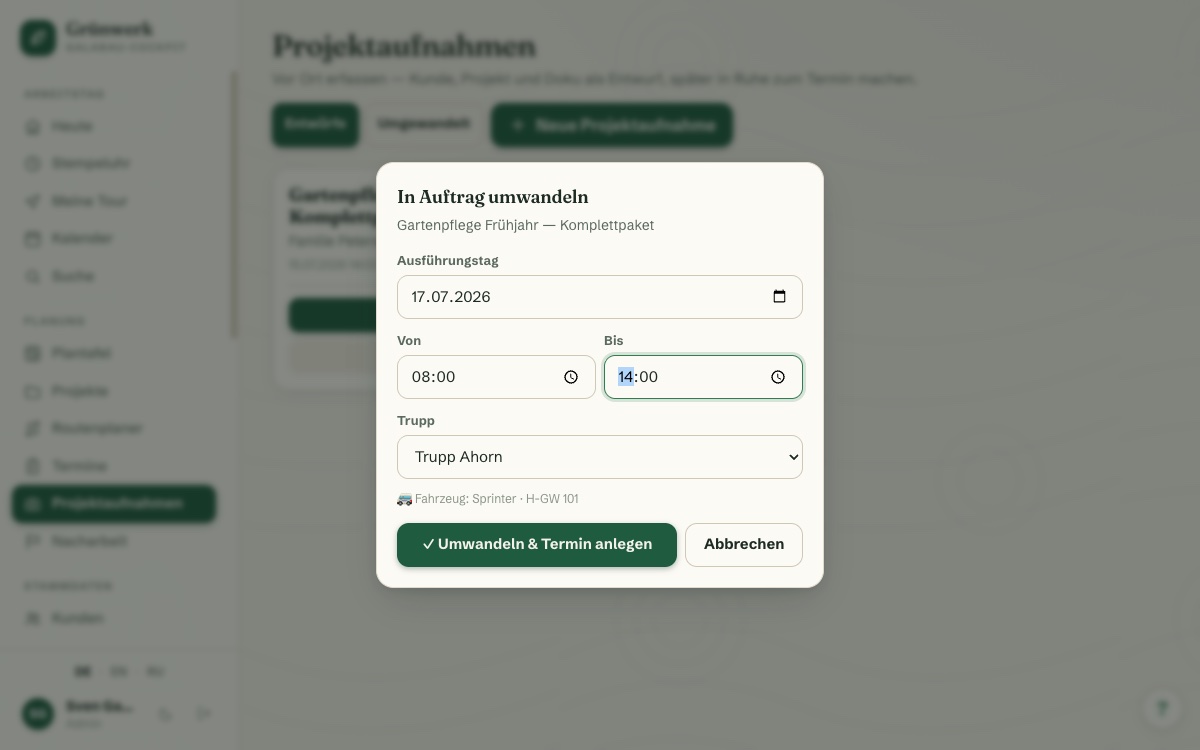
Every capture at a glance
Every saved capture sits ready in the drafts list: edit, delete or convert it into a job, with no time pressure right at the customer's site.
That keeps the actual planning in the office, where it belongs: who fits which crew and when is decided calmly, not already on site.
See it live in the demo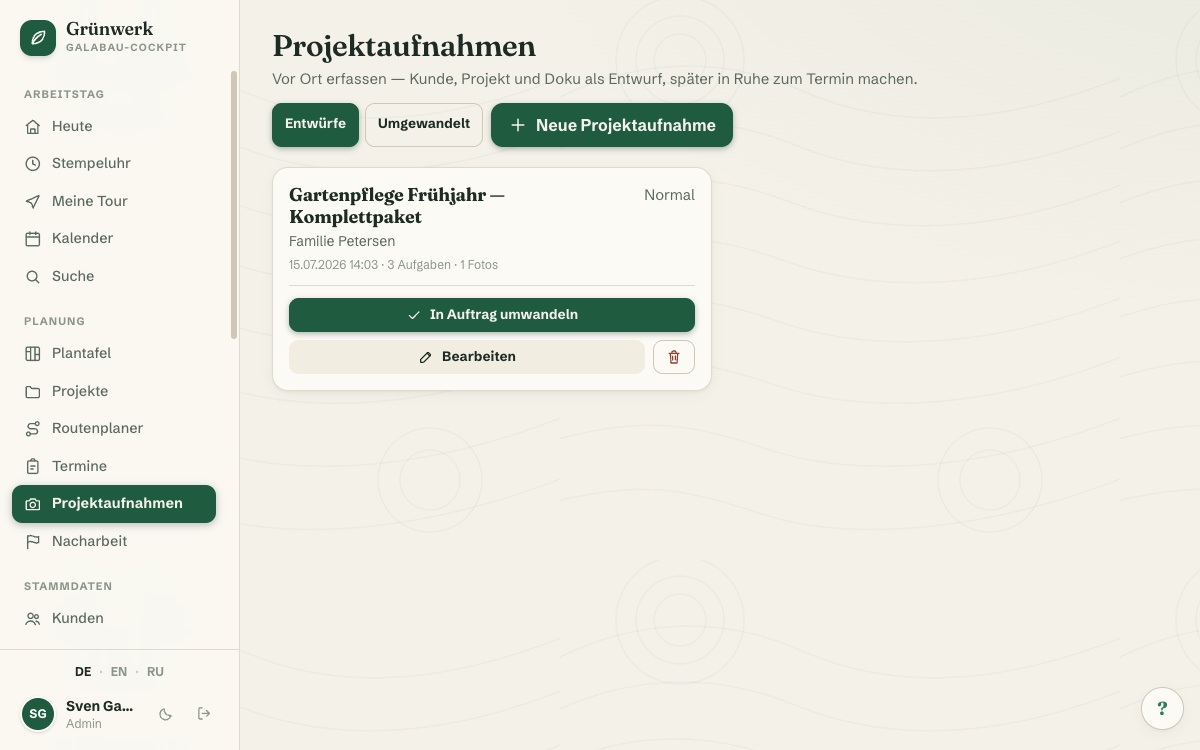
What it does
- Guided 5-step wizard, mobile-optimised with large touch targets
- Search an existing customer or add a new one right on site
- Work checklist with one-tap suggestions from the trade's service templates
- Photos straight from the phone camera, resized & compressed automatically
- GPS position at the tap of a button, flows automatically into the customer file
- Tick off equipment straight from stock
- Saved as a draft — no dead customer entries, no time pressure on site
- Convert to a job with live conflict checks (crew, equipment, holiday)
Discover more features
Included in these trade solutions
Ready-to-run trade systems built on this feature.
Try it yourself — no registration
Every trade has its own live demo with sample data. Or pick your package right away: the whole team is included.