Cockpit feature · Inspection Reports
Inspection Reports & Handovers — From DGUV V3 to Handover, Digital and Signed
Six built-in templates from DGUV V3 to handover protocol, filled out right on your phone: with a photo per inspection point, defects collected automatically, and the customer's signature. The result is a PDF, and every defect becomes a quote with one click.
Add-on · €9.99/mo — included in Premium
Recurring checks like DGUV V3 on portable appliances, the gas line tightness check or the annual fire extinguisher inspection often end up on a clipboard somewhere in the van, or in a spreadsheet nobody keeps up to date. Inspection Reports ships with six ready-made templates: DGUV V3, gas line tightness testing (TRGI/DVGW), fire extinguisher maintenance (DIN 14406), ladders & stepladders, scaffolding inspection & release, plus a general handover/acceptance protocol. On top of that comes your own template builder for anything those six don't cover.
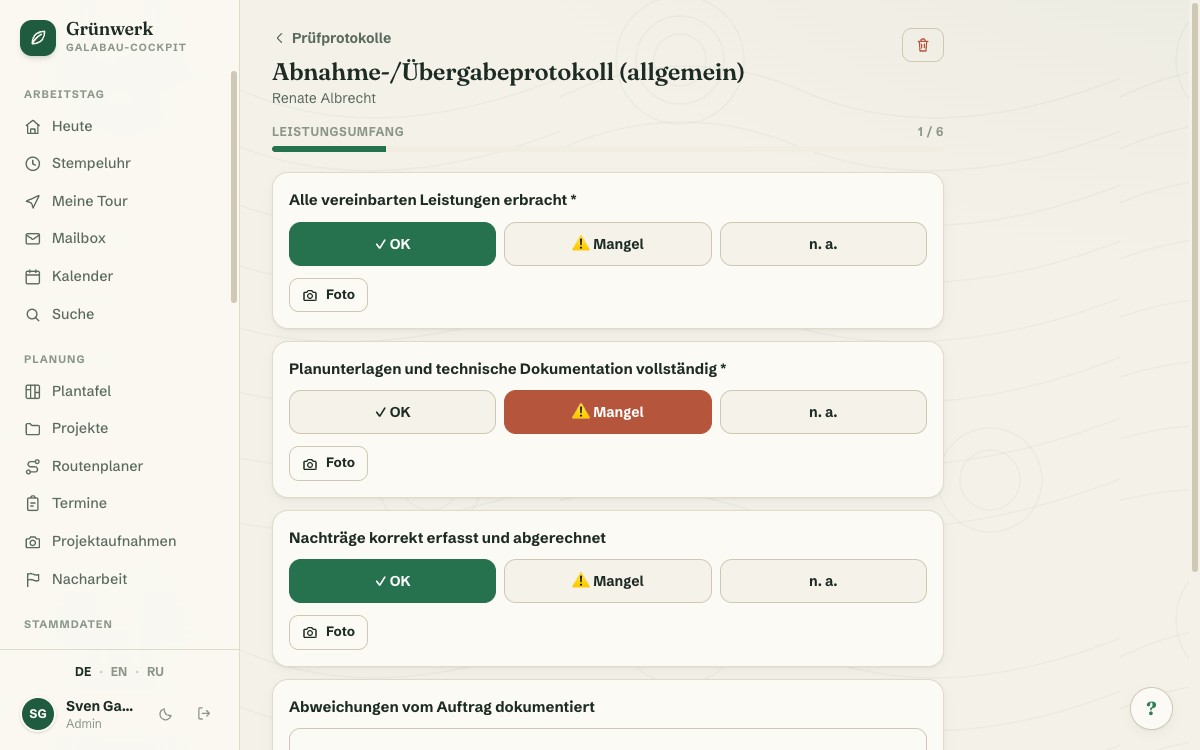
On site, you open the right protocol on your phone and work through the inspection points section by section: OK, defect or not applicable with a tap, plus a reading, a choice or a photo right at the point where you need it. A progress bar shows how far along you are. At the end, the completion screen automatically summarises every defect found. You pick the overall result, set the next due date and have the hand-over confirmed with a name and a signature right on the screen.
The finished protocol automatically becomes a PDF with every photo included, ready to email straight to the customer. Any defect found can be turned into a quote with one click, instead of keeping the follow-up work in your head. The next inspection deadline quietly feeds your maintenance planning too, if you also run Maintenance Contracts. Important: this protocol is clean digital work documentation, and it does not replace a legally mandated inspection by an accredited body.
Fill It Out on Mobile, Point by Point
On site on your phone, you work through each template section by section: OK, defect or not applicable with a tap, plus a reading or a choice wherever needed. A progress bar always shows how far along you are.
The fill-out flow is the same for DGUV V3, gas-tightness and templates of your own, so nobody on the team has to learn a new one each time.
See it live in the demo
Defects and Photos, Right at the Point
Mark a point as a defect and you can take a photo of it right away, straight from the phone camera, with no detour through a photo gallery. In the finished protocol, every defect stands out visually in red, with its photo right alongside.
If the asset is already on file in asset management, you can optionally link the protocol to it directly. The asset's inspection history then grows along by itself.
More about Customer Assets (Inspection Intervals)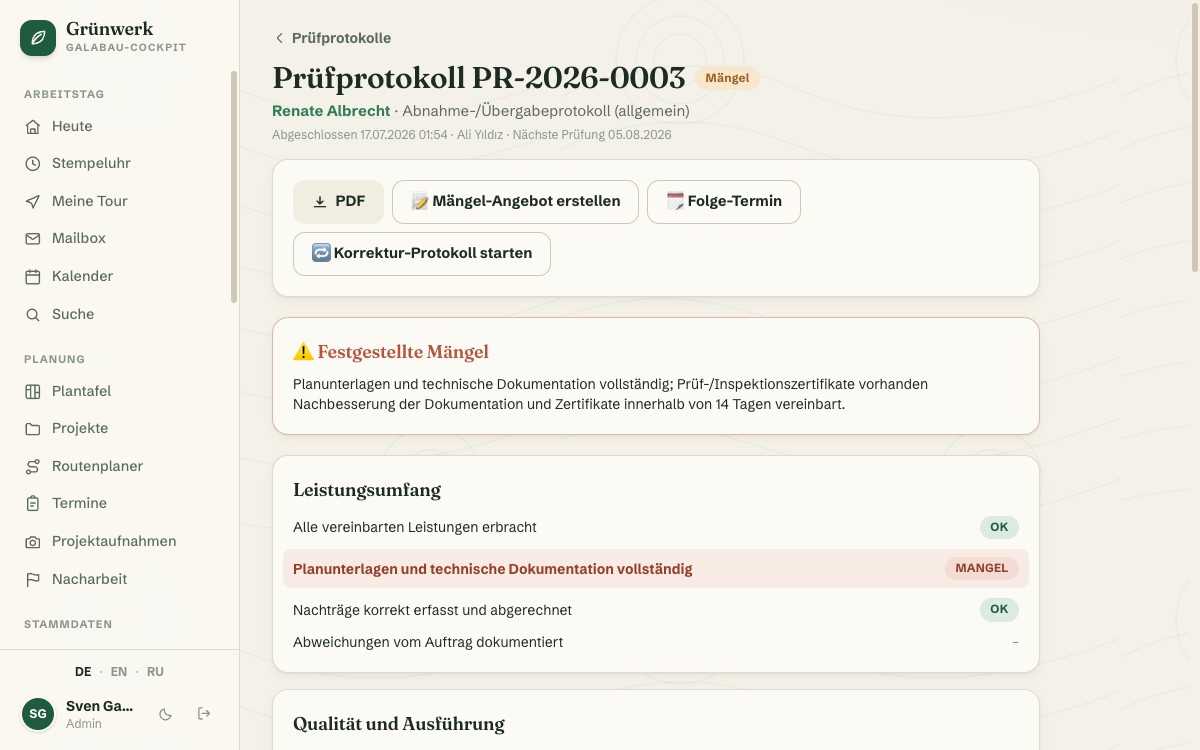
Signature Right on the Screen
On the completion screen, the Cockpit automatically summarises every defect found, and you pick the overall result and the next due date. The customer confirms the hand-over right on the screen: a name and a drawn signature are enough.
The completed protocol automatically becomes a PDF with every photo and the signature, ready to email to the customer or file away.
See it live in the demo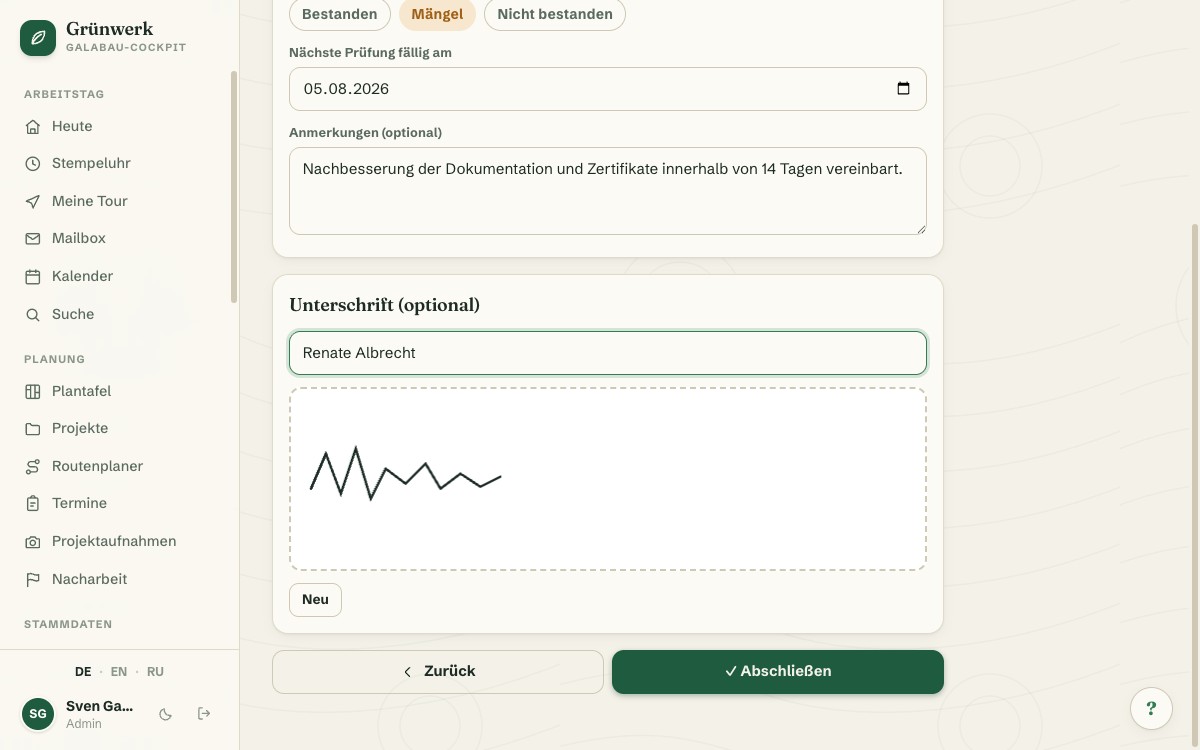
From Defect to Quote, From Appointment to Follow-Up
The list shows at a glance which inspections are due in the next 30 days, with its own due card and metrics for open drafts, completed protocols and defect rate.
From there you're just one click from the record itself: a defect found becomes a quote directly; a due re-inspection becomes a follow-up appointment directly, just as an accepted quote turns directly into a job.
More about Quotes & Calculation — From Site Visit to Signed Job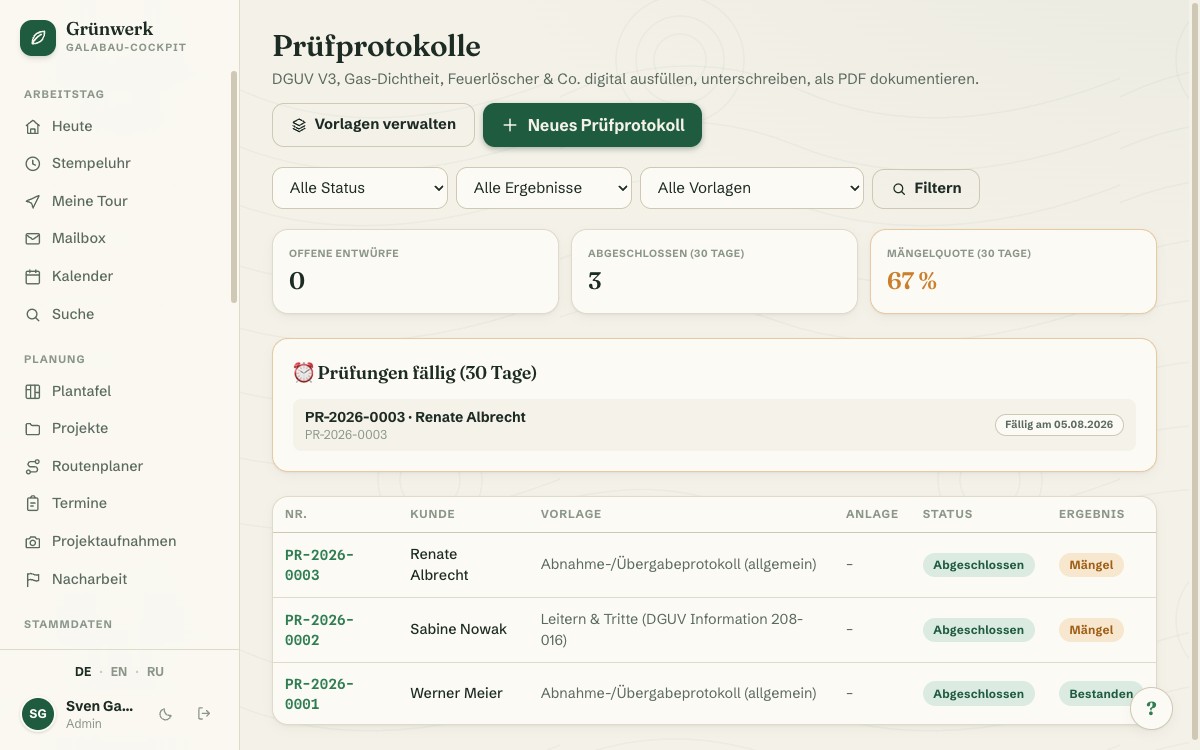
Your Own Templates for Everything the Six Standards Don't Cover
If the six built-in templates aren't enough, build your own: add sections, assemble inspection points freely with a label, a type (OK/defect, reading, free text, choice) and a required flag. Copying an existing template works just as easily.
Every template carries its own inspection interval. Whether it runs on a calendar or on operating hours, it quietly feeds your maintenance planning too, if you also run Maintenance Contracts.
More about Maintenance Contracts — Predictable Revenue Instead of Random Jobs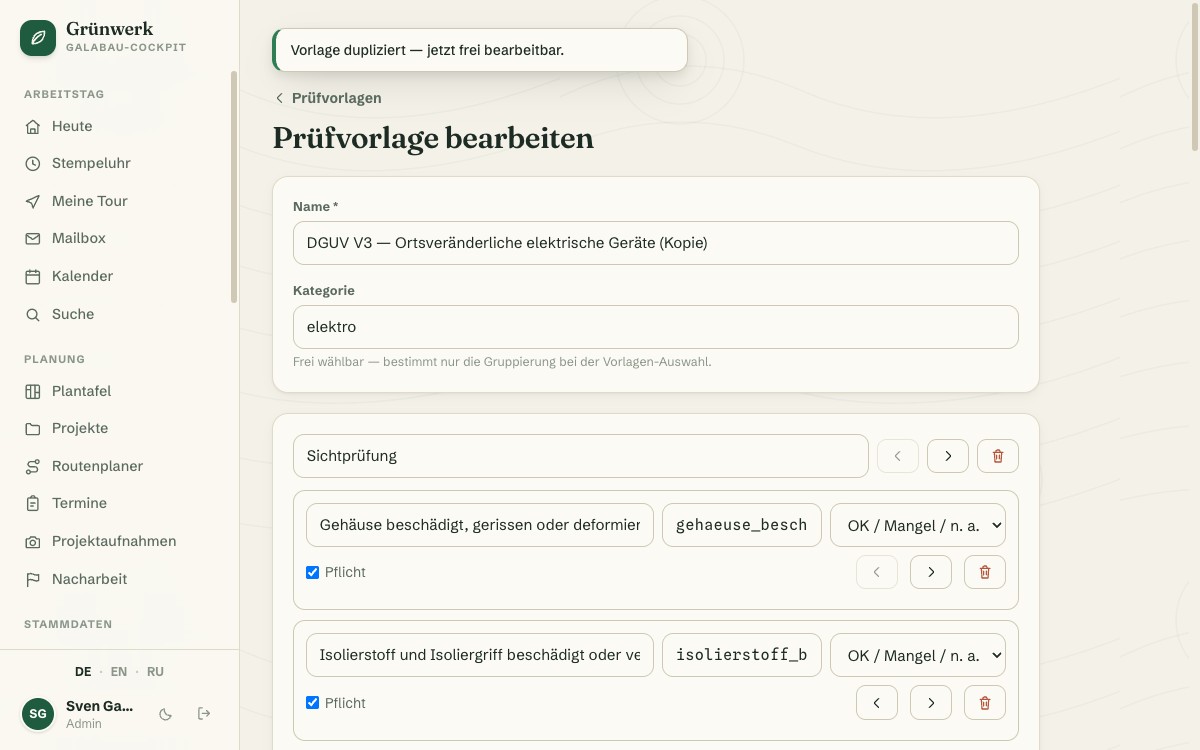
What it does
- Six built-in templates: DGUV V3, gas-tightness (TRGI/DVGW), fire extinguishers (DIN 14406), ladders & steps, scaffolding release, handover protocol
- Your own template builder for sections, inspection points and point types
- Point types: OK/defect/n.a., reading, free text, multiple choice
- Photo right at each inspection point, straight from the phone camera
- Defects are collected automatically on the completion screen
- Result, next due date and notes in one completion step
- Customer signature right on the screen, name optional alongside
- PDF with every photo, emailed straight to the customer
- Defects become a quote with one click
- Create a follow-up appointment directly from the protocol
- Correction protocol available, original stays unchanged
Discover more features
Included in these trade solutions
Ready-to-run trade systems built on this feature.
Try it yourself — no registration
Every trade has its own live demo with sample data. Or pick your package right away: the whole team is included.