Cockpit feature · HR & Staff
Travel Expenses — From the Phone Receipt to Sign-Off
The Cockpit calculates mileage allowance and meal allowances automatically; the receipt photo comes straight from the phone camera. The office signs off, and payroll gets a ready-made CSV.
Add-on · €9.99/mo — included in Premium
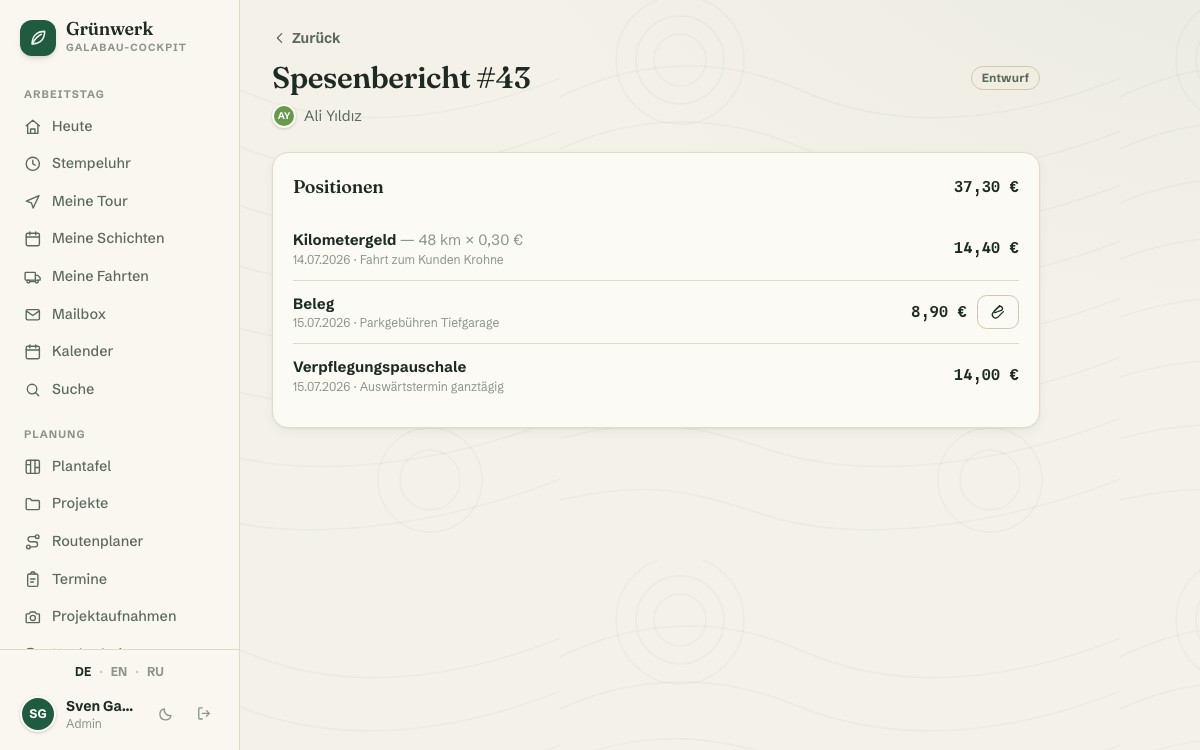
Handwritten mileage notes on a scrap of paper, a receipt that only turns up weeks later, a meal allowance rate that has to be looked up every single time: paper-based expense reporting costs time on both sides. Travel Expenses lets every employee create a report and capture line items from their phone, as mileage, meal allowance, receipt or other, with an optional project assignment per item.
Mileage is automatically multiplied by the stored rate; meal allowances are automatically determined by time away (e.g. over 8 hours). Nobody needs to remember or look up a rate. A receipt can be photographed straight from the phone camera and attached to the item. Once the report is complete, the employee submits it for review: the status moves through draft, submitted and finally approved or declined, with its own approvals list for the office and an optional decision note.
Approved items with a project assigned automatically feed that project's actual-cost view, right alongside time and (if you also run Inventory & Purchasing) material. For payroll, there's a CSV export of every approved report, so nobody has to retype figures out of the Cockpit by hand.
One Approvals List for the Whole Office
When an employee submits their report, it automatically lands in the approvals list, sorted, with the total and every item visible at a glance. Approving or declining, with a comment, happens right from there.
As with HR Files, a clear permission decides who may approve: employees submit and see the status, while the office keeps an overview of every open approval across all reports.
More about HR Files — Certificates, Documents and Deadlines in One Place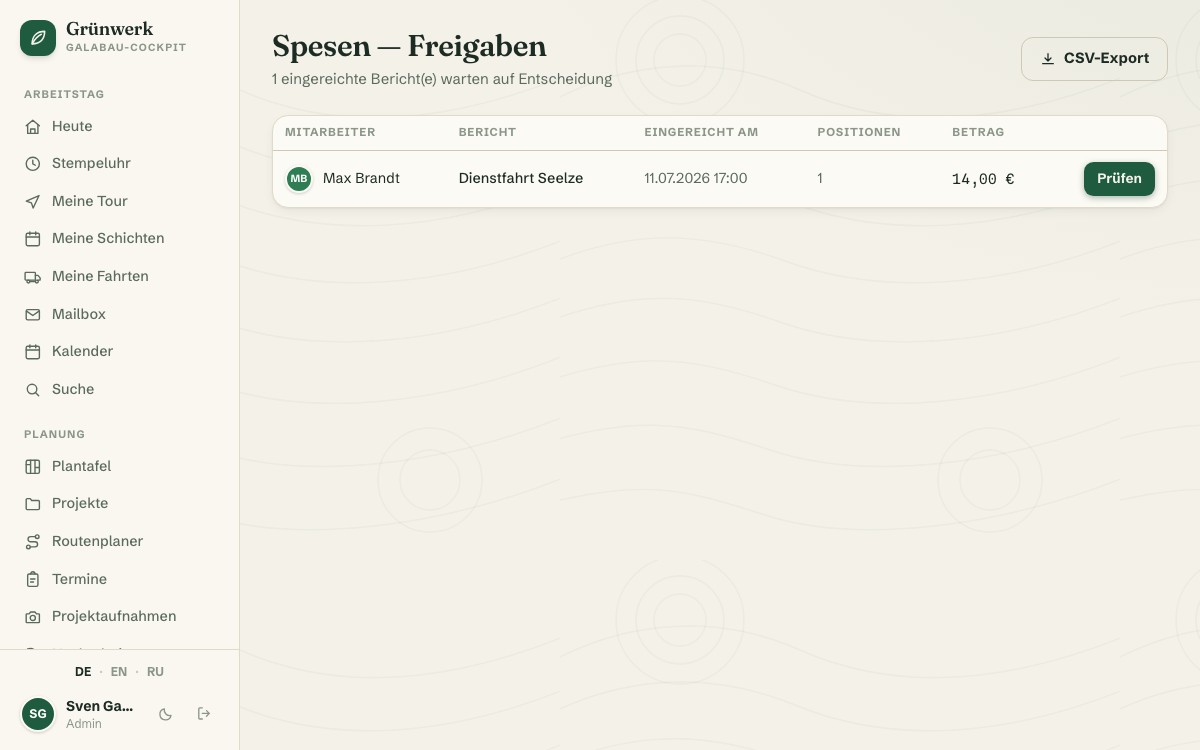
Photograph the Receipt Instead of Collecting Paper
When adding an item, you pick a type (mileage, meal allowance, receipt or other), and choosing receipt immediately reveals a field for a photo straight from the phone camera. No more scrap of paper from a jacket pocket.
Just like requesting an absence, capturing expenses works entirely on mobile: record the expense where it happens, instead of catching up on it that evening or days later.
More about Absences & Holiday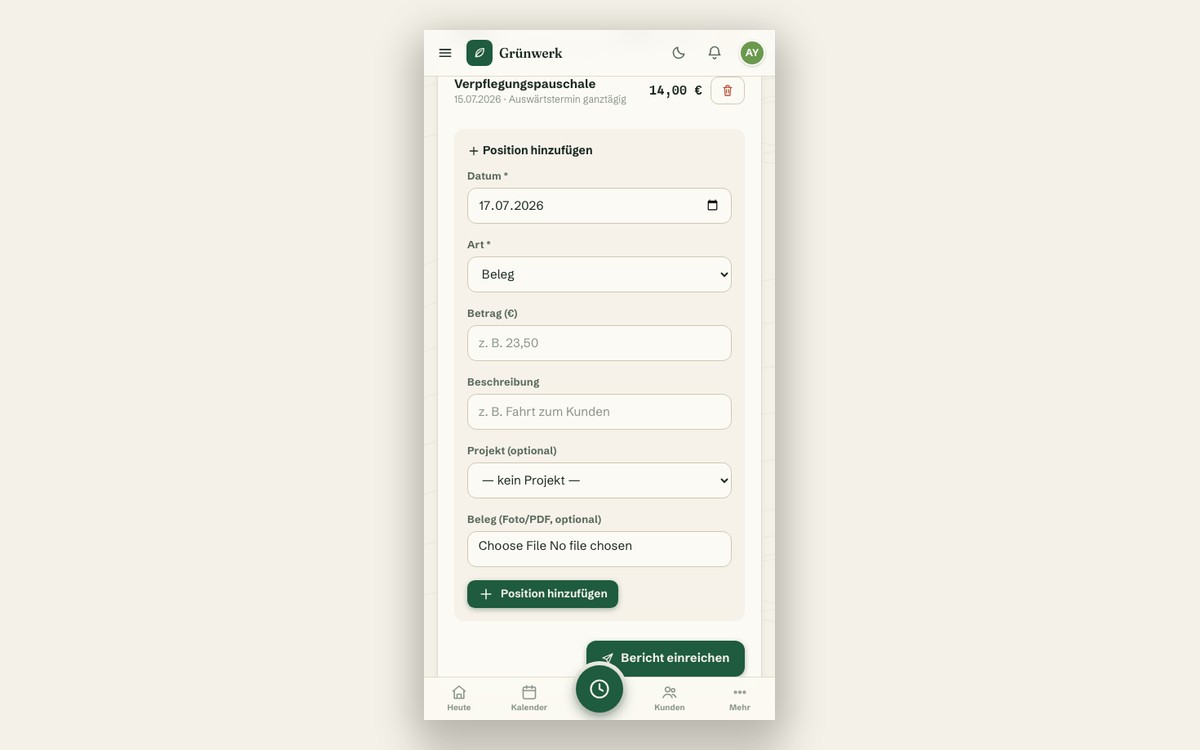
What it does
- Item types: mileage, meal allowance, receipt, other
- Mileage allowance calculated automatically at the stored rate
- Meal allowance calculated automatically by time away (e.g. over 8 hours)
- Photograph a receipt straight from the phone camera and attach it
- Status workflow: draft → submitted → approved/declined
- Its own approvals list for the office, with an optional decision note
- Project assignment per item
- Approved items automatically feed the project's actual-cost view
- CSV export of every approved report for payroll
Discover more features
Included in these trade solutions
Ready-to-run trade systems built on this feature.
Try it yourself — no registration
Every trade has its own live demo with sample data. Or pick your package right away: the whole team is included.