Cockpit feature · HR & Staff
HR Files — Certificates, Documents and Deadlines in One Place
One file per employee: certificates with an expiry date (from DGUV safety training to driving licences and welding certificates), documents and an emergency contact. When a deadline approaches, the dashboard warns you before it gets tight.
Add-on · €9.99/mo — included in Premium
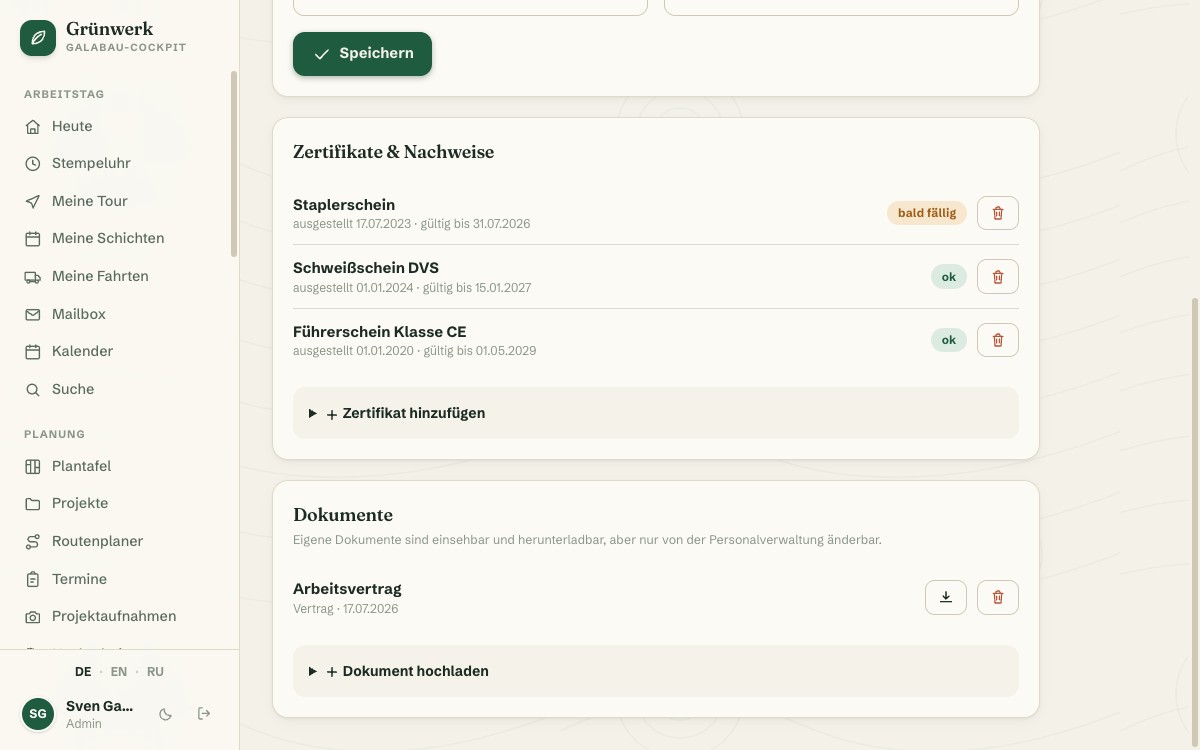
Who still has a valid DGUV V3 safety briefing, whose Class CE driving licence is about to expire, or where that welding certificate is actually filed: without a fixed structure, this knowledge lives in a few people's heads until someone asks at the worst possible moment. HR Files gives every employee their own central file with master data, personnel number, start date and an emergency contact, plus as many certificates and documents as needed, each with an optional photo or PDF attached directly.
Every certificate gets an issue date, an expiry date and a warning period in days. As the deadline approaches, its own card appears on the dashboard, well before the forklift licence, the first-aid training or the next safety briefing actually expires, not only after the fact. In the staff overview, the office sees at a glance who has how many certificates in which state: ok, due soon or expired, without opening a single file individually.
Access is permission-based: the office sees and maintains every file, while each employee only sees their own, including their own certificates and documents, but never a colleague's file. HR Files is one of three staff modules in the same package: Duty Roster and Travel Expenses draw on the same employee data, so nothing has to be maintained twice.
Staff Overview Instead of Searching File by File
The staff overview lists every active employee with their personnel number, start date and certificate status, summarised as chips: how many certificates are ok, due soon or already expired. One click opens the full file.
Duty Roster draws on the same employee data: set up once, name, initials and colour automatically appear in the weekly grid. No duplicate upkeep between the two staff modules.
More about Duty Roster — Plan Shifts, See Conflicts Before They Bite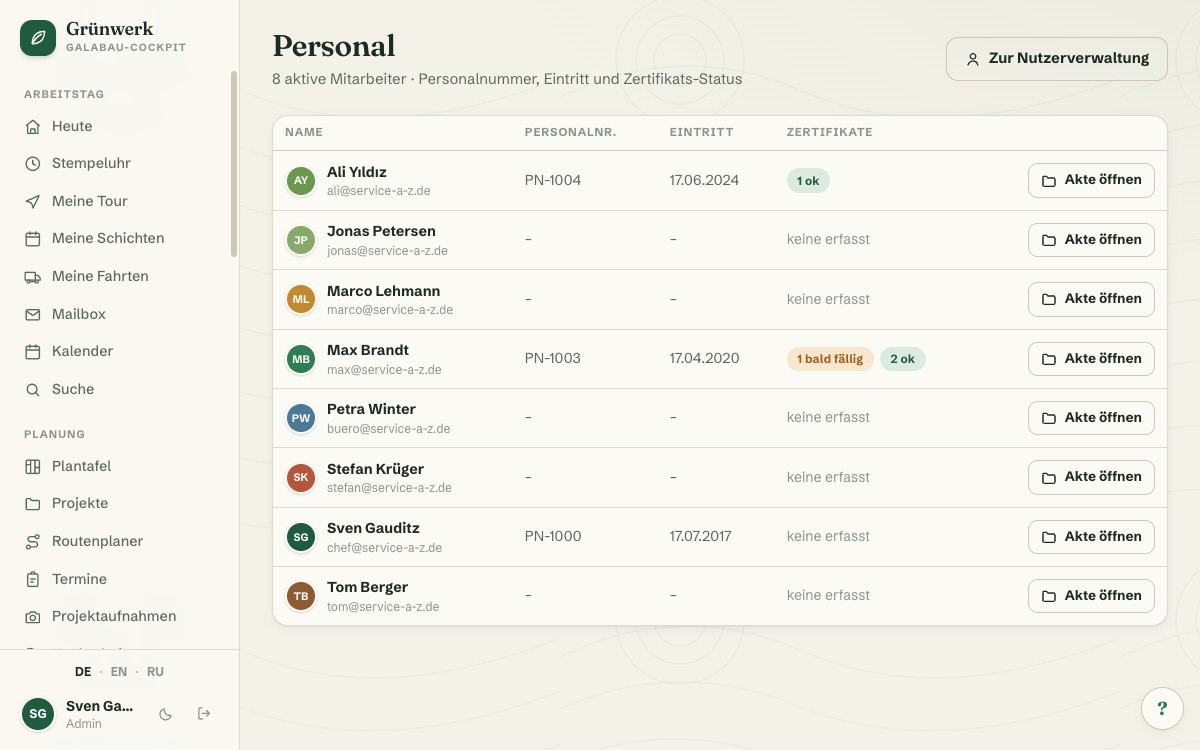
Deadline Warning on the Dashboard, Before It Gets Tight
When a certificate is about to expire, its own card appears on the dashboard, with the employee's name, the certificate and the days remaining. That way the forklift licence or the next safety briefing gets noticed well before it actually lapses.
The Cockpit already applies the same logic to vacation and absences: there, too, the dashboard warns in good time rather than after the fact. HR and absences deliberately follow the same principle.
More about Absences & Holiday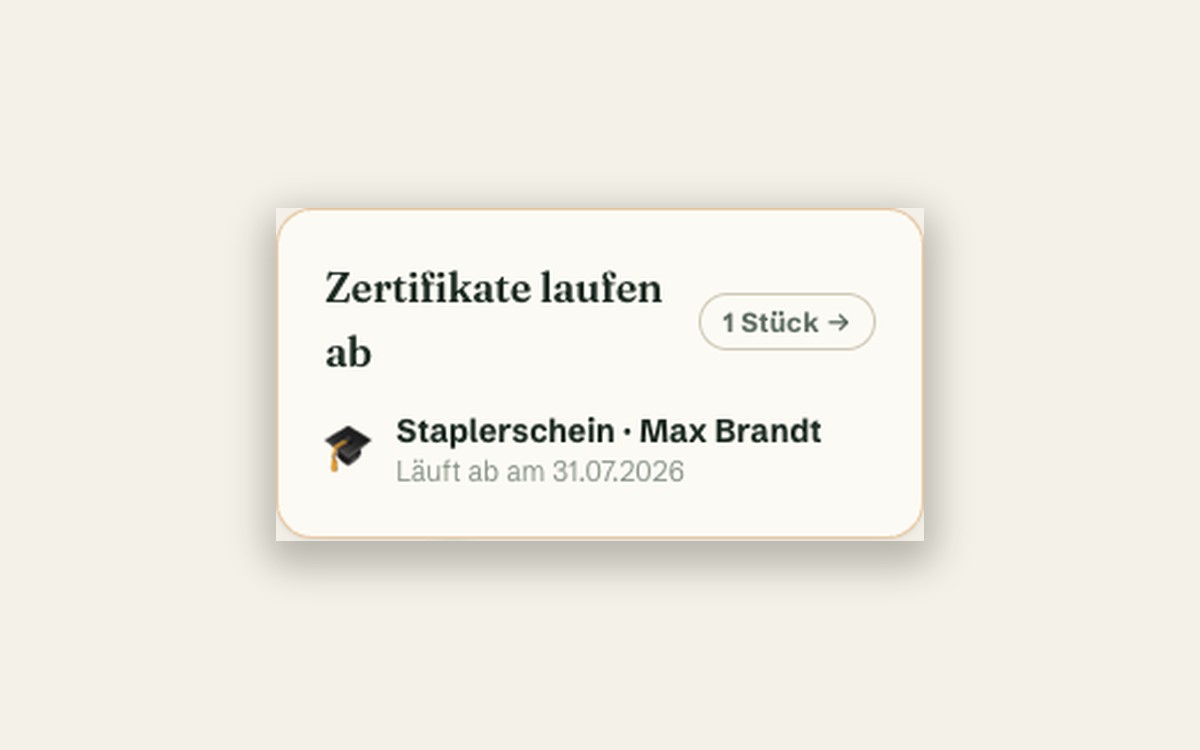
What it does
- One file per employee: master data, personnel number, start date
- As many certificates as needed, each with an issue and expiry date
- Freely configurable warning period per certificate (e.g. 30 days ahead)
- Expiry warning as its own card on the dashboard
- Document storage per employee (contracts, proof, training certificates)
- Photo or PDF attached directly to the certificate or document
- Emergency contact stored right in the file
- Staff overview with certificate status at a glance (ok/due soon/expired)
- Permission-based access — everyone sees only their own file
- Shared employee data with Duty Roster and Travel Expenses
Discover more features
Included in these trade solutions
Ready-to-run trade systems built on this feature.
Try it yourself — no registration
Every trade has its own live demo with sample data. Or pick your package right away: the whole team is included.