Cockpit feature · HR & Staff
Duty Roster — Plan Shifts, See Conflicts Before They Bite
Early, late, night and on-call shifts in a weekly grid for the whole team, with a warning whenever a shift clashes with someone's vacation or an existing appointment. Never blocking: the office always keeps the final say.
Add-on · €9.99/mo — included in Premium
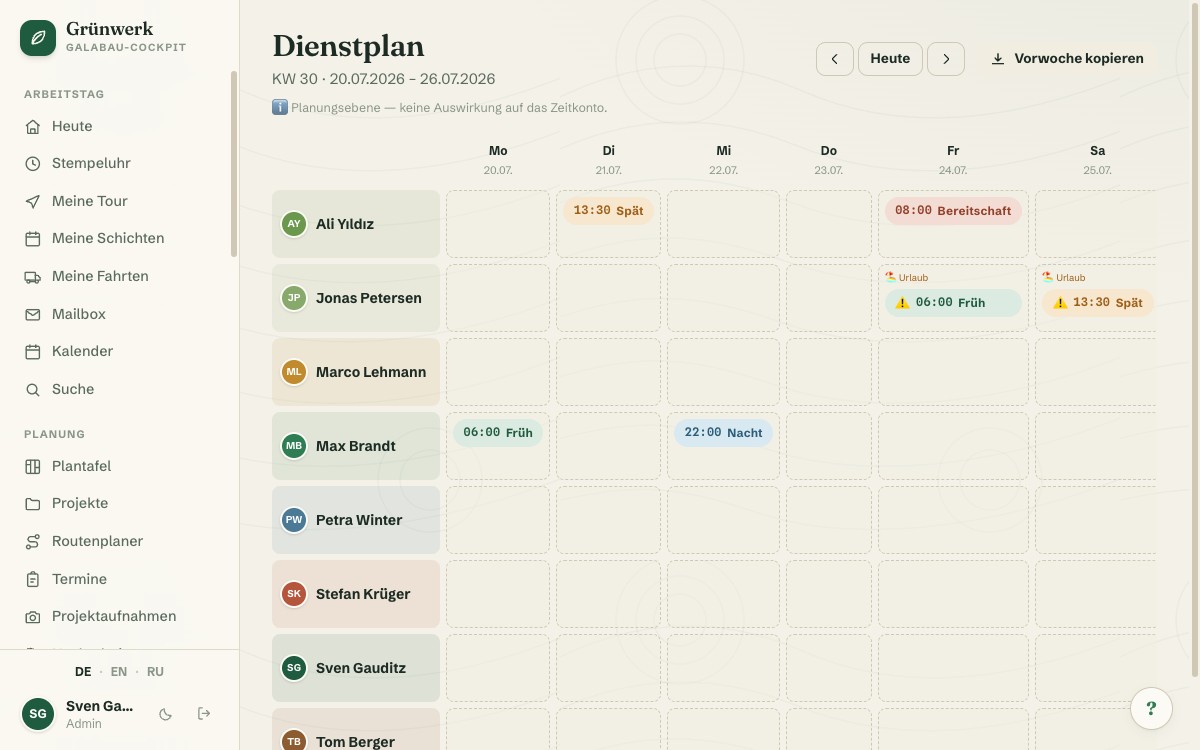
Rotating shifts, winter-service standby, an early shift for one person, a late shift for another: once more than a handful of people work shifts, keeping track by word of mouth or from memory quickly falls apart. Duty Roster brings a weekly grid for that: every shift with a type (early, late, night, on-call or a custom label), a start and end time, and an optional note, laid out side by side for the whole team at a glance.
Before a shift collides with something else, the Cockpit warns you: if the person assigned is on vacation, off sick, or already booked on an appointment at the same time, a clear ⚠️ shows up right in the grid. The warning never blocks anything (sometimes a double booking is intentional or unavoidable on short notice). It simply makes sure nobody gets scheduled twice by accident. If last week looked the same, one click copies it completely into the current one, small adjustments included.
For life on the road there's "My Shifts": a mobile-optimised view of the next 14 days for each individual employee, plus an iCal export for their own calendar. Importantly, Duty Roster is deliberately a pure planning layer that never touches the time clock or the time balance. What was actually worked is still decided solely by time tracking.
Live Warning Before the Conflict Becomes a Surprise
The moment you create a new shift, the Cockpit checks right away: if the chosen person is on vacation, off sick, or already booked on an appointment that day, the warning shows up directly in the form, before it's even saved.
This doesn't replace the office's judgement (sometimes a double booking is intentional on short notice), but it does prevent the accidental early shift on someone's first day of vacation, the kind that otherwise only surfaces on Monday morning.
More about Absences & Holiday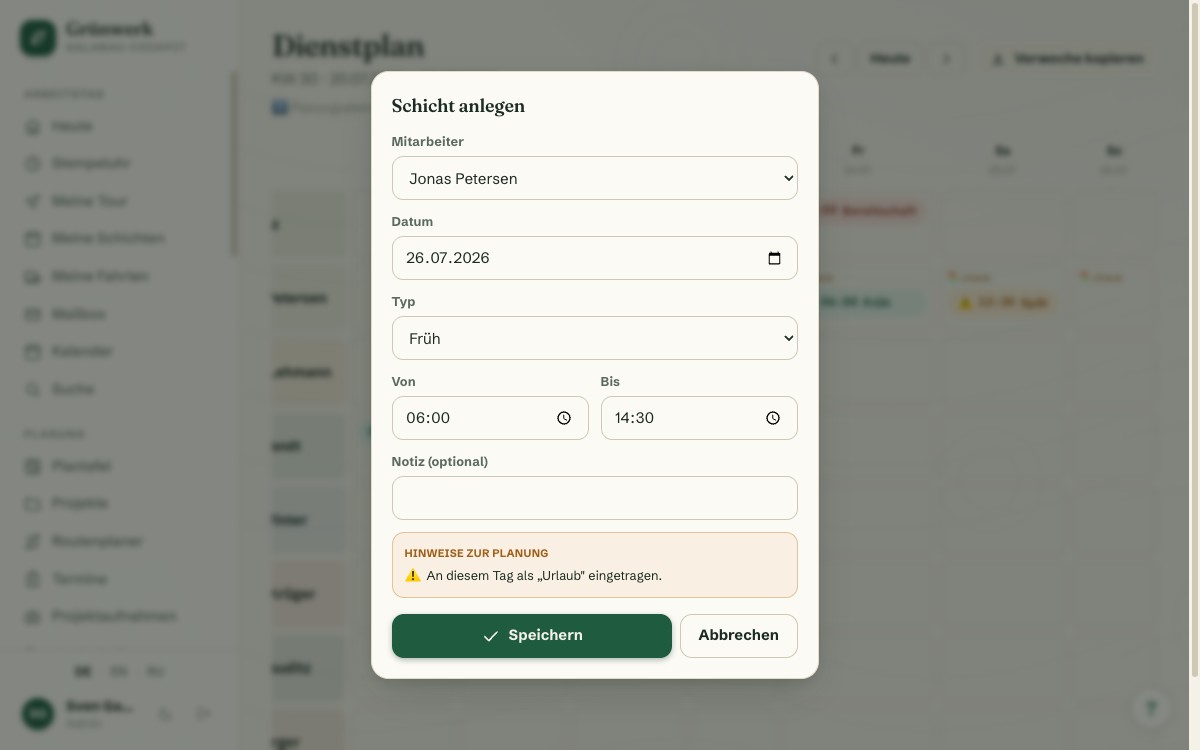
My Shifts, Mobile for Life on the Road
Every employee sees their own shifts for the next 14 days in a view built specifically for the phone, with type, time and note at a glance, plus an iCal export for their personal calendar.
Travel Expenses follows the same mobile idea: both modules are deliberately built so employees can take care of things on the road, instead of catching up at the office PC in the evening.
More about Travel Expenses — From the Phone Receipt to Sign-Off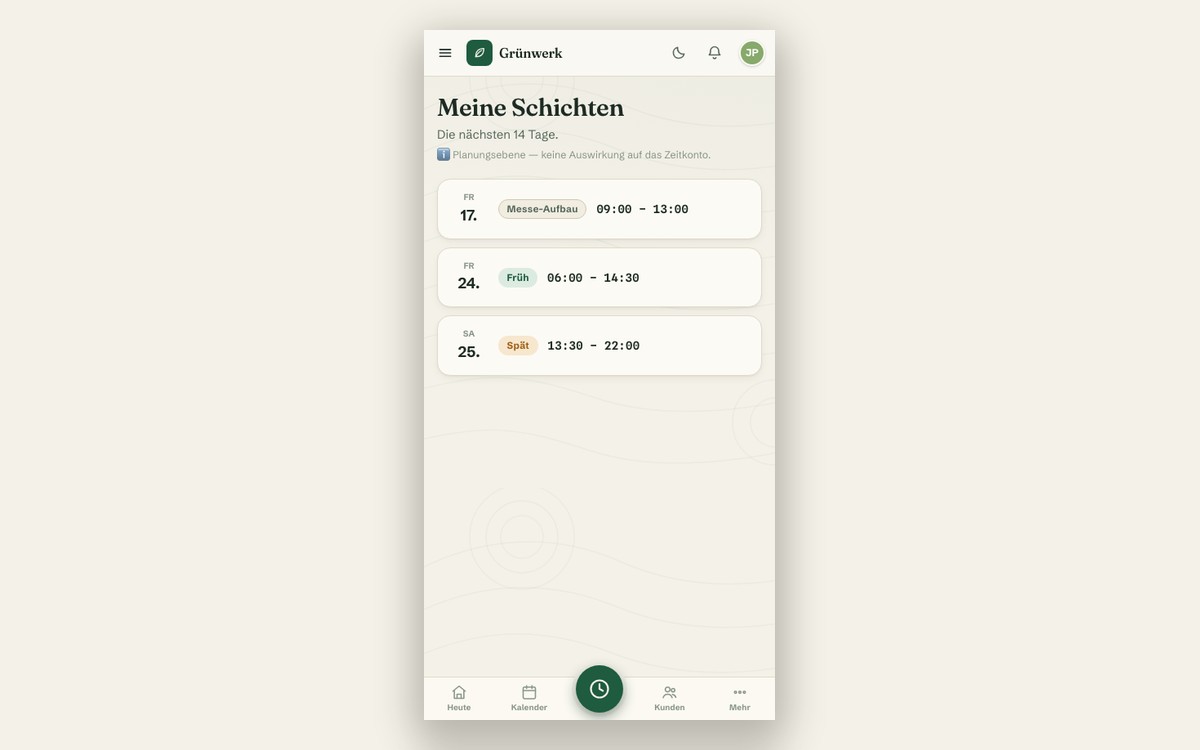
What it does
- Shift types: early, late, night, on-call, freely defined
- Weekly grid for the whole team, week after week
- Conflict warning against vacation, sick leave and existing appointments
- The warning is a hint, never a blocker — the office keeps the final say
- Copy last week with one click
- iCal export for your own calendar
- "My Shifts": mobile-optimised view of the next 14 days
- Note per shift (e.g. special job, winter-service standby)
- A pure planning layer — no effect on the time clock or time balance
Discover more features
Included in these trade solutions
Ready-to-run trade systems built on this feature.
Try it yourself — no registration
Every trade has its own live demo with sample data. Or pick your package right away: the whole team is included.