Cockpit feature · AI Chatbot
AI Chatbot: One Script Tag, and Your Website Answers on Its Own
One script tag is enough: the chat widget automatically answers website visitors from your own knowledge base, made up of crawled page content plus your own Q&A pairs, powered by either Anthropic/Claude or OpenAI. Every chat lands in the Cockpit's Support Inbox; the team gets a bell and a notification sound, and can take over live at any moment.
Add-on · €9.99/mo — included in Premium
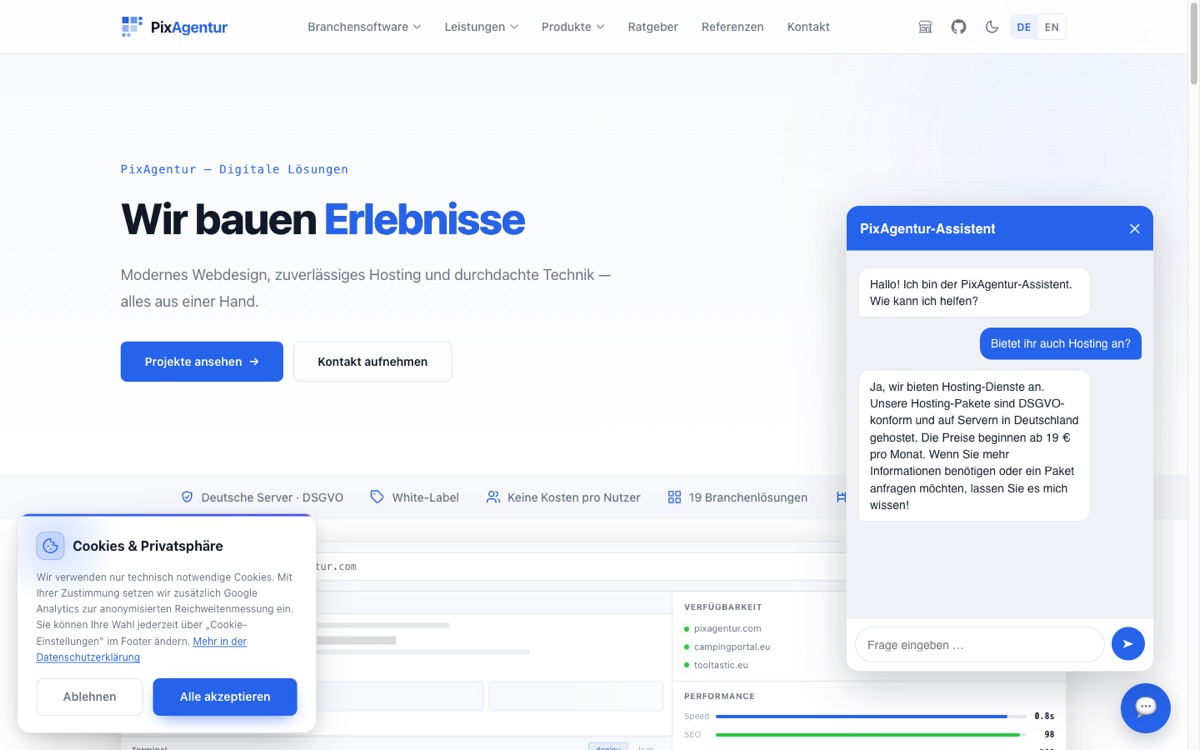
A website visitor has a question about your quote, directions or pricing at 10pm, and by the time you're back at your desk, they've already gone to a competitor. The AI Chatbot answers exactly these questions automatically: one single script tag in your website's footer is enough, the widget runs everywhere, with no rebuild of the page required. Its answers don't come from the AI's general world knowledge, they come from your own knowledge base: the entire website gets crawled, its text and structure land in the knowledge base automatically, and you can maintain your own Q&A pairs for anything that isn't written on the site anywhere. As the AI provider, you can choose either Anthropic/Claude or OpenAI, switchable right inside the Cockpit.
Answers come with matching links: if someone asks about a quote or an ongoing request, the bot points straight to the right page, for instance the ticket page, instead of just delivering plain text. Every chat runs in parallel inside the Cockpit's Support Inbox, just like email and WhatsApp, and the team watches live, gets a bell and a notification sound for every new conversation, and can take over themselves at any time. The visitor barely notices the handover: the team's replies simply keep appearing in the same chat window, with no tool switch and no new tab.
After every conversation, the widget briefly asks for a star rating, so satisfaction can be tracked over time, together with the number of conversations and the tokens actually used, including cost. A monthly budget cap prevents any nasty surprise on the AI bill, and a domain allowlist stops the widget script from being embedded on someone else's site. Privacy is built in from the start: IP addresses are stored in truncated form, and chat histories disappear again on their own after automatically configured deletion periods.
Every chat lands in the same Support Inbox
Email, WhatsApp or the chat widget: every new conversation lands in the very same Support Inbox in the Cockpit, with a bell and a notification sound as soon as a visitor writes something.
No chat goes unwatched: the team sees the whole history, can jump in live at any time, and continue right where the AI left off in the same window.
See it live in the demo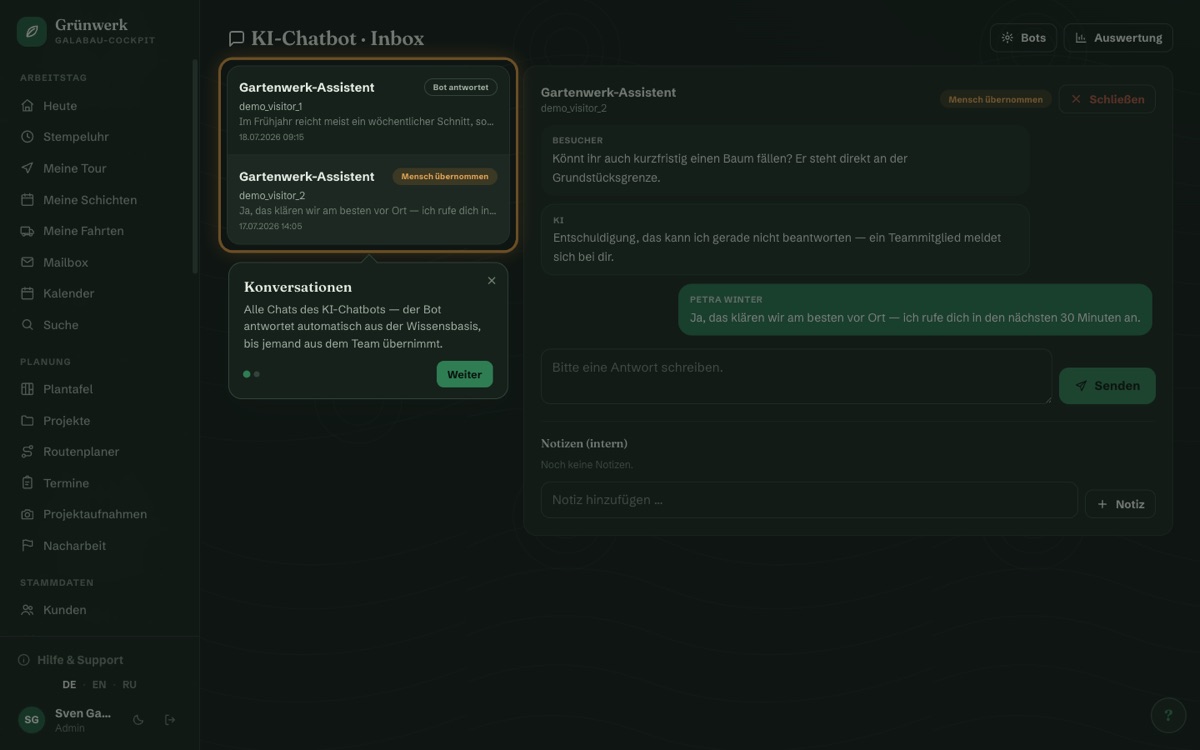
Bot editor: knowledge base, design and embed code in one place
A crawl run reads through your entire website and automatically builds the knowledge base from it, topped up with your own Q&A pairs for anything the site itself doesn't cover.
Colours, greeting text and position can all be adjusted in the editor, and you copy the finished embed snippet into your website's footer with one click.
See it live in the demo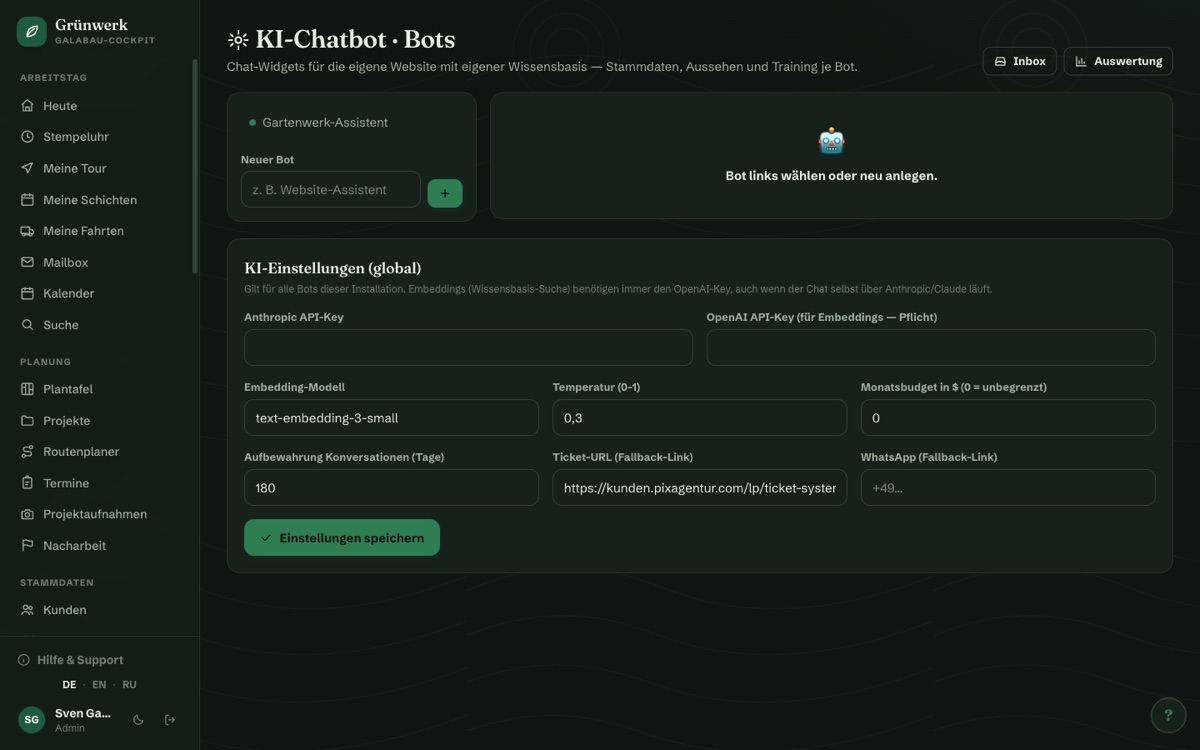
Satisfaction, conversations and token costs at a glance
The analytics show the number of conversations, the star rating after every chat, and the tokens actually consumed including cost, broken down by day, week or month.
A monthly budget cap prevents any nasty surprise on the AI bill, and the domain allowlist makes sure the widget only ever runs on your own pages.
See it live in the demo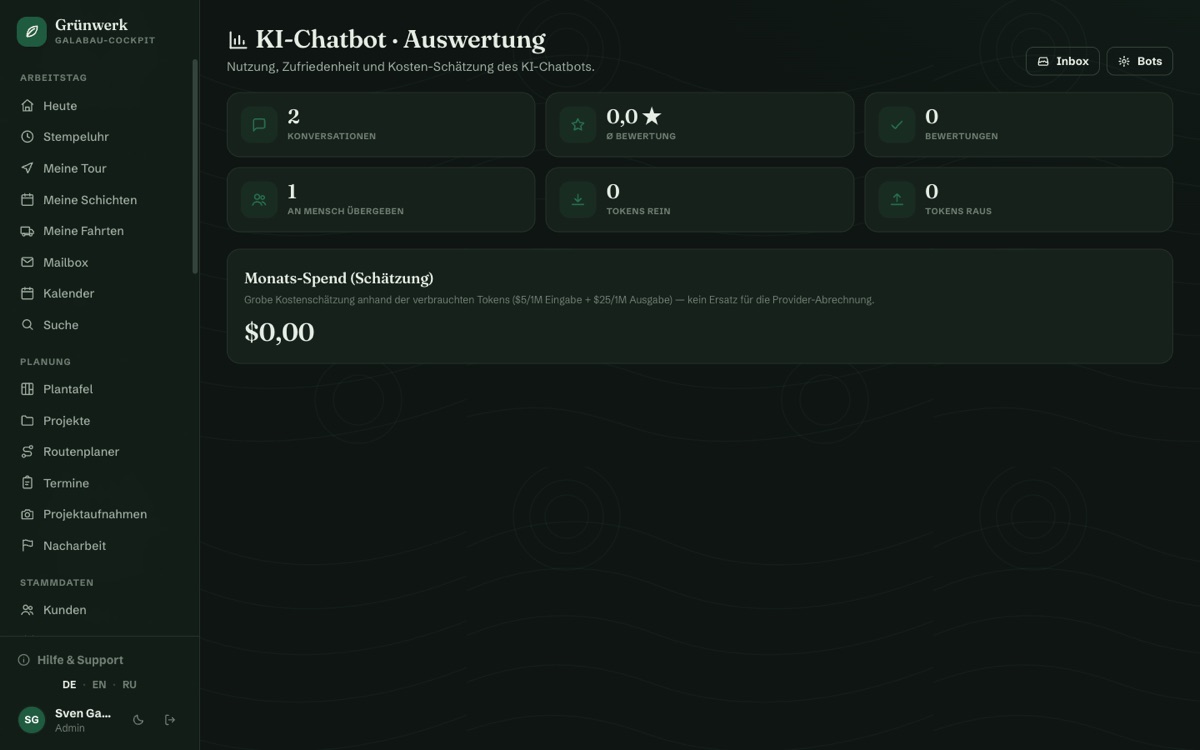
One script tag — runs on any website
No rebuild, no developer appointment: a single script tag in the footer is enough, and the chat widget goes live on your own website, no matter what system the site runs on.
If a visitor asks about a specific concern, the bot points straight to the right page, for instance the ticket system, instead of just delivering plain text.
More about Ticket System
What it does
- One script tag is enough — the widget runs on any website, no rebuild required
- Knowledge base from your own website crawl plus freely maintained Q&A pairs
- AI provider of choice: Anthropic/Claude or OpenAI, switchable in the Cockpit
- Answers come with matching links, e.g. straight to the ticket page
- Every chat runs together in the Cockpit's Support Inbox
- Bell and notification sound for every new chat — nothing gets missed
- Live takeover by the team at any time — visitor sees team replies right in the widget
- Star rating after every chat for customer satisfaction
- Analytics: conversations, satisfaction and token costs at a glance
- Monthly budget cap, domain allowlist and GDPR deletion periods with truncated IPs
Discover more features
Included in these trade solutions
Ready-to-run trade systems built on this feature.
Try it yourself — no registration
Every trade has its own live demo with sample data. Or pick your package right away: the whole team is included.