Cockpit feature · Community Forum
Community Forum: One Forum Engine for Your Website, Portal and Team
One single forum engine covers three audiences at once: a public SEO forum on your own domain that guests can read without logging in, a customer community inside the customer portal, and an internal team forum, with colour-coded categories, best-answer marking, @mentions and moderation that catches banned words and spam on its own.
Included from: Pro package · otherwise €19.99/month
Questions about a quote pile up in email, the team argues it out in a messenger app, and public how-to content would really need its own WordPress site: three separate tools for the same underlying need, when really people just want to talk to each other. The Community Forum solves this with a single forum engine for three audiences: a public SEO forum right on your own domain, which guests can read without an account and register for themselves if they want to post; a customer community inside the customer portal for questions among real customers; and a purely internal team forum for everything that shouldn't be public. Every category gets its own colour and is assigned to exactly the audiences it should be visible in, and the same category can look completely different internally and publicly.
The discussion itself is more than a plain comment box: threads can be organised with tags and labels, pinned, locked or marked as solved once the question is answered. Any reply can be marked as the best answer, posts collect likes, @mentions pull a colleague or customer straight into the thread, and quoting an earlier post replaces writing "see above". Subscribing to a thread brings notifications and, optionally, a bundled digest email, and an unread marker shows at a glance what's new since your last visit. Full-text search finds old answers in seconds, and new posts appear live with no page reload needed.
So that a public forum with self-registration doesn't turn into a spam magnet, reports, a banned-words filter, an approval queue for new members and automatic hiding of flagged posts all run quietly in the background. Member management keeps roles and bans in view, a helpful post turns into a support ticket with one click, and a light or dark mode plus your own accent colour matches the forum to your brand. Deleted posts disappear via GDPR-conscious soft delete and are purged for good after a retention period, and nothing lingers around forever.
Colour-Coded Categories, Visible Exactly Where They Belong
Every category gets its own colour and is assigned to one or several audiences, say the public SEO forum, the customer community in the portal, or the internal team forum. The same structure can look completely different internally than it does to the outside world.
A light or dark mode with your own accent colour matches the whole forum to your brand, instead of looking like some interchangeable off-the-shelf forum software.
See it live in the demo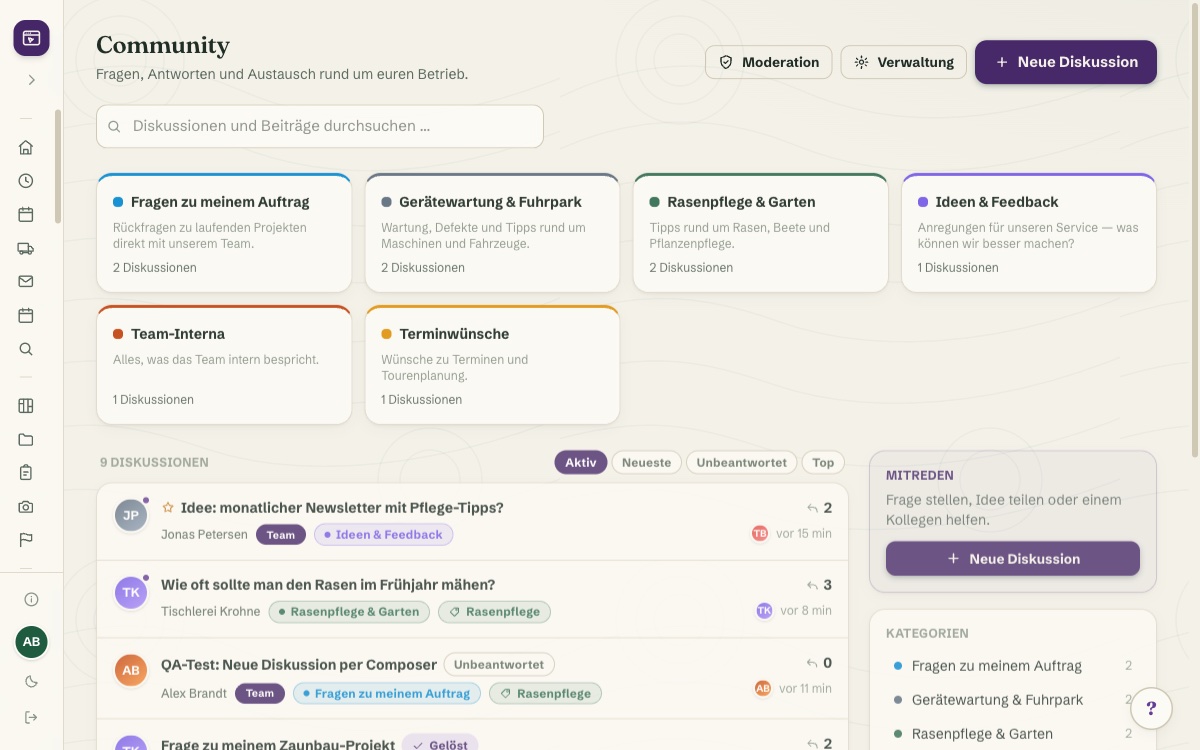
A Thread That Keeps Up: Best Answer, Likes, @Mentions
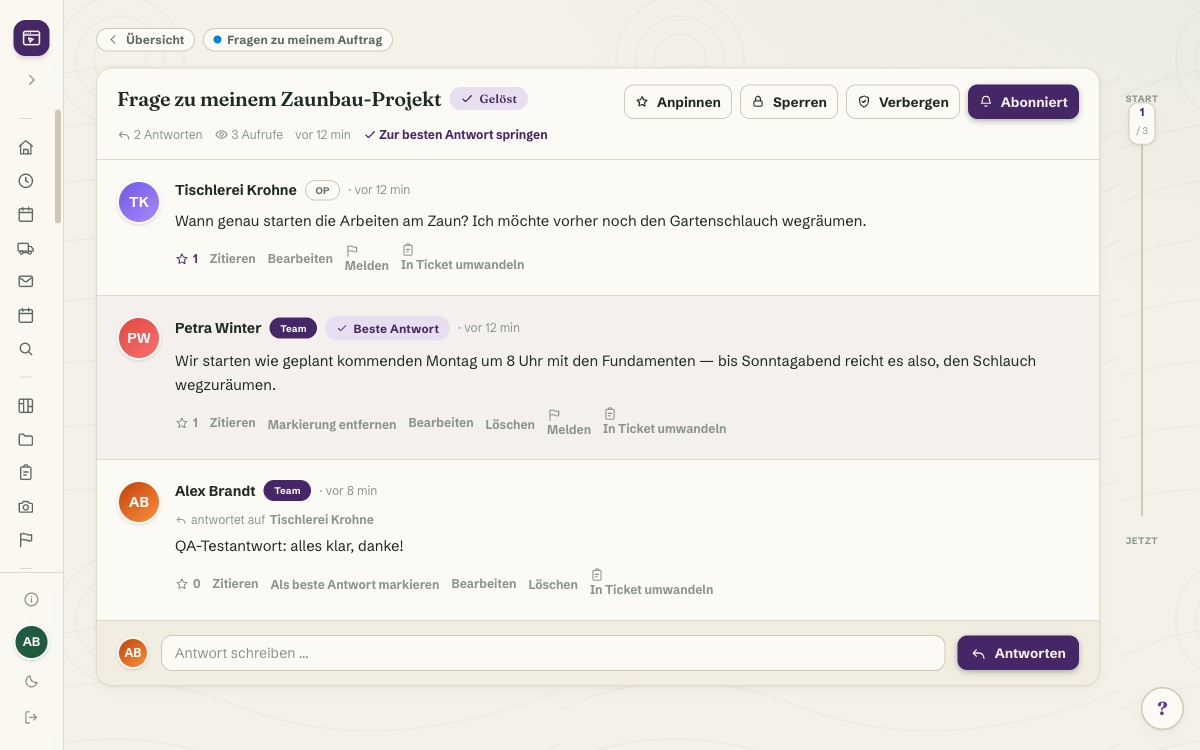
Threads can be organised with tags and labels, pinned, locked or marked as solved once the question is settled. Any reply is marked as the best answer with one click, posts collect likes, and @mentions pull a colleague or customer straight into the thread.
Referring to an older post means quoting it directly instead of writing "see above." Full-text search finds old answers in seconds anyway, and new posts appear live with no page reload needed.
See it live in the demo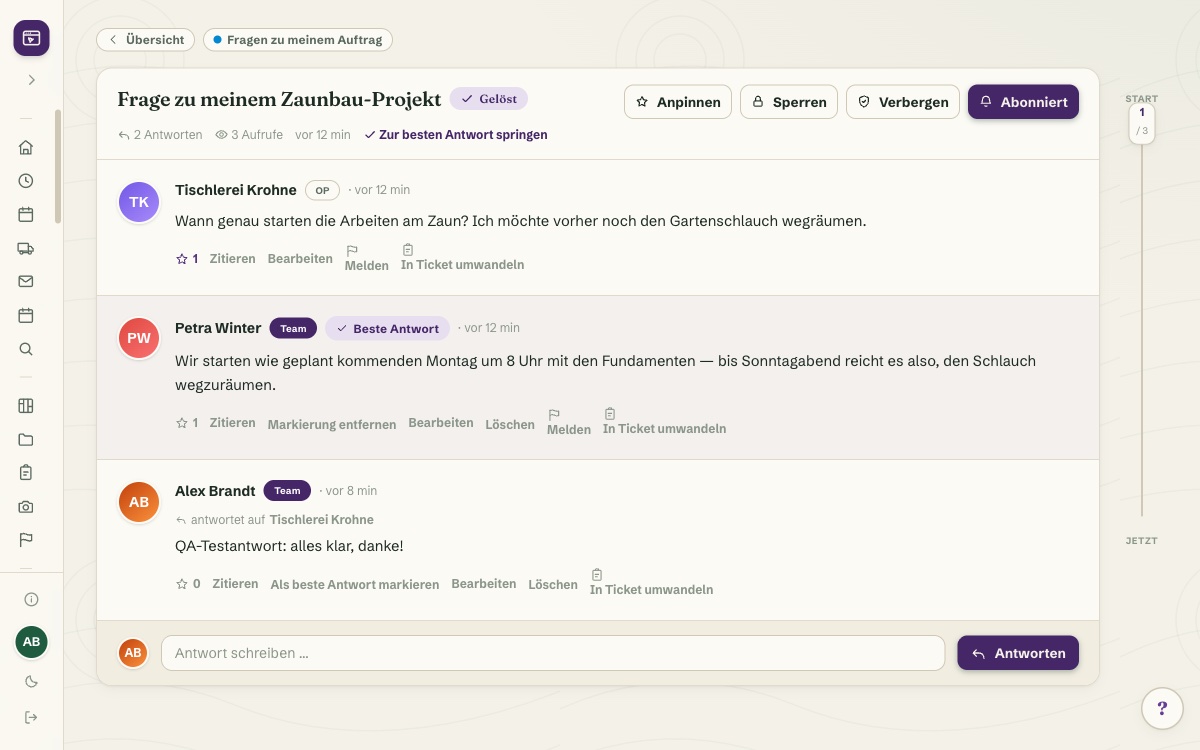
Moderation That Runs Alongside You — Reports, Banned Words, Approval Queue
Reported posts, a banned-words filter, an approval queue for new members and automatic hiding of flagged posts all run quietly in the background, without anyone having to read every single post. Member management keeps roles and bans in view.
A helpful post turns into a support ticket with one click instead of getting lost in the discussion. Deleted posts disappear via GDPR-conscious soft delete, purged for good after a retention period.
More about Ticket System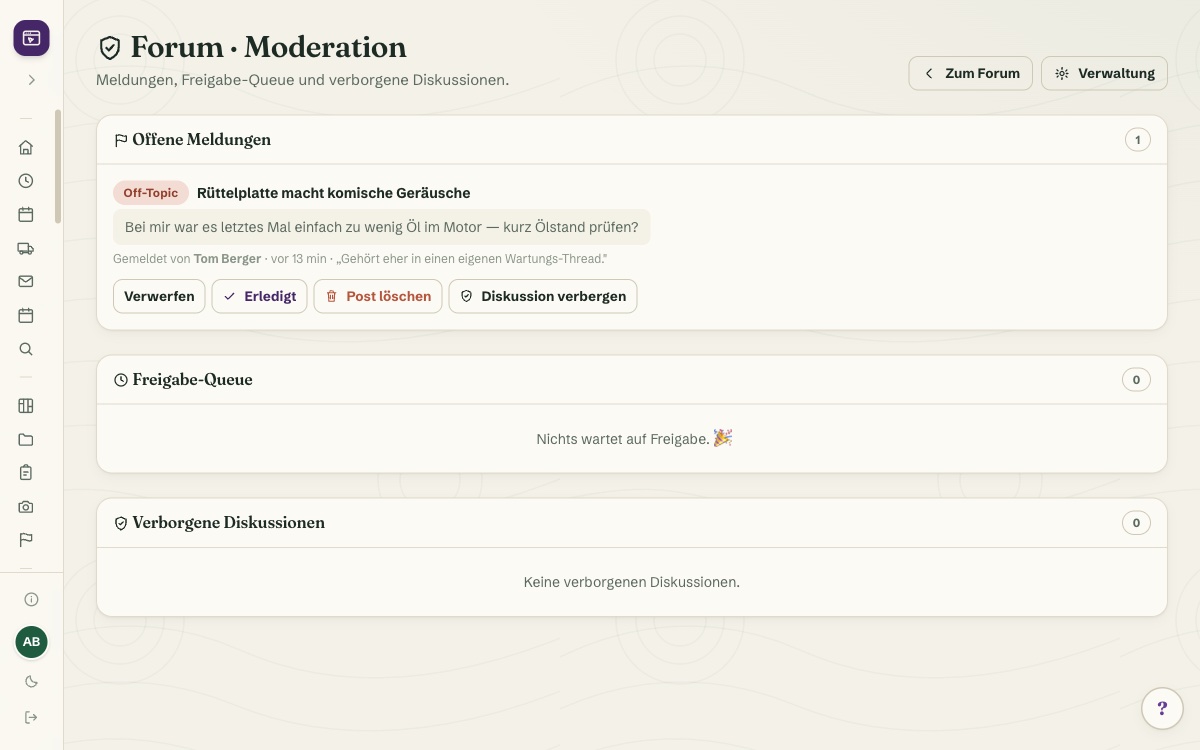
Three Audiences, One Login Fewer: Customer Community and Public Forum
In the customer portal, real customers discuss things with each other and with the team. Questions that would otherwise arrive by email or phone get settled right in the thread. Externally, the same engine runs as a public SEO forum on your own domain, which guests can read without an account.
Anyone who wants to post registers with built-in spam protection. Subscribed threads notify automatically, optionally bundled as a digest email, and an unread marker shows at a glance what's new since your last visit.
More about Customer Portal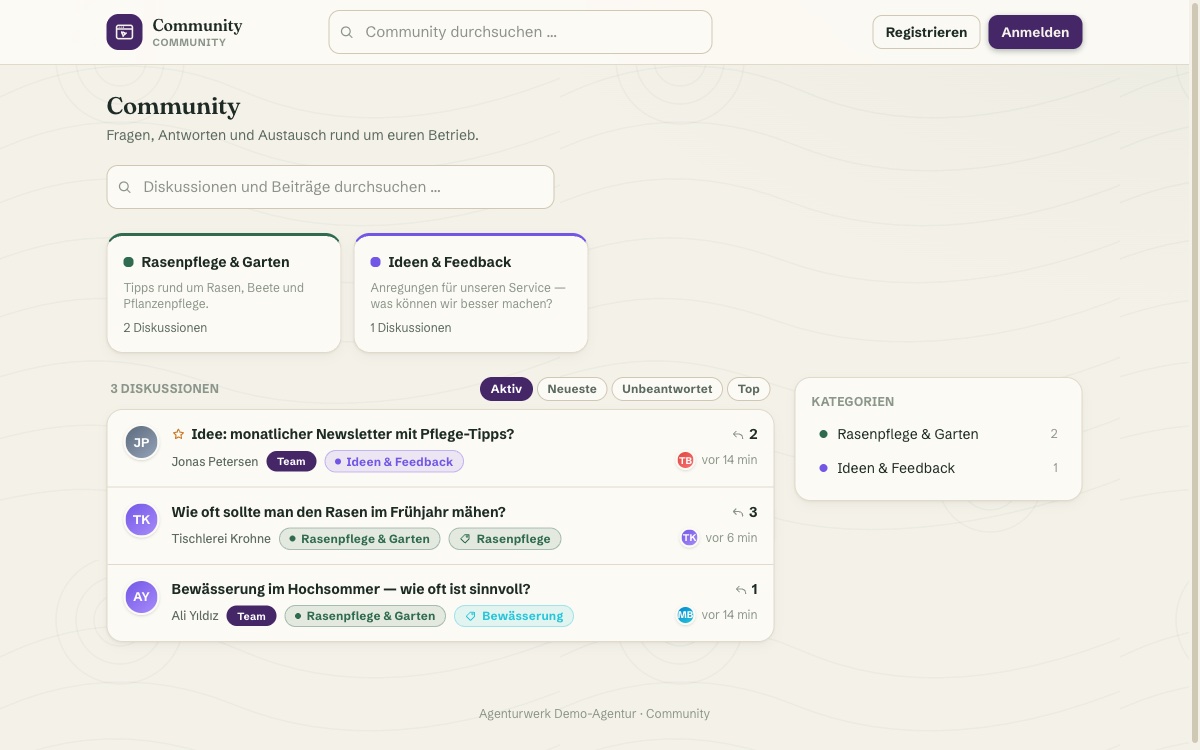
What it does
- One forum engine, three audiences: public SEO forum, customer community in the portal, internal team forum
- Colour-coded categories with their own visibility per audience
- Threads with tags/labels, pin, lock or mark as solved
- Mark the best answer, likes and @mentions
- Quote individual posts for clear context in the thread
- Subscriptions with notifications and digest emails, unread marker
- Full-text search and live updates for new posts with no reload
- Moderation: reports, banned-words filter, approval queue, auto-hiding of flagged posts
- Member management, self-registration with spam protection, post-to-ticket conversion
- Light/dark mode with your own accent colour, GDPR-conscious soft-delete purge
Discover more features
Included in these trade solutions
Ready-to-run trade systems built on this feature.
Try it yourself — no registration
Every trade has its own live demo with sample data. Or pick your package right away: the whole team is included.