Cockpit feature · Fleet
Fleet — Never Miss a TÜV, Service or Lease Deadline Again
Every vehicle with TÜV/MOT, safety inspection, service, insurance and lease end in one place, with a warning before a deadline actually expires. Plus crew and driver assignment, and the current mileage, carried forward straight from the trip log.
Add-on · €9.99/mo — included in Premium
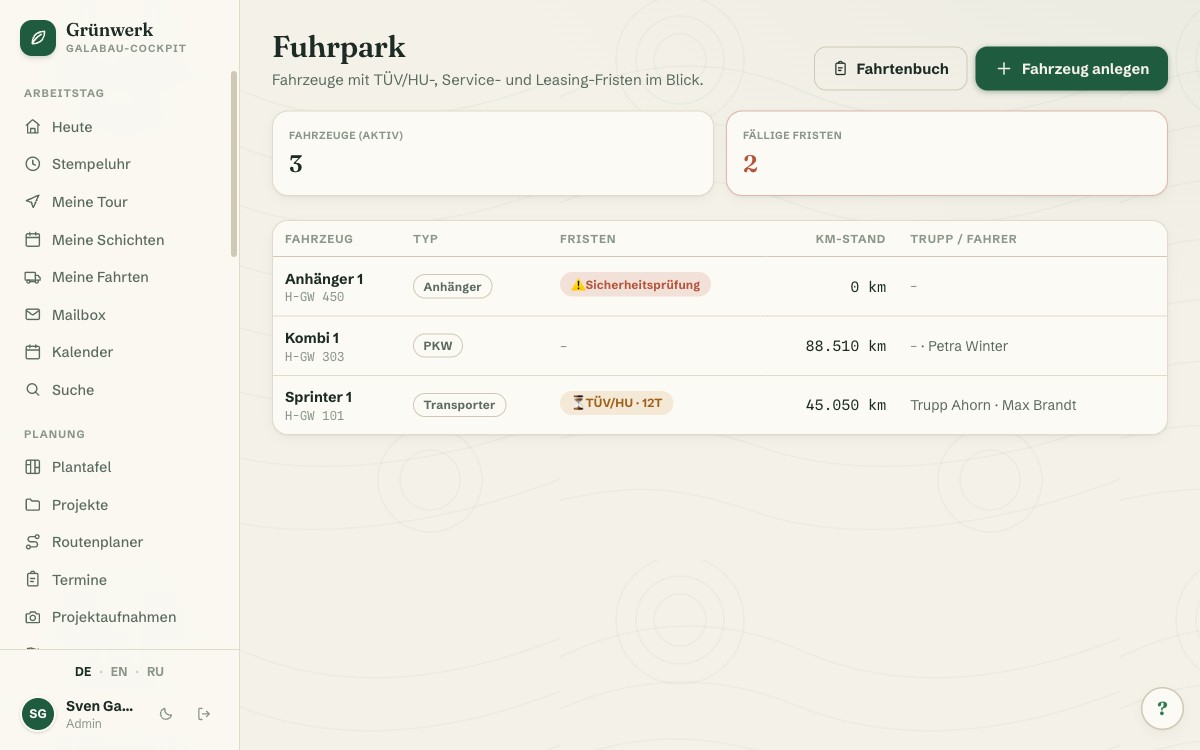
TÜV due next week, the trailer's safety inspection already expired two weeks ago, and only the accountant still remembers when the estate car's lease actually ends: without a fixed structure, vehicle deadlines end up spread across spreadsheets, folders and a few people's memory. Fleet gives every vehicle its own file, with name, licence plate and type (van, car, truck, trailer or machine) plus five deadlines, each with its own date: TÜV/MOT, safety inspection, service, insurance and lease end.
How many days of advance warning you get is something you set per vehicle. A company car on a tight service interval might need more lead time than the trailer that only goes out twice a year. As a deadline approaches, it shows up as a badge right in the fleet list (amber for "due soon", red for "already overdue") and as its own card on the dashboard, so nobody only discovers it by opening the vehicle file.
Every vehicle can be assigned to a crew and a default driver, both purely informational, but visible at a glance: who usually drives what. If the trip log is also active, every finished trip automatically carries the current mileage forward, including the last 20 trips right inside the vehicle file. Retired vehicles get deactivated instead of deleted. The history stays intact; they just disappear from the active lists.
The Vehicle File: Deadlines, Mileage History and Gaps at a Glance
Every vehicle has its own file with all five deadlines laid out in a grid (TÜV/MOT, safety inspection, service, insurance, lease end), each with its due date and days remaining. Right below it, the mileage history of the last 20 trips, including a warning the moment a stretch between two trips wasn't recorded.
These mileage gaps come straight from the trip log. If that module is also active, the two work together: the vehicle file's mileage is based entirely on the trips recorded there, with nothing to maintain twice.
More about Trip Log — Documented Without Gaps, Without GPS Tracking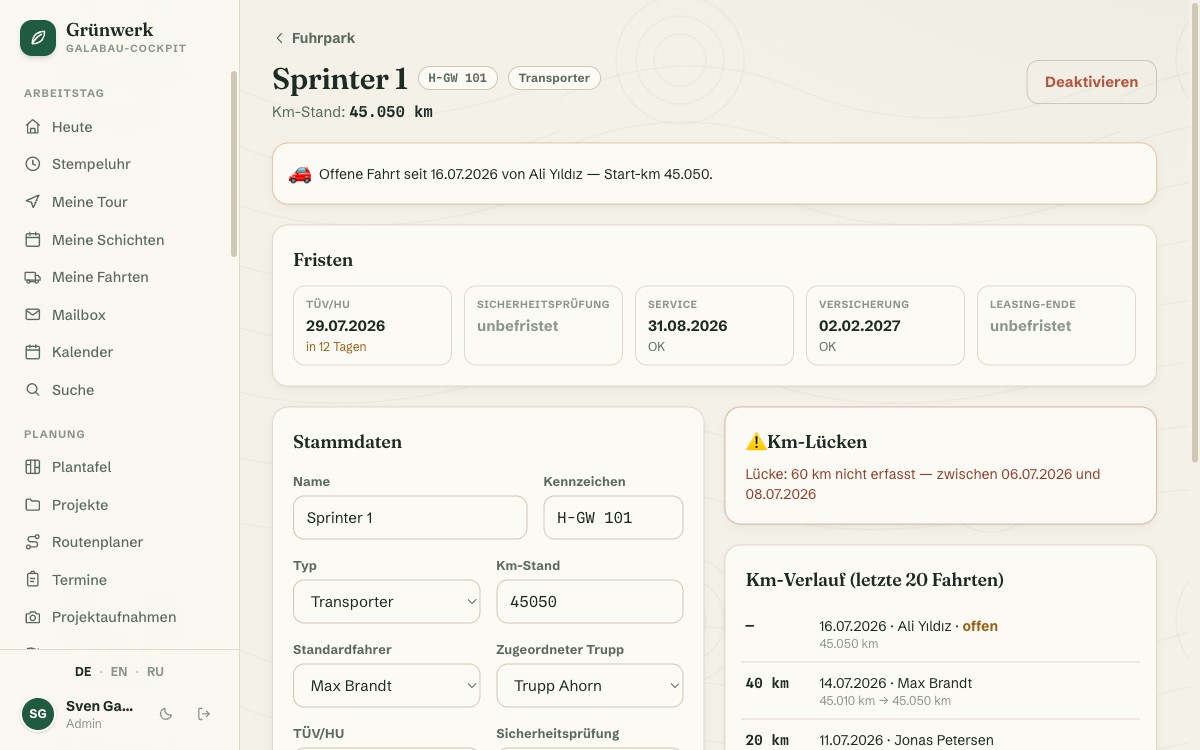
Due Deadlines on the Dashboard, the Vehicle Right at the Tour Header
The moment a deadline is due soon or already overdue, it automatically shows up as its own card on the dashboard, with the vehicle's name, the type of deadline, and the days remaining or overdue. No need to check every single vehicle file by hand each day.
When planning the day's tour, every crew can be assigned a vehicle right at the tour header, purely informational, but visible at a glance who's driving what today, without affecting the route planning itself.
More about Route Planner & My Tour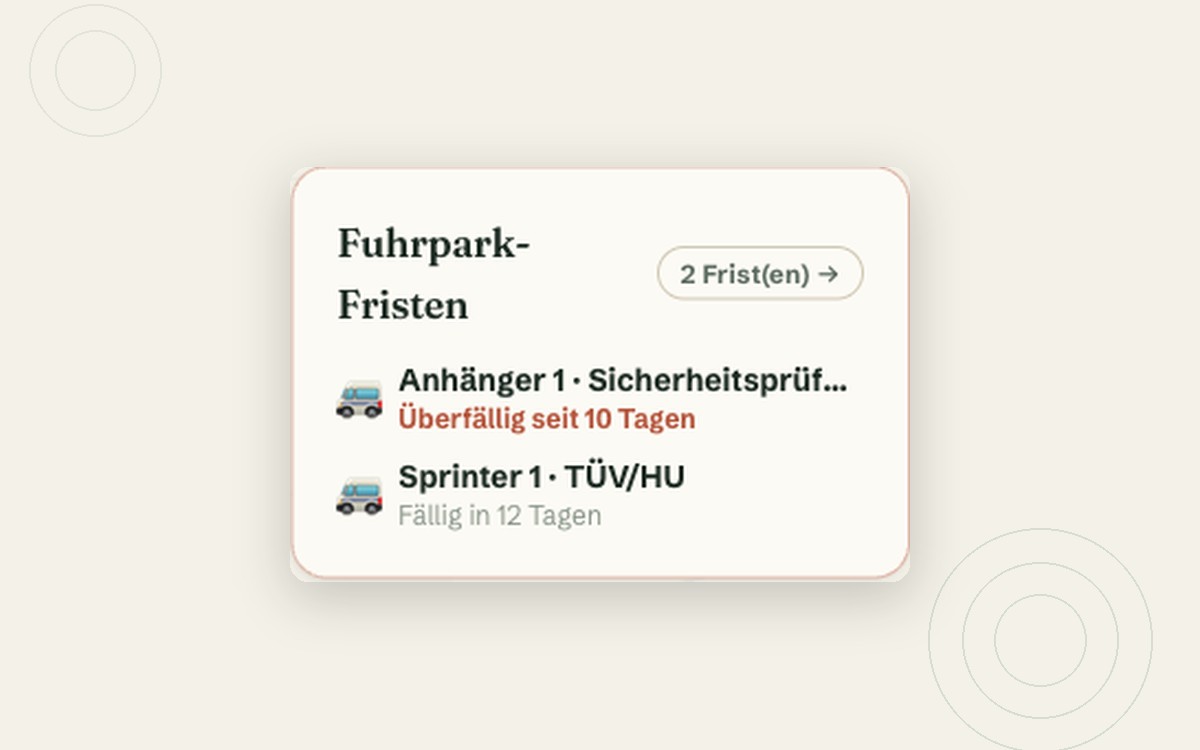
What it does
- Vehicle file with five deadlines: TÜV/MOT, safety inspection, service, insurance, lease end
- Vehicle types: car, van, truck, trailer, machine
- Warning period freely configurable per vehicle (in days)
- Traffic-light badges in the overview: due soon (amber), overdue (red)
- Due deadlines also shown as their own card on the dashboard
- Assignment to a crew and a default driver
- Mileage carried forward automatically from the trip log
- Mileage history of the last 20 trips right in the vehicle file
- Vehicle visible at the tour header (purely informational)
- Deactivate instead of delete — history stays intact
Discover more features
Included in these trade solutions
Ready-to-run trade systems built on this feature.
Try it yourself — no registration
Every trade has its own live demo with sample data. Or pick your package right away: the whole team is included.