Cockpit feature · Inventory & Purchasing
Inventory & Purchasing — Material Under Control, Margin in View
An article catalogue with cost and sale price, consumption booked straight from the phone on site and flowing automatically into the project's actual costs and the invoice. When an article drops below its minimum stock, the Cockpit already suggests the reorder.
Add-on · €9.99/mo — included in Premium
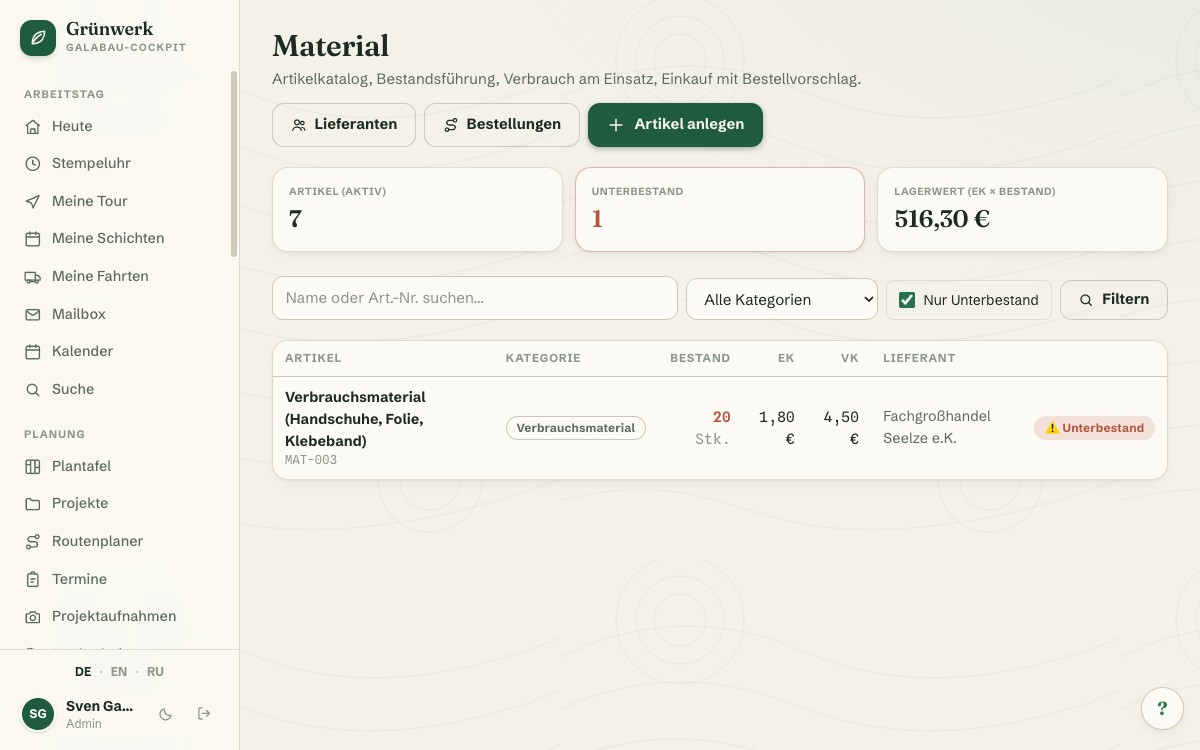
In many businesses, the value of material actually used is little more than a gut feeling. Purchases end up in the books, but what was actually consumed on the job rarely does. Inventory & Purchasing starts with an article catalogue: every article gets an SKU, category, unit, cost price, sale price and a minimum stock level. Small parts, consumables or safety gear: stock is updated automatically with every goods receipt and every booked consumption, no spreadsheet that someone has to keep up to date by hand.
On site or directly on the project, your team books consumption from their phone: pick the article, enter the quantity, done. Stock drops immediately, whether the article is later billed through the project or through a single appointment. If an article falls below its minimum stock in the process, it automatically shows up in the reorder suggestion. From there, a few clicks turn it into a purchase order with the linked supplier, complete with line items, a PDF and email sending. When the goods arrive, the goods-receipt step books quantity and current cost price straight back onto the article in one step.
The real payoff shows up in the numbers: material consumed automatically feeds the project's actual-cost view, right alongside time and (if you also run Travel Expenses) expenses. Unbilled material can be added to the invoice from there with one click instead of being kept in someone's head. In the quote itself, an article picker right inside the line item helps you calculate material costs realistically from the very first draft, instead of guessing.
Reorder Suggestions Instead of Gut Feeling
When an article drops below its minimum stock, it automatically shows up in the reorder suggestion, sorted by supplier, with current stock and target quantity at a glance. One click is enough to turn it into a purchase order with line items.
The order itself gets a running reference number automatically, can be emailed to the supplier as a PDF, and moves through draft, ordered, partially delivered and delivered. The goods-receipt step updates stock and cost price in one go.
See it live in the demo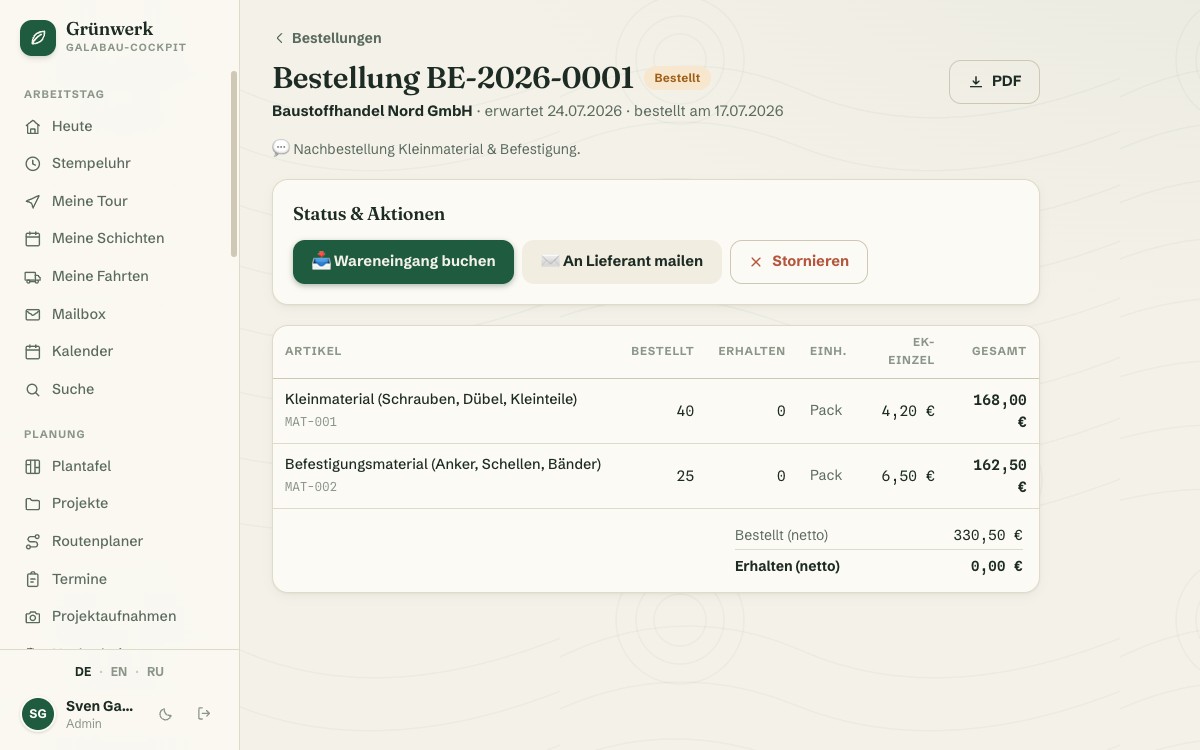
Book Consumption Right at the Appointment
Instead of reconstructing material usage from memory after hours, your team books it directly on the appointment or the project: pick the article, enter the quantity — done. That works just as well from a phone on site as from the office PC.
Every booking reduces stock immediately and stays traceable as a movement, including who booked it, when and for what. Corrections are deliberately only possible through the article's own file, so the stock history stays clean.
See it live in the demo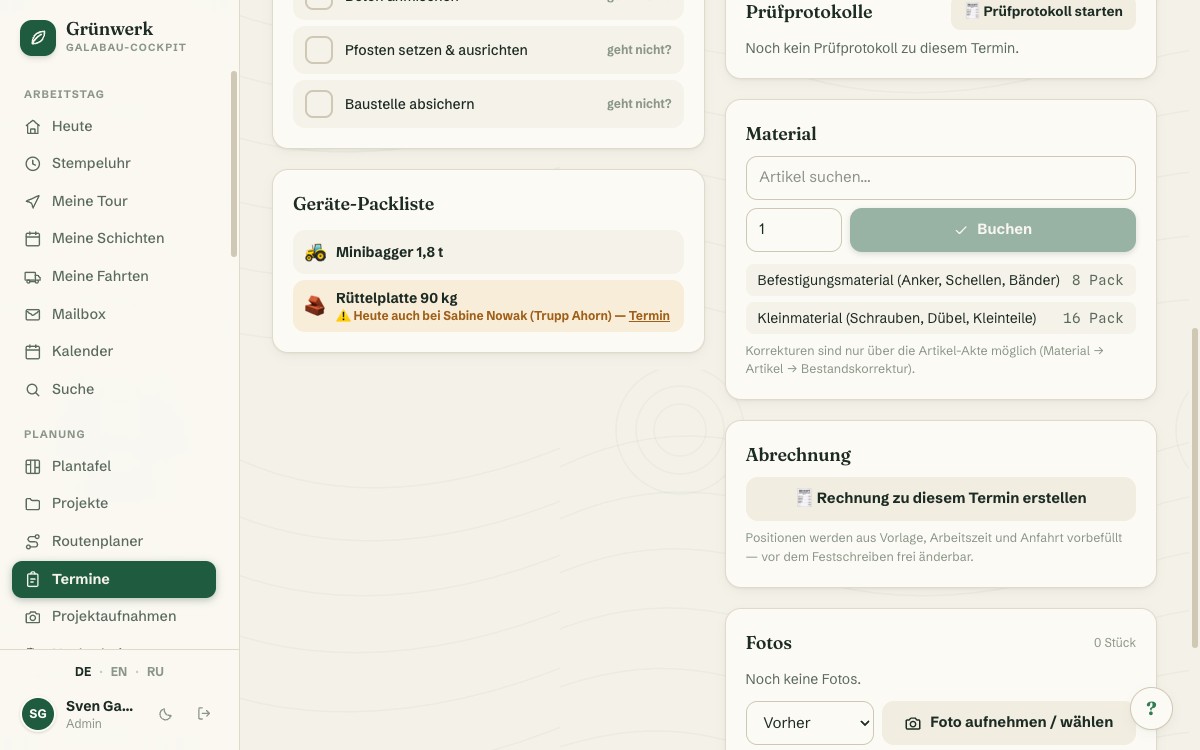
Article Picker Right Inside the Quote
Without this, material line items in a quote get typed freely and the price gets estimated. With the article picker, you choose directly from the material catalogue instead: cost and sale price are taken over automatically; stock is visible at a glance.
Once the customer accepts, the quote's entire material requirement can be pulled into a reorder suggestion with one click. The calculation you already did becomes the basis for purchasing, without typing everything in a second time.
More about Quotes & Calculation — From Site Visit to Signed Job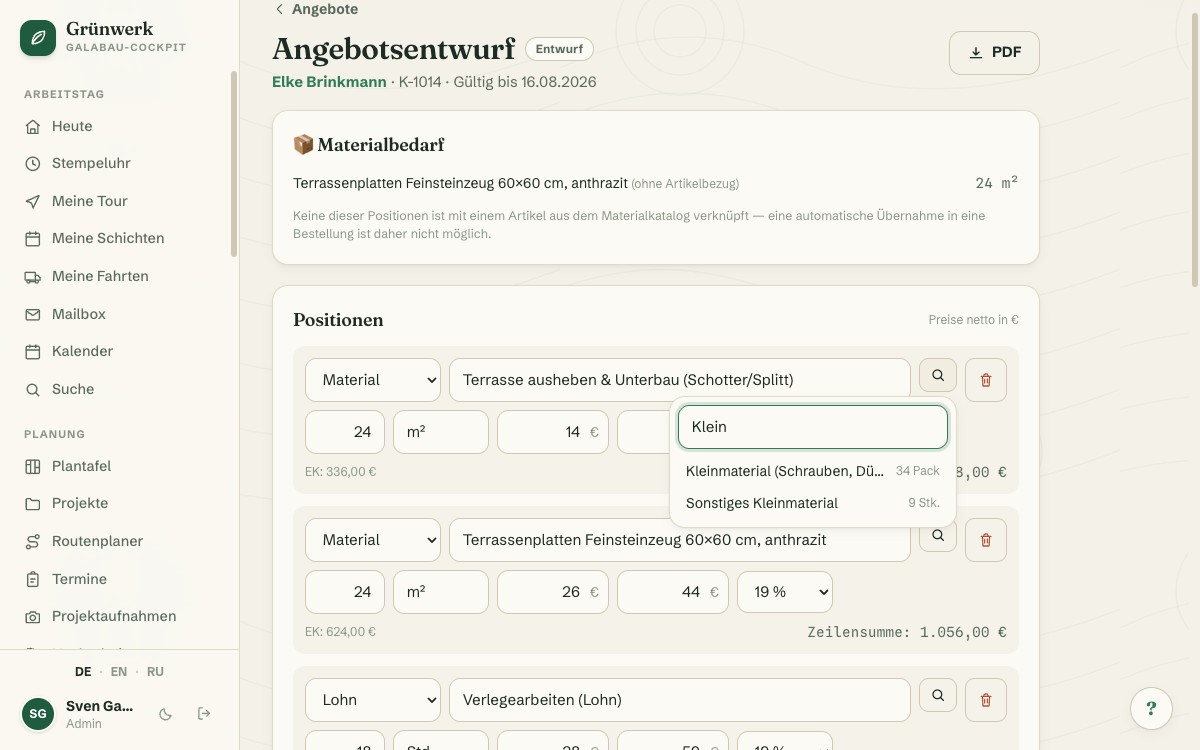
Low Stock on the Dashboard, Material in the Actual-Cost View
A dedicated dashboard card shows at a glance which articles currently sit below their minimum stock, with current stock, target quantity and unit, before you're suddenly out of small parts on the next job.
On the project itself, every consumption booking automatically feeds the actual-cost view: real material cost at purchase price, right alongside time and expenses. Unbilled material can be added to the next invoice from there with one click.
More about Invoices & XRechnung (e-invoicing)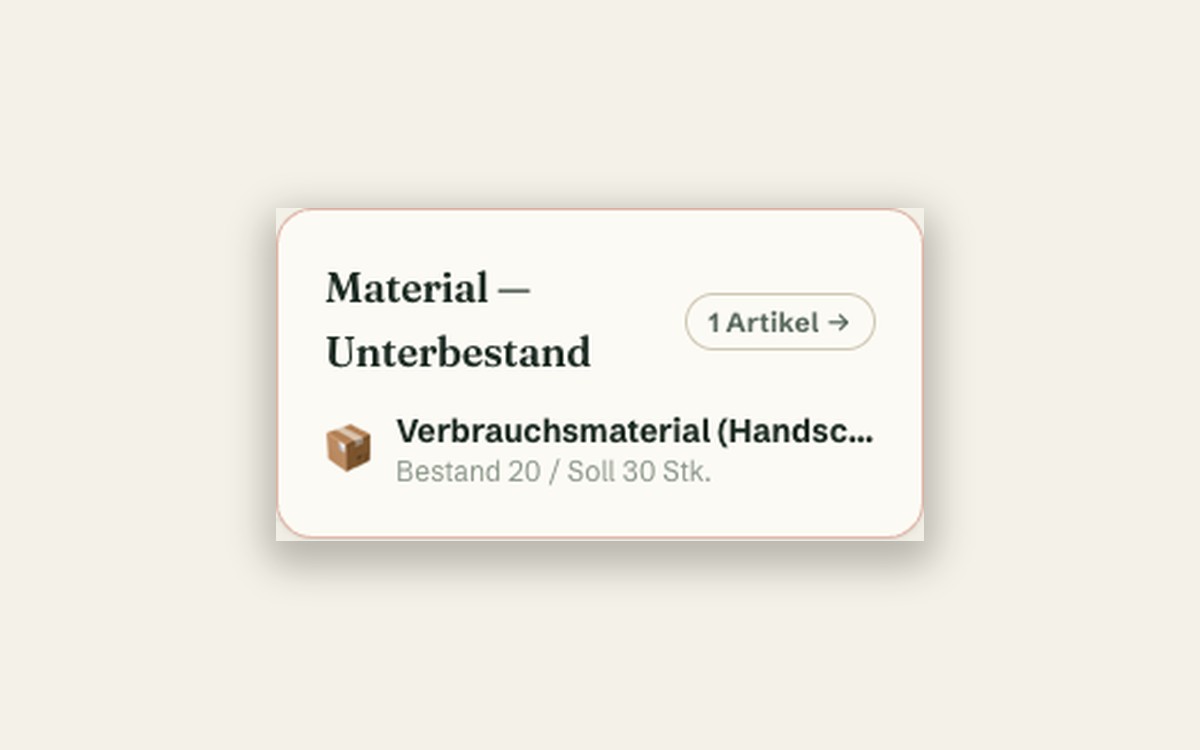
What it does
- Article catalogue with cost price, sale price, SKU, category and minimum stock
- Book consumption straight from the phone — on the appointment or on the project
- Stock carried forward automatically on every movement, including corrections with a reason
- Reorder suggestion built from every article under its minimum stock
- Purchase orders with supplier, line items and PDF/email sending
- Goods receipt updates stock and cost price automatically
- Article picker right inside the quote's line item
- Pull a quote's material needs straight into a reorder suggestion
- Consumed material feeds the project's actual-cost view automatically
- Add unbilled material to the invoice with one click
- Low-stock warning right on the dashboard
Discover more features
Included in these trade solutions
Ready-to-run trade systems built on this feature.
Try it yourself — no registration
Every trade has its own live demo with sample data. Or pick your package right away: the whole team is included.