Cockpit feature · Mindmaps
Mindmaps — Think Through Ideas, Projects and Strategy Visually
Unlimited mindmaps in your own folders, a full-screen editor with drag-and-drop, undo and zoom, plus eight ready-made templates from SWOT to project plans. Nodes link straight to customers, tasks and leads in the CRM, sharing works via a password-protected link or presentation mode, and the AI can build the whole map from a prompt on request.
Add-on · €9.99/mo — included in Premium
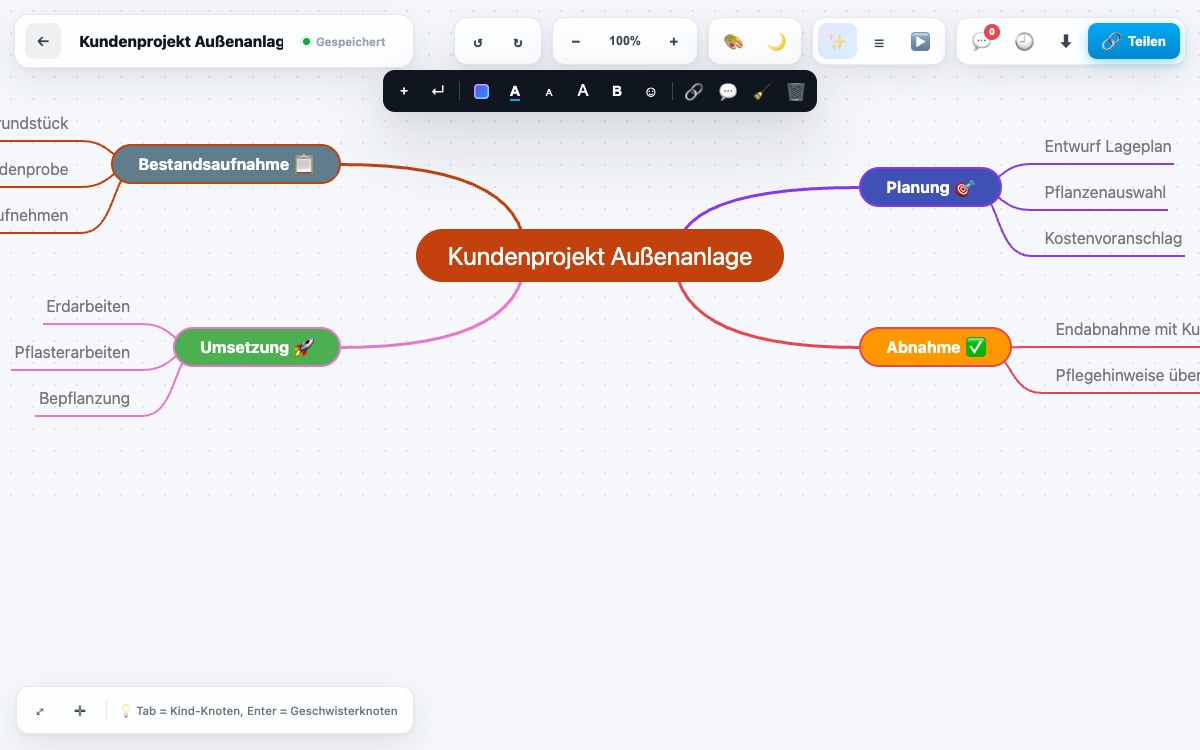
A new project, a strategy session, a brainstorm with the team: some thoughts refuse to fit into lists or tables and need room to branch out instead. Mindmaps brings its own full-screen editor into the Cockpit for exactly that: arrange nodes by drag-and-drop, branch as deep as you like, experiment freely with zoom and undo/redo, with no fear of one wrong click. Every node can be styled on its own, with colour, emoji, font size and style, and eight fully designed themes including dark mode are ready to pick from, equally comfortable for a quiet read or a projector meeting. If you'd rather not start from a blank canvas, reach for one of eight ready-made templates (SWOT analysis, OKRs, project plan and more), with every map neatly sorted into your own folders, unlimited in number.
Unlike a loose whiteboard, a mindmap in the Cockpit stays woven into the rest of the CRM: a node links straight to a customer or a lead, and one click on any node turns it into a real task. The idea from the brainstorm doesn't vanish into a screenshot; it lands directly in the day-to-day work. Every change saves automatically, and the version history makes earlier states recoverable at any time, in case a restructuring turns out not to have been the better idea after all. Finished maps export as PNG, SVG, Markdown, OPML or FreeMind, and import from common formats just as easily, so your thinking stays portable instead of trapped inside one tool.
Collaboration only needs a link: password-protected, embeddable on another page, or presented directly in presentation mode in front of customers or the team. Several colleagues see each other live inside the map, with presence indicators and comments right on the node, with no video call or extra tool required. And if you'd rather start from a prompt than a blank canvas, the AI can suggest a whole map, offer further ideas for a branch mid-work, or summarise a sprawling map in a few sentences at the end.
Unlimited Maps, Neatly Sorted Into Your Own Folders
Every mindmap gets its own place inside a dedicated folder instead of piling up in one unsorted heap. The number of maps is never capped.
Eight ready-made templates, including SWOT analysis, OKRs and a project plan, give you a starting point instead of a blank canvas every time.
See it live in the demo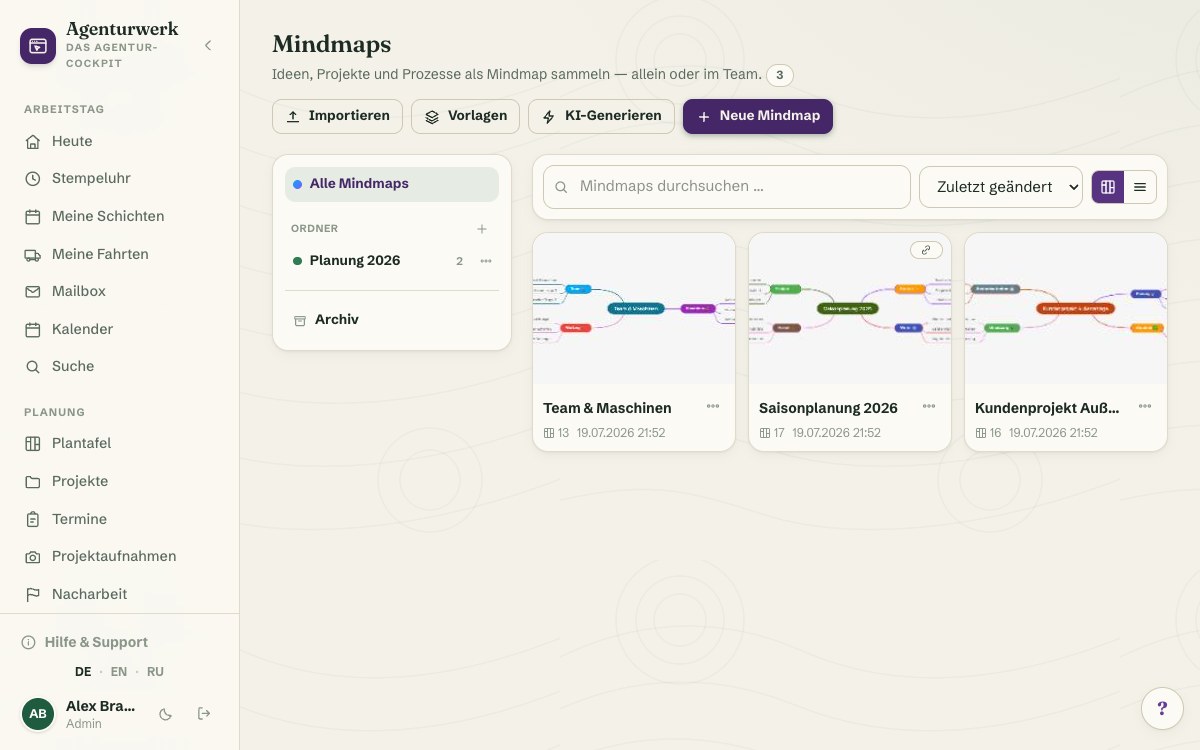
Full-Screen Editor With Drag-and-Drop, Zoom and Free Formatting
Arrange nodes by drag-and-drop, branch as deep as you like, experiment freely with zoom and undo/redo: the full-screen editor clears the space, with no menus in the way.
Every node can be styled on its own (colour, emoji, font size and style), and eight fully designed themes including dark mode are ready to pick from.
See it live in the demo
Share via Link, Present, Collaborate Live
A password-protected share link is enough to share or embed on another page. A dedicated presentation mode then carries the map straight in front of customers or the team.
Several colleagues see each other live inside the map: presence indicators and comments right on the node replace the video call or extra tool.
See it live in the demo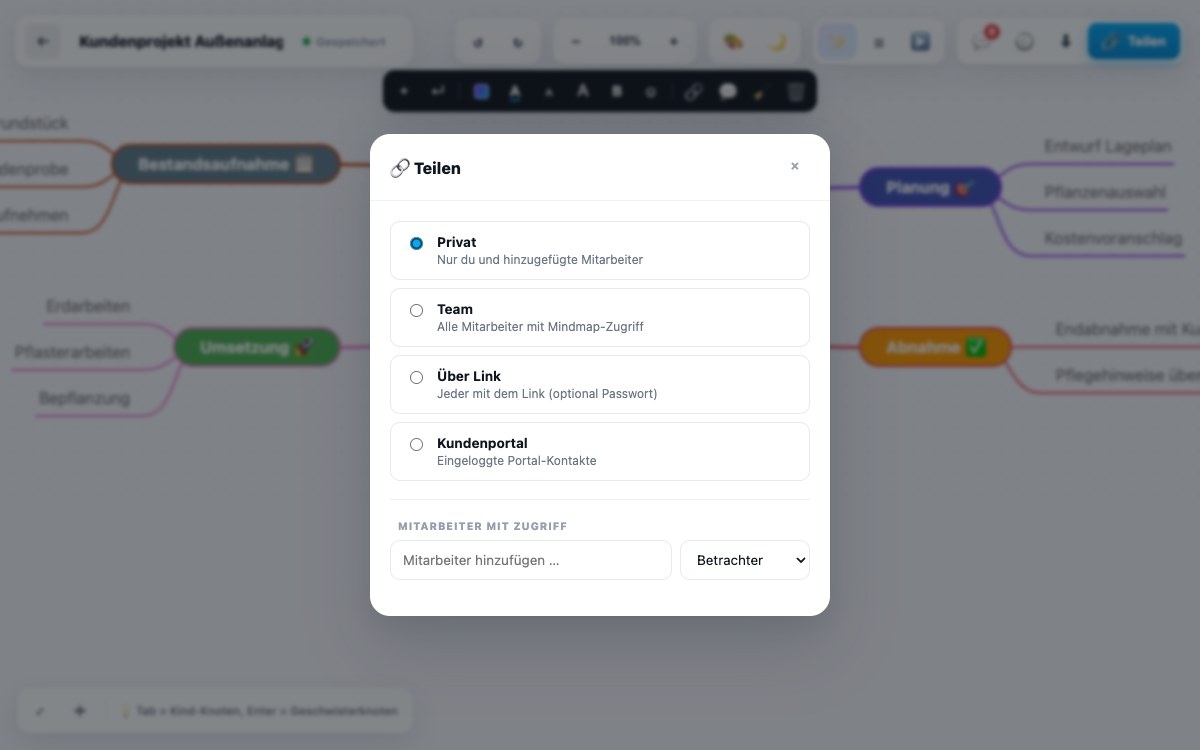
AI Assistance and Direct Links Into the CRM
On request, the AI builds a whole map from a prompt, offers further ideas for a branch mid-work, or summarises a sprawling map in a few sentences.
A node links directly to a customer or lead, and one click on any node turns it into a real task in the CRM.
More about Project Tasks & Timer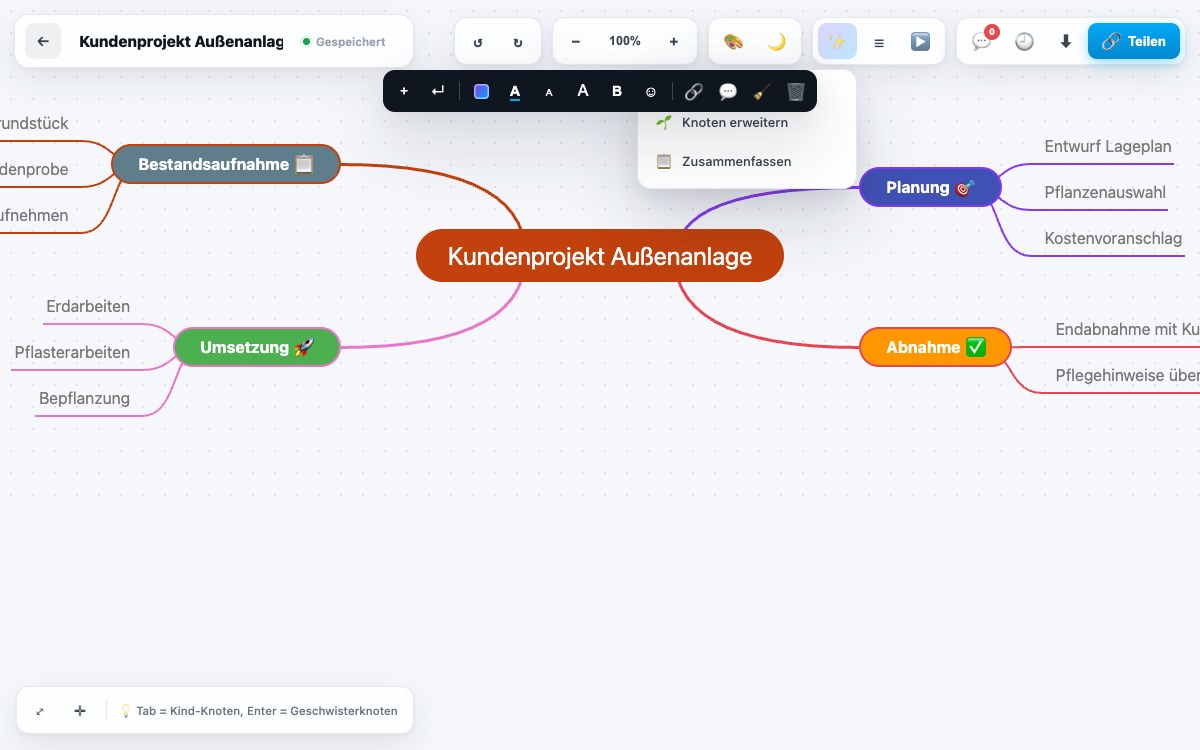
What it does
- Unlimited mindmaps in your own folders
- Full-screen editor with drag-and-drop, undo/redo and zoom
- Node formatting: colours, emojis, font size and style
- Eight themes including dark mode
- Eight ready-made templates — SWOT, OKRs, project plan and more
- Autosave and version history — restore earlier states at any time
- Export as PNG, SVG, Markdown, OPML or FreeMind, import from common formats
- Share via link with password protection and embedding, dedicated presentation mode
- Comments and live team presence right on the node
- Link nodes to customers, tasks and leads, create tasks directly from a node
- AI features: generate a map from a prompt, per-branch idea suggestions, summarisation
Discover more features
Included in these trade solutions
Ready-to-run trade systems built on this feature.
Try it yourself — no registration
Every trade has its own live demo with sample data. Or pick your package right away: the whole team is included.