Cockpit feature · Core
PDF Designer: Give Invoices, Quotes and Documents Your Own Look
A drag-and-drop builder right inside the Cockpit designs invoices, quotes and purchase orders in your own look: letterhead, colours and watermark with a live PDF preview, plus a GiroCode for scan-and-pay right on the invoice, included free in every plan.
Included from: Basis package
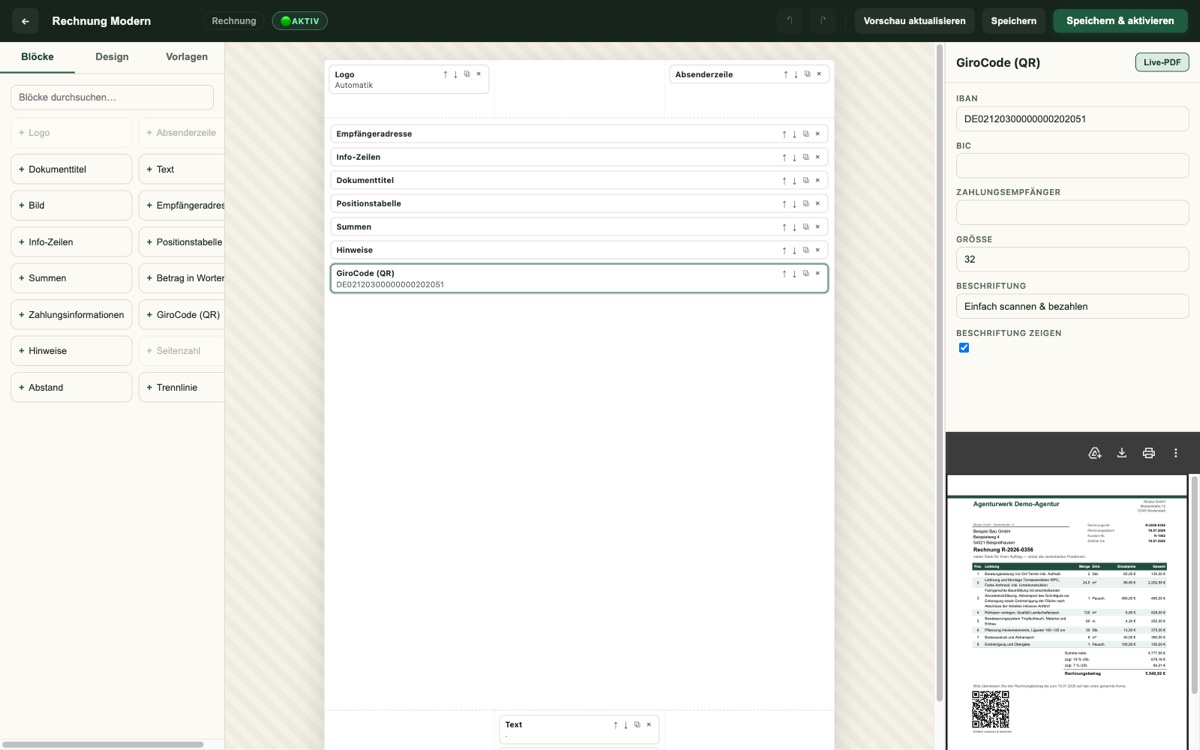
Out of the box, invoices, quotes and purchase orders tend to look like everyone else's in the trade. Getting a custom layout usually means briefing an agency or reaching for a separate PDF tool that has nothing to do with the CRM and needs re-syncing after every change. PDF Designer brings its own builder straight into the Cockpit instead: letterhead, colours, watermark and a letterhead background image can all be set with no code and no design skills required, for the invoice, quote and purchase order together, or each on its own.
The editor shows every change instantly in a real live PDF preview, not some rough approximation. Logo placement, accent colour, font and footer can all be judged reliably before the first real invoice goes out with it. Anyone who'd rather not start from scratch picks from 15 ready-made colour presets that bring matching accent, text and table colours along, then fine-tunes individual tones to taste from there.
The invoice itself also carries a GiroCode (EPC QR code) for "scan and pay": the customer points their banking app at it, and the recipient, IBAN, amount and payment reference are already filled in, with no typos creeping into the transfer. Inspection reports and the trip log, the Cockpit's two other PDF outputs, automatically pick up the colours, logo and watermark of the active template too; the same goes for the customer portal and the DATEV export. And because none of it is mandatory: with no active template set, every PDF looks exactly as it always did, risk-free and switched off again with a single click at any time.
Drag-and-Drop Builder With a Real Live PDF Preview
Letterhead, logo placement, font and the accent bar in the header and footer can all be set with no code, for the invoice, quote and purchase order together or each on its own.
Every change appears instantly in a real PDF preview, not some rough approximation. That means the result can be judged reliably before the first real invoice goes out with it.
More about Invoices & XRechnung (e-invoicing)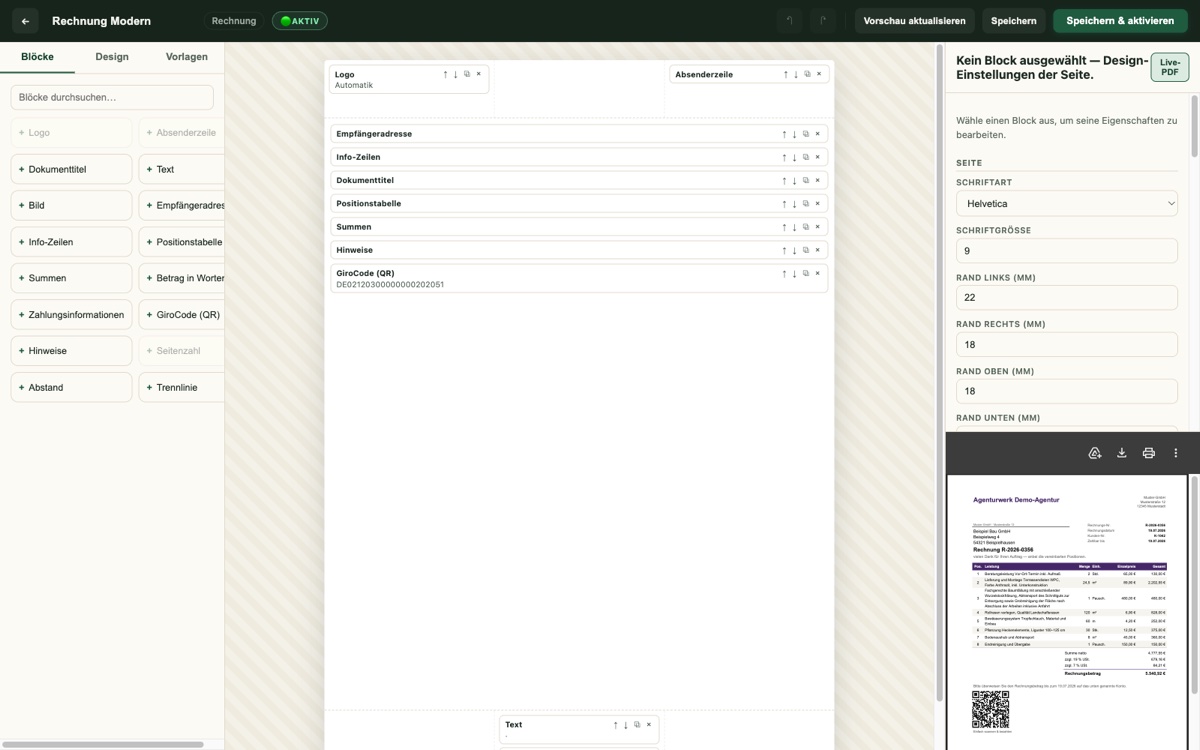
15 Colour Presets, Watermark and Letterhead Background
Anyone who'd rather not start from scratch picks from 15 ready-made colour presets with matching accent, text and table colours, then fine-tunes individual tones freely from there.
A freely configurable watermark (text, angle, opacity, size) plus your own image as a full-page letterhead background round off the custom look.
See it live in the demo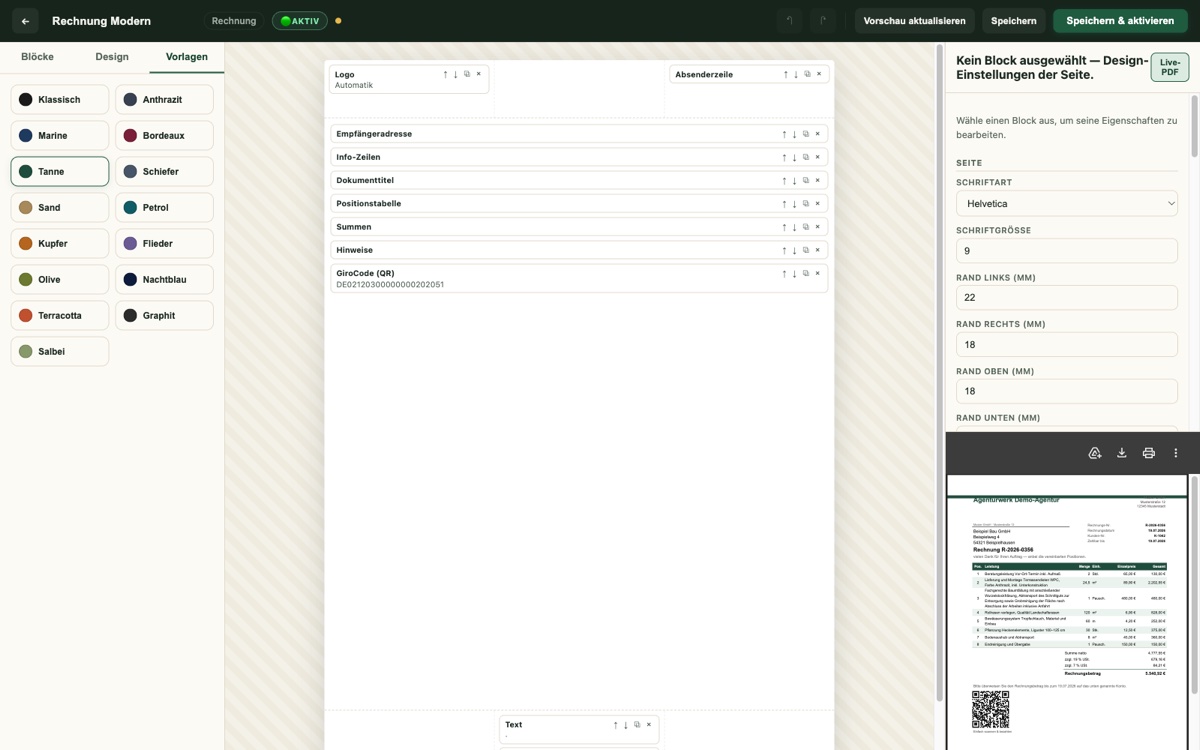
GiroCode/EPC QR Code — Scan and Pay Right on the Invoice
One GiroCode on the invoice is enough: the customer points their banking app at it, and the recipient, IBAN, amount and payment reference are already filled in, with no typos creeping into the transfer.
That noticeably speeds up incoming payments, with no extra cost and no additional tool. The QR code is generated automatically from the invoice data.
See it live in the demo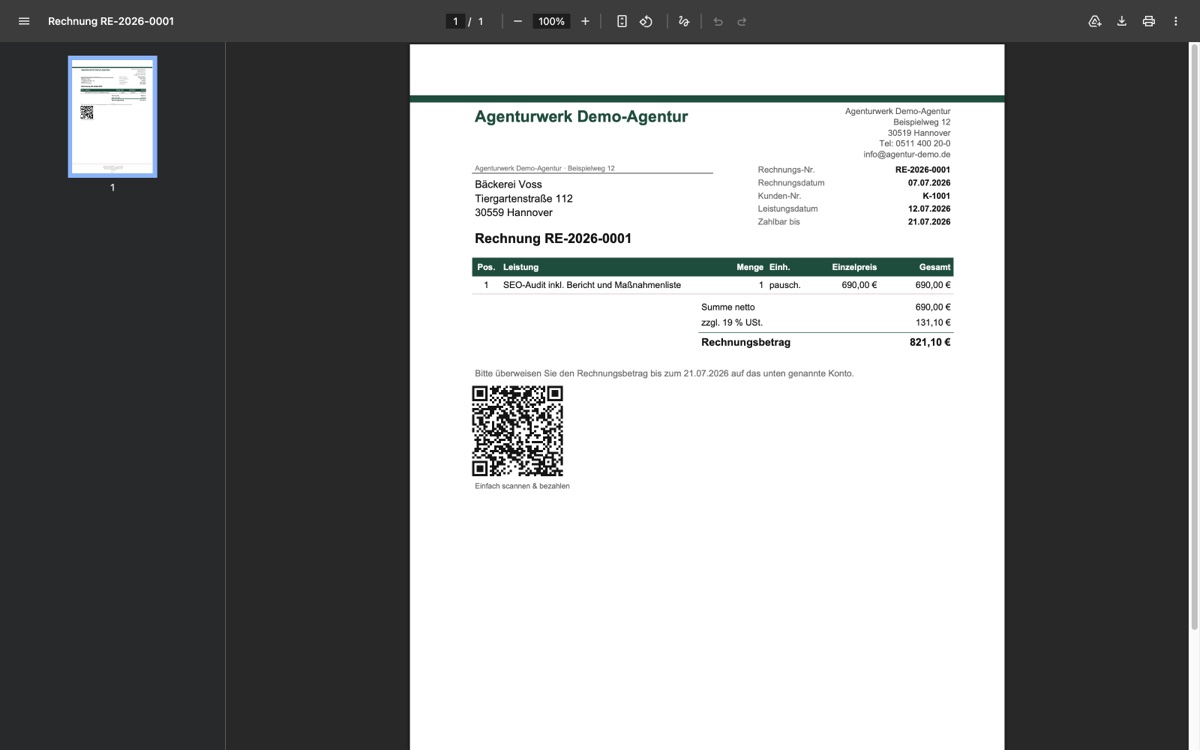
Applies Everywhere Automatically — and Stays Risk-Free Without a Template
Inspection reports and the trip log, the Cockpit's two other PDF outputs, automatically pick up the colours, logo and watermark of the active template too; the same goes for the customer portal and the DATEV export.
None of it is mandatory: with no active template set, every PDF looks exactly as it always did. That's risk-free, and switched off again with a single click at any time.
More about Inspection Reports & Handovers — From DGUV V3 to Handover, Digital and Signed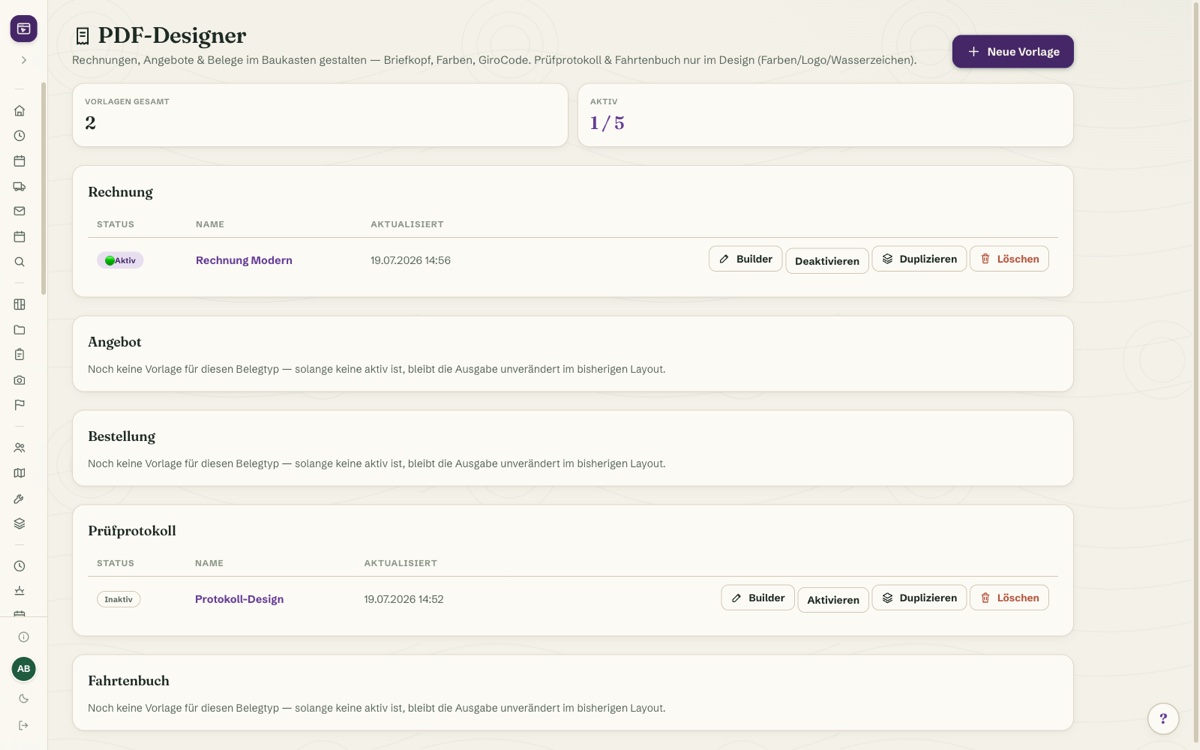
What it does
- Drag-and-drop builder with a live PDF preview instead of a rough approximation
- 15 ready-made colour presets, plus freely chosen accent, text and table colours
- Custom letterhead: logo placement, font, accent bar in header and footer
- Freely configurable watermark (text, angle, opacity, size)
- Letterhead background image — your own image as a full-page PDF background
- GiroCode/EPC QR code for scan-and-pay right on the invoice
- Applies to invoices, quotes and purchase orders — designed together or separately
- Inspection reports & trip log automatically pick up colours, logo and watermark
- Visible in the customer portal and the DATEV export, with no separate upkeep
- Included free in every plan — with no active template, the layout stays exactly as before
Discover more features
Included in these trade solutions
Ready-to-run trade systems built on this feature.
Try it yourself — no registration
Every trade has its own live demo with sample data. Or pick your package right away: the whole team is included.